
In Trello when I paste a list, it asks if I would like all on one card or as individual tasks.
Great time saver, for example, I have a list of to do's in an email from a client. When I paste it as a subtask, it's one long paragraph.
Will do this. Did before but complicated it by editing it. Example made it an html list (<ul> <li>...). Thanks.
Scottnsd, Jun 13, 2018
No joy, Crystal.
Pasted into Notepad++ then coped into a new task. No.
pasted into Notepad++; added a space between lines so, for example the 2nd line in the email list became line 3 on Notepad++.
Copied into a new task: same result = a long paragraph.
Used ctrl -c and ctrl-v.
Scottnsd, Jun 13, 2018
Hi Scott, Looking at the email screenshot, you would like each line to be a task in Quire after copy & paste? What you can do is copy & paste that part of email into a text editor (eg., Notepad, TextEdit) first, and then copy & paste it into Quire. Quire shall then recognize each line as a task.
Crystal, Jun 13, 2018
Hi Scott, I just tried it on Windows 10, Chrome Version 67.0.3396.87, and it worked. Here are the steps:
- I copy the following in Notepad.
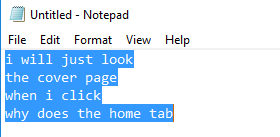
I go to a Quire project, and press Ctrl+V to paste.
In the dialogue that showed up, I make sure “multiple tasks” is selected.
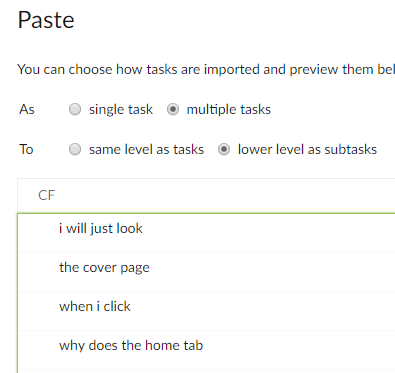
Then I click on Paste at the bottom of the dialogue.
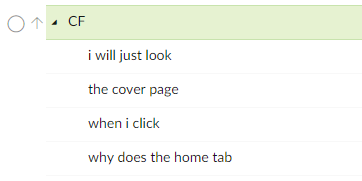
I see that each line has been added as a task.
Did you follow the same steps? What browser and its version are you using?
Crystal, Jun 14, 2018
Hi Chrystal,
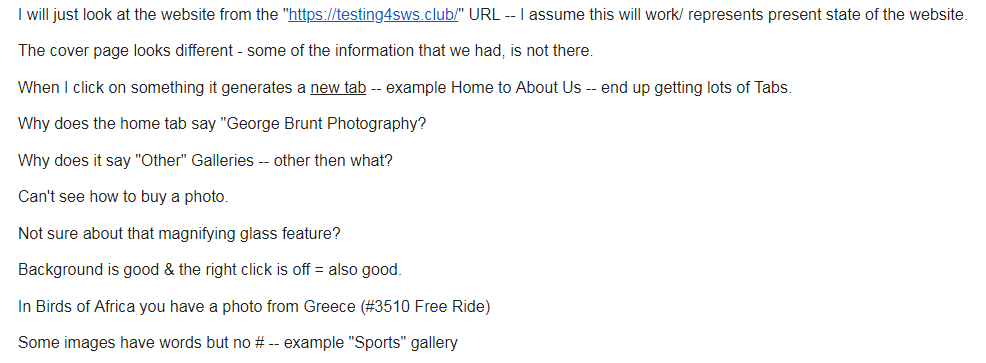
Attached is a screenshot of the pertinent part of the email I pasted into first a subtask than into a comment. I paste using ctrl-v so no dialogue. If I right click, the option is to paste. I'm using Windows 7.
Scottnsd, Jun 11, 2018
I'm using Windows 7 64; Version 67.0.3396.79 (Official Build) (64-bit). Used Notepad this time (usually I use Notepad++).
The first couple of times there was a popup which indicated I could use shift + [ a right arrow icon] to open up and a left arrow to collapse.
Misunderstanding, I think, I tried a shift, a plus and the right arrow.
In any case after a repeat, the prompt stopped, even when I went to a different project and time frame.
I've also tried fresh even though no pop up prompt to use shift right arrow both before and after ctrl-v.
Nada. Sorry. I may be missing something but maybe it's a Windows 7 issue.
Scott
Scottnsd, Jun 14, 2018
Hi Scott, Correct me if I am wrong: You would like Quire to recognize the list of to-dos you copied from an email as individual tasks when pasting into Quire? If so, what does your list of to-dos look like? A screenshot would be nice. And when you paste it into Quire, did you choose to paste as “multiple tasks” in the dialogue?
Crystal, Jun 11, 2018