

这个应用程序仅供Premium订阅方案以及 Enterprise订阅方案订阅方案的组织使用。
Quire now offers a two-way sync with Google Calendar, making project management smoother than ever. This feature allows you to sync your Quire tasks with Google Calendar and vice versa, ensuring that any changes made in one tool are instantly reflected in the other.
You can choose to sync all tasks or just your tasks, giving you control over what appears in your calendar. This seamless integration keeps your schedule up-to-date, helping you stay on track and manage your projects more efficiently.
Installation Guide
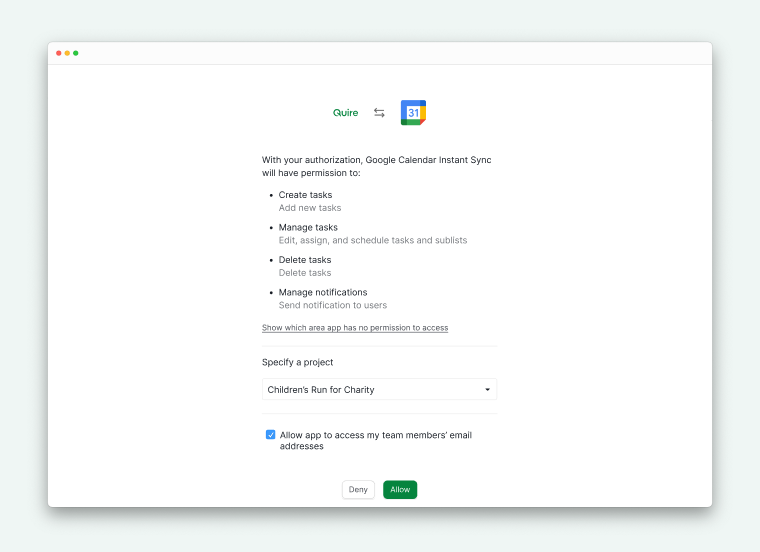
Choose a Quire project that you want to sync your Google Calendar with and follow the instructions to authorize your Google Account, then click Allow.
You can choose which tasks to sync to your Google Calendar or which calendar you'd like to sync to. You can also customize how to display your tasks in your calendar. Then click Save to complete the set up.
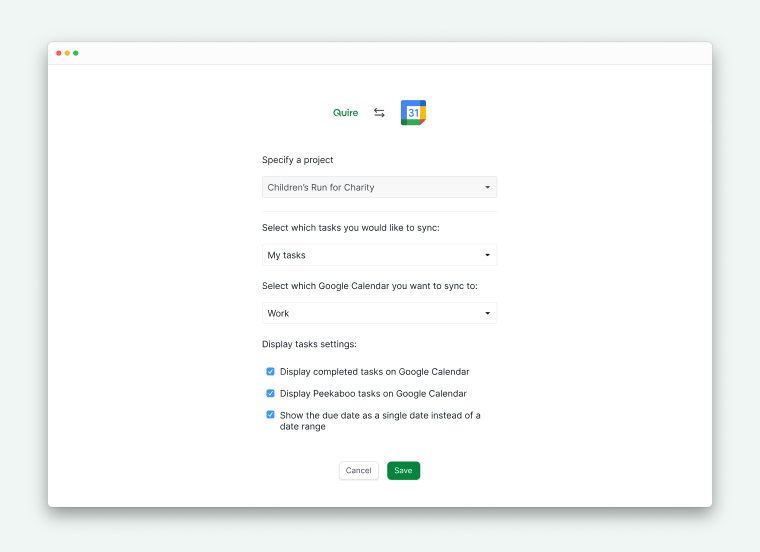
You can create new calendars in Google Calendar first, then connect your Quire projects separately. This way, your Quire tasks will be shown in different calendars in Google Calendar. Or you can choose to sync multiple Quire projects to one Google Calendar only.