
Is there away to list all of my tasks in date order?
I can always see the ones for the actual day at the top but then the rest of the list is in a sporadic order but I’d like to see it in date order so I know what’s coming up next.
Via Quire iOS
How do I do that please Crystal? I’m using the iPhone app but can’t see a sort option or how to change it. It just says ‘overdue’ then ‘upcoming’ or something similar...
Kaori, Jun 22, 2018
Hi Kaori, Have you tried to sort by “Due Per Day”? Let me know if this helps.
Crystal, Jun 22, 2018
Hi Kaori, This sort by “Due Per Day” option can be found in a project. You can tab the “filter” icon and choose this sort by option. FYI, you will be able to sort by "Due Per Day" and also filter by "My Tasks" at the same time in a project and also in a Smart Folder (a folder of projects from different organizations) in the future. It should help.
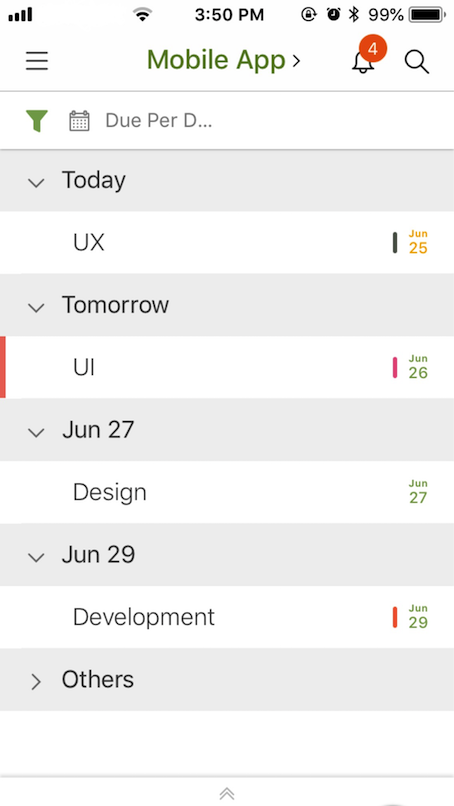
Crystal, Jun 25, 2018
⭐️ We have closed this thread in order to optimize the performance of our Quire Feedback Forum.
Please see our Quire Feedback Official Guideline for more information. Thank you.
Peggy, Apr 22, 2021