
Before, the zoomed task showed the description panel if no subtask were selected. Now It doesn't shows up. Is there a way to do it?
I send my clients shared links of the Zoomed View so they can see the progress of the repair (marked by subtasks) and the cost and description of the general service in the Main task description. To make sure other clients don't see the each other's info, I just send them the Zoomed View.
But now, the Description/ Comment (Detail Panel) section of the zoomed task won't show up. Help!
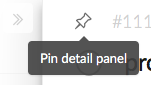
HI Lázaro, Perhaps you accidentally closed the right detail panel? You can open it by pressing Space, and “pin” it by clicking on the pin icon. Let me know if this solves the issue. If it does not, a screenshot of what you see would help us look into it. Thanks.
Crystal, Jul 18, 2018
⭐️ We have closed your thread in order to optimize the performance of the Quire Feedback Forum. Please see our Quire Feedback Official Guideline for more information.
Peggy, Apr 22, 2021