
It's easier for me to grasp information if it's in printed form, especially once a project gets big. Any way to do this?
Actually im print for attending meetings.
Putra, Nov 1, 2019
Is there any implement for printing description? I would like to print zoom in task show "t-desc-block" below the task.
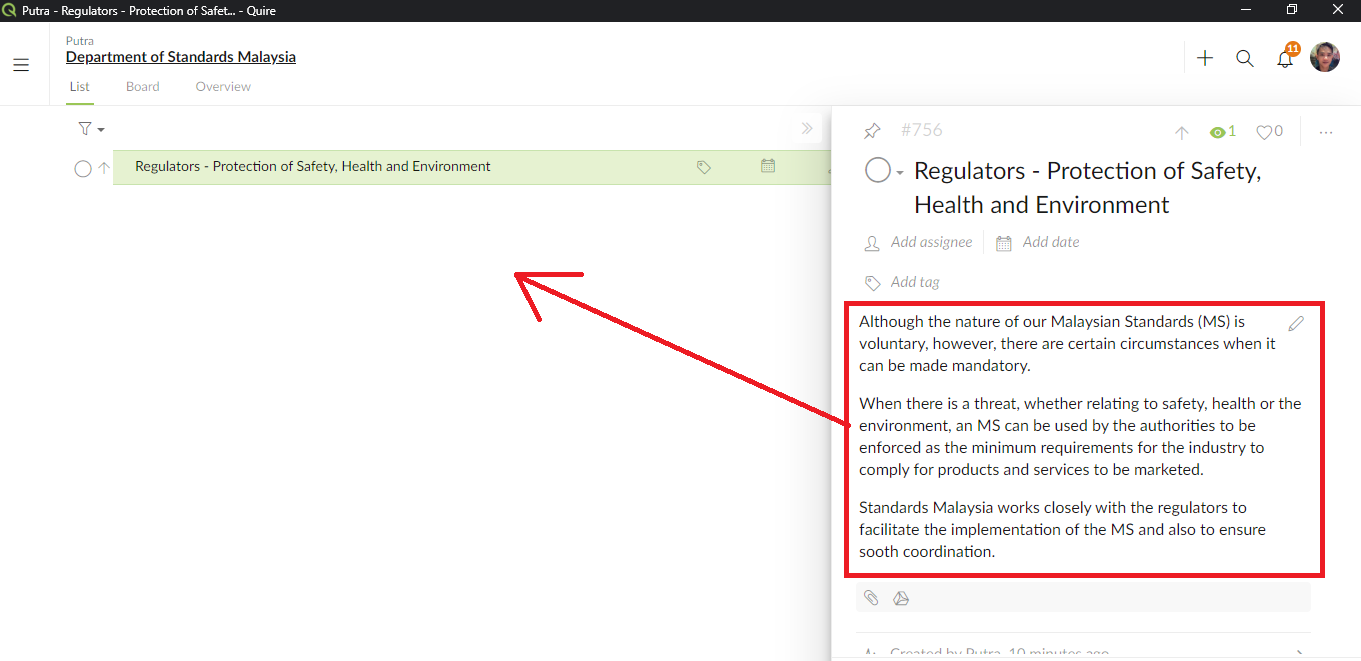
Putra, Oct 31, 2019
@putra - ahh okay, you mean when printing in Advanced mode (hitting Ctrl), descriptions should show underneath the task name?
Peggy, Nov 1, 2019
Hi Jmgeorg60, You can already print a project (more specifically, the “task list”) by pressing Ctrl+P. Is this good enough for your needs? If not, what else would you like to be printed (eg., task description)?
Crystal, Aug 22, 2018
Are this will be problem if insert under task id form after hit "ctrl"? If people don't want print description just use normal form. Sorry i dont know what name after click "ctrl".
Putra, Nov 1, 2019
Hi @putra , if we implement printing description underneath the task name, take your description for example, I think it could only fit 2 to 3 tasks on a page. Will this work for you?
Peggy, Oct 31, 2019
Hi Putra - By clicking on the Print option in the More options icon in the detail panel, you can now print the task detail panel. Hope you find this helpful!
![[feedback] print detail panel.png](/aup/Co/Q0Bqn7JLn1vzOnPsKJM6dOU4/bkbxjbb1/%5Bfeedback%5D%20print%20detail%20panel.png)
Peggy, Apr 15, 2021
yes @peggy
Putra, Nov 1, 2019