
How to transfer work package to another project or the whole project to another organisation
great! thanks
Phuong Lam, Oct 19, 2018
@phuong.lam : Hello Phuong, the issue has been resolved. Let me know if everything goes alright on your end.
Michelle, Oct 19, 2018
Hi Phuong! Did you mean that when you clicked on the Transfer option (button) in the context menu, nothing happened?
Michelle, Oct 11, 2018
@phuong.lam : Hi Phuong, transfer tasks/projects to other projects/organizations by going to its options menu and selecting Transfer from More. 😃
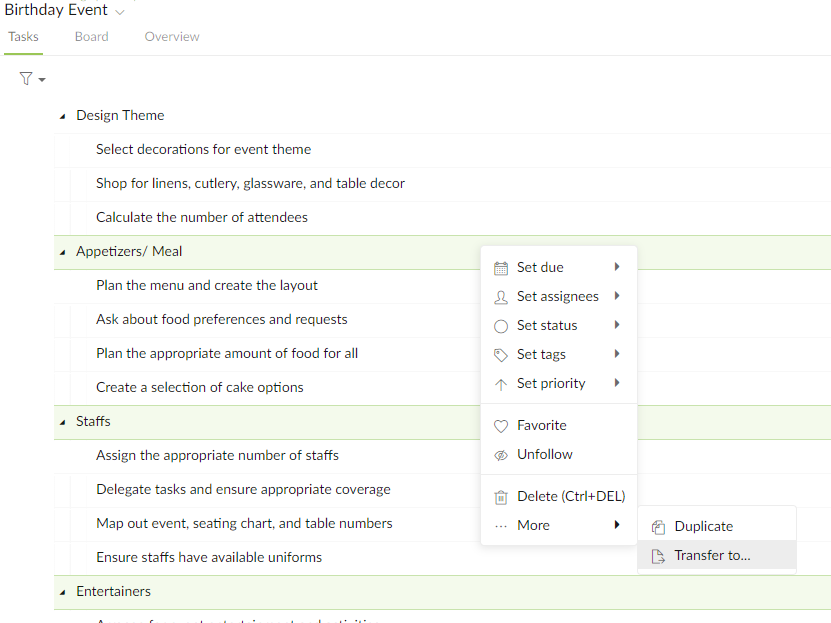
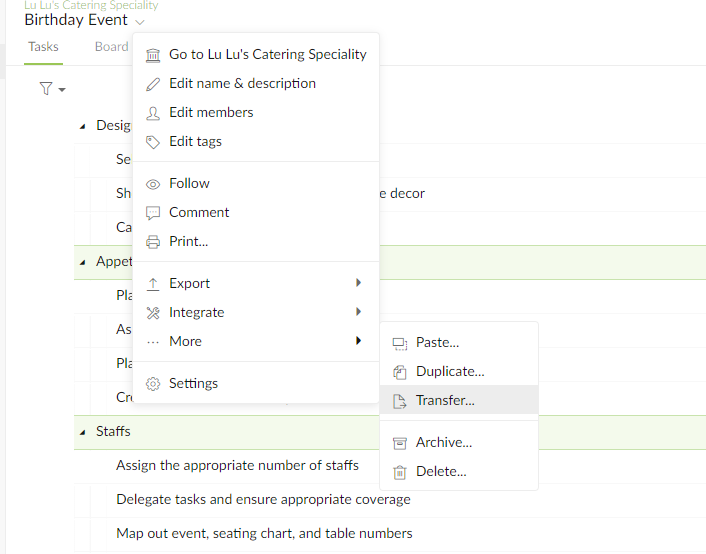
Michelle, Oct 11, 2018
@phuong.lam : Hi Phuong, Looks like there is a bug. 😞 It should be fixed in the next update. For now, you can try drag the task(s) to another project in the left sidebar, click on Cancel in the dialogue. Then, you should be able to transfer tasks by right-clicking.
Michelle, Oct 11, 2018
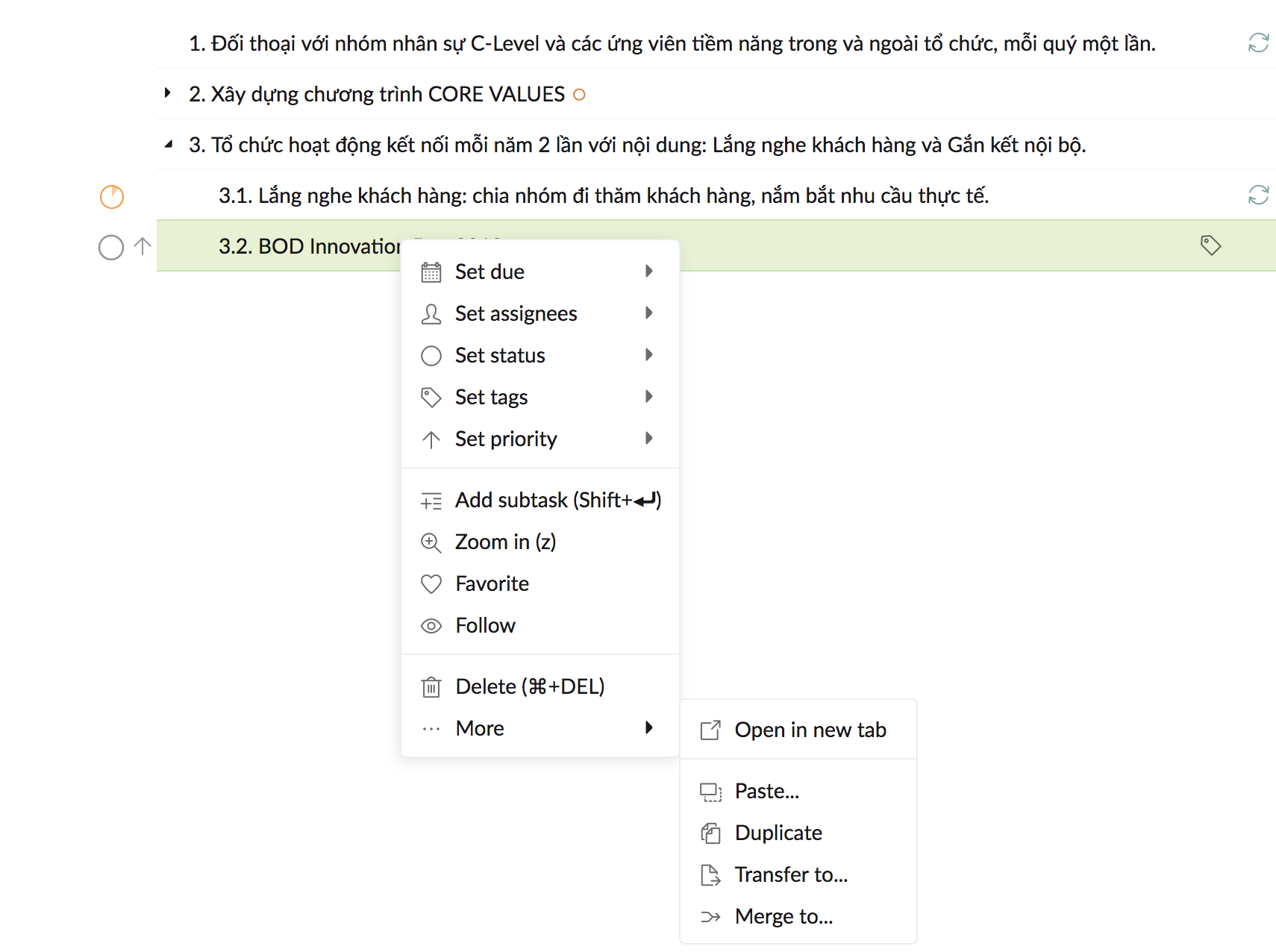
@michelle-28 thanks for sharing, before asking I did see the button but it hasn't had any action when click on, there are nothing happening
Phuong Lam, Oct 11, 2018
Yeah, exactly! I have tried many times. Nothing 😞
Phuong Lam, Oct 11, 2018