
As the staff or manager, we want to know some angle of the task such as:
- What are the key result of task we want to archieved?
- What are qualtity of task to evaluate: Best, good, be better, consider
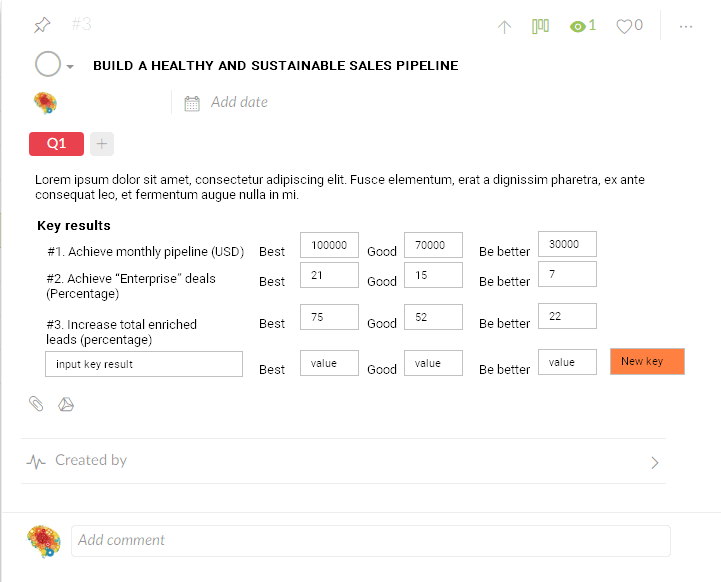
I suggest input these things into task info as below: .................................................................... Above or below task description Define key result:
- Key 1: [some thing] Best [number] Good [number] Be better [number]
- Key 2: [some thing] Best [number] Good [number] Be better [number]
- Add more key... .................................................................... If we do that, we can combine OKRs and Project management into one system
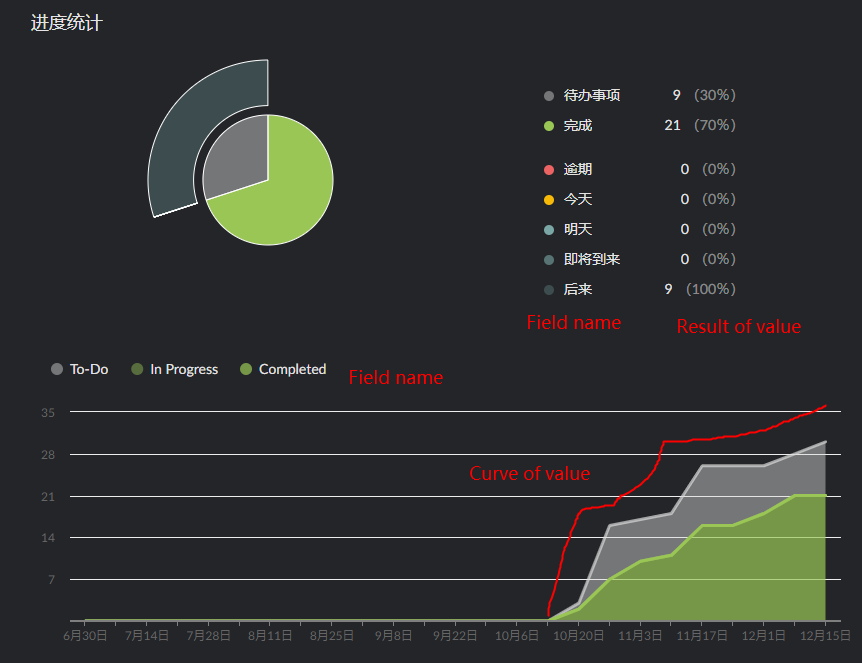
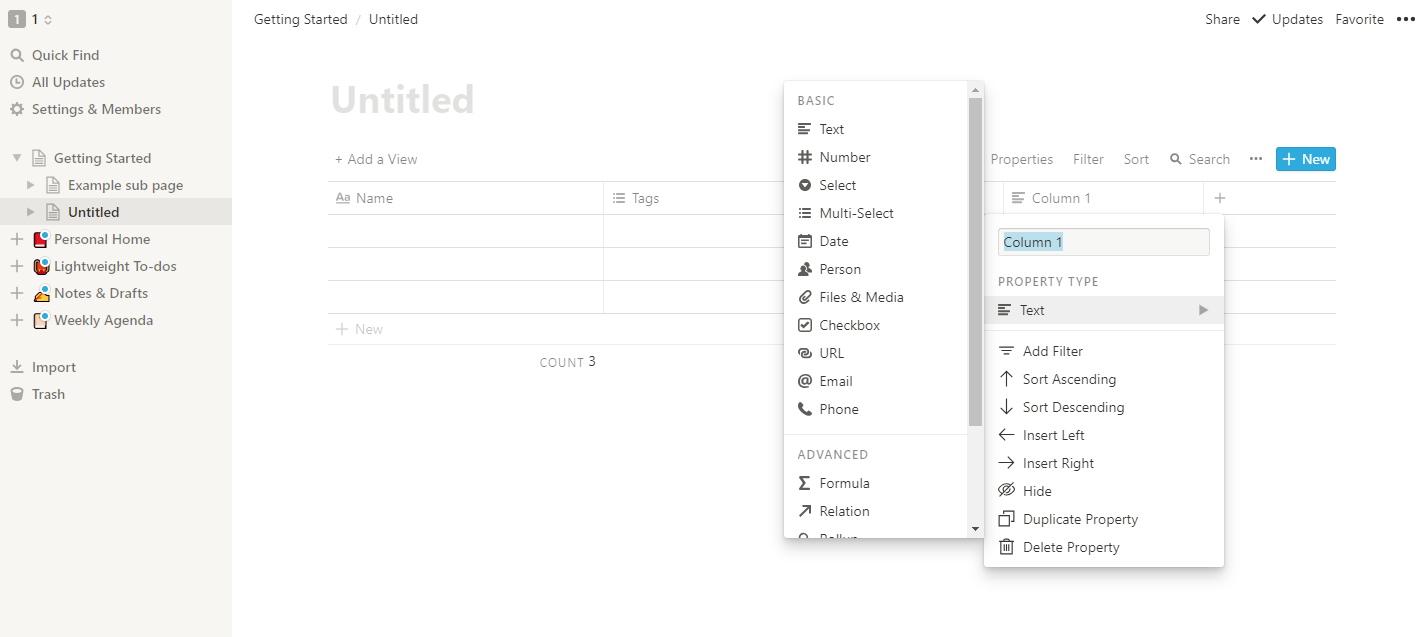
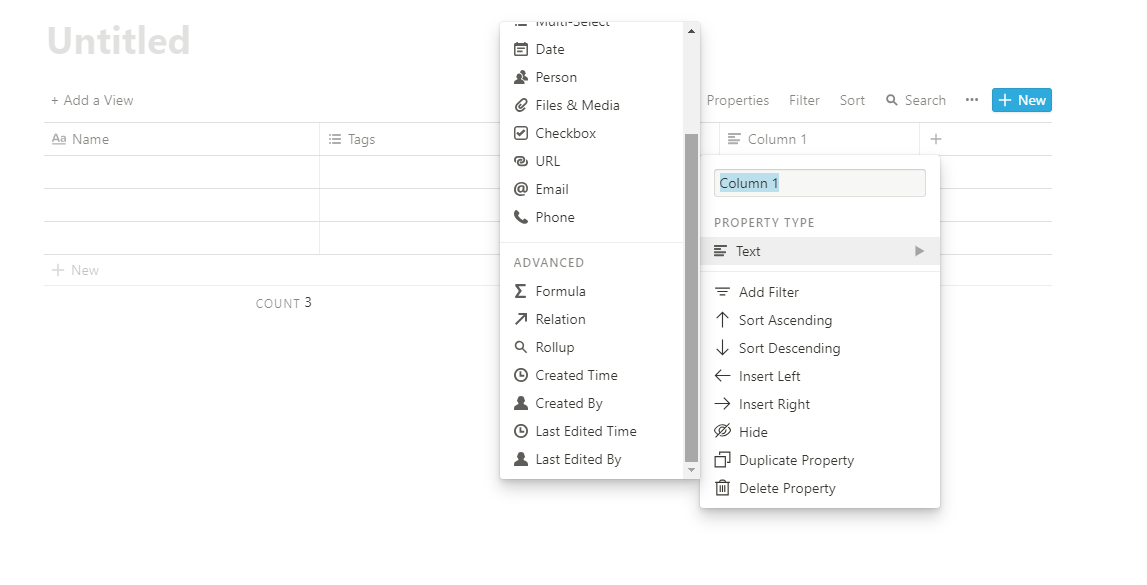
If it is in addition to tasks+bard+qverview, plus a calendar and table, what do you think? After all, the forms in commercial applications are quite extensive, similar to the table of notion
Ricky, Dec 13, 2018
Hi Trần, correct me if I am wrong: Basically, you would like a visual indicator (eg., the star symbol) that shows the "performance" of each task? By "performance", what sort of factors (elements) do you think will contribute to eg., a 3-star task?
Michelle, Dec 10, 2018
@michelle-28 : that right, Markdown cannot do that. I just want to automatic display the perfomance indicator by symbol in task title (maybe 3 green stars for best,2 for good, 1 for be better, 1 red star for fail)
Trần Hoài Nam, Dec 7, 2018
Ricky, Dec 11, 2018
Ricky, Dec 13, 2018
Hi Ricky, do you mean you would like a "report" view (eg., a chart or graph) that shows an overall summary of each task's performance in terms of when it was completed, how much time was spent on it, etc.?
Michelle, Dec 5, 2018
Hi Tran, thank you for the visual. While looking at your screenshot, it looks like it can be done with Markdown to create a table. For more details, you can click here. Let me know if this helps.
Michelle, Nov 30, 2018
Can I understand it as follows:
Does the project default not set the Custom field?
Or allow the task's "custom" field to be null?
Because what specific projects/tasks are important to users? What tasks output key results? These questions can only be identified by users themselves.
But if you need a marker of the importance of the task,
Quire support input! Sign the importance of tasks
Ricky, Dec 11, 2018
Markdown creates a table, you can't summarize the data, statistics
Ricky, Dec 4, 2018
@wu Does the project default not set the Custom field? Or allow the task's "custom" field to be null? --> project default don't have custom field and custom field of task defined by user when they need
Because what specific projects/tasks are important to users? What tasks output key results? These questions can only be identified by users themselves. --> the important task will be define in the meeting :D
But if you need a marker of the importance of the task, Quire support input! Sign the importance of tasks --> we need it display automatically, it means after user input the value of "key values", Quire will calculate and display the visual indicator symbol in task title
Trần Hoài Nam, Dec 11, 2018
@wu, @michelle-28 : Thanks you for your share! @wu your view similar with me and have some different about the purpose My angle is focus to the key result. It means that is the linking between Project Management and OKRs, so:
- The key results are defined by custom field for each task. The key result is dynamic depend on task
- The key results don't evaluate the person performence, we evaluate the objective at business, department, team level. It means only important task has key result and not for all tasks
- The key result defined by PIC, the manager will adjust or not, depend on the deal from them ==> i only want to đisplay by visual indicator performance in the task title automatically for quick review purpose
Trần Hoài Nam, Dec 11, 2018
Ricky, Dec 11, 2018
Hi Tran, if possible, could you please provide us with a visual example of what you had in mind, so we can have a better understanding? Thanks! 😃
Michelle, Nov 28, 2018
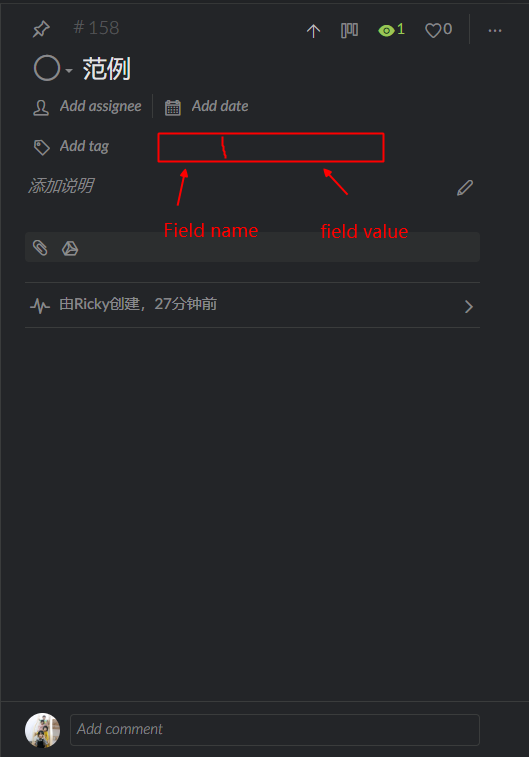
I would rather have a task with a custom field name.
Then you can enter the "numerical value" directly.
Each organization and project can automatically calculate this value and publish the results intuitively.
It will be more difficult to follow-up the use of stars, because stars involve different definitions of stars for everyone.
Because some people want to record the cost of time spent on this task, some people want money, some people want to contribute to the team, and some people want emotional index.
Custom field name is the best, but please limit: this name can only be set in the project, or in the team, to ensure the unification of names, the project set more flexible.
Number input, allowing negative values, and decimal existence, such as + 9999, - 9.999;
There is no doubt that the user-defined name can only be set by the team administrator. The first input of the value can be for the team members who perform the task. The administrator is also needed for subsequent modification. This can avoid some unnecessary errors.
Statistical problems of numerical values, each project and each team will automatically count the results, and the proportion of tasks, and intuitively display.
Ricky, Dec 11, 2018
Ricky, Dec 13, 2018
@michelle-28 : yes, that is what i wish. How about you @wu , đo you have any idea?
Trần Hoài Nam, Dec 11, 2018