
#1499: Quire Feedback
Status: Completed
I'm using the Google Chrome browser v71.0.3578.98 (Official version) 64 bit in Windows 10 but is not possible to change for dark theme mode. I cleaned the browser's cache n' cookies, but it did not work.
Please, help me. I like the dark side of Force. 😃
Created by (deleted-DsDQ) Dec 15, 2018, Edited Dec 20, 2018
Thanks for the support, Michelle!
Now it's working again. <3
(deleted-DsDQ), Dec 19, 2018
Hi Lucas, it is working fine at our end. 😞 Did you go to your Account Settings and switch to the dark theme under Theme? If it did not work, please give us a screenshot of your Console (right-click on the page --> select Inspect --> go to the Console tab), thanks.
Michelle, Dec 17, 2018
Hello Michelle!
Unfortunately it did not work. 😞
Here is the screenshot of my console.
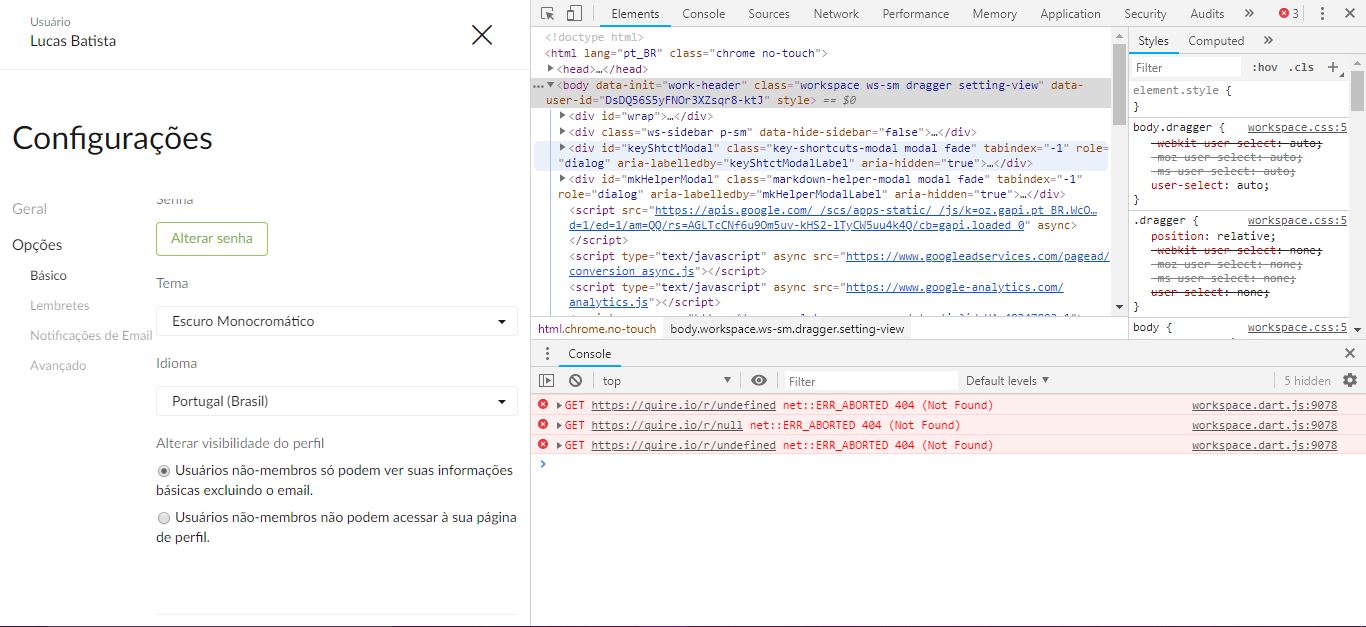
(deleted-DsDQ), Dec 18, 2018
Hi Lucas, there was a bug and it has been fixed. Let me know if you have any further questions. 😃
Michelle, Dec 19, 2018