
When opening the app after android has removed it from active memory I often receive the error "task cannot be found":
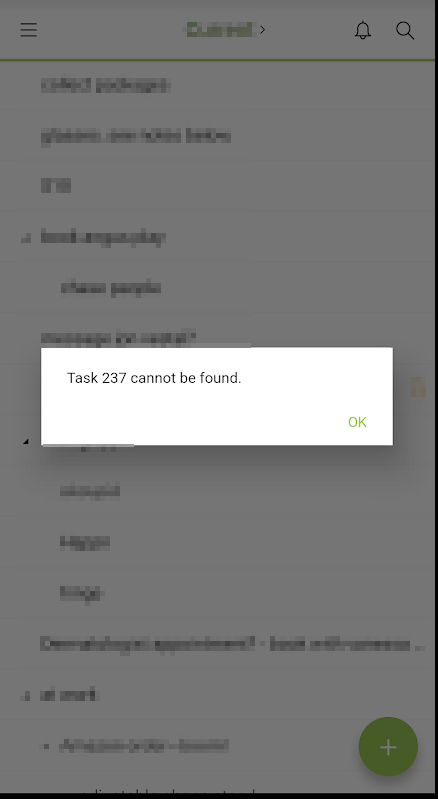
I believe this is happening because the last task viewed/edited has been moved to a different project.
However, this is unexpected behavior. I think it would make more sense to just open the project at the top (i.e. URL ending with "view=latest")
However, I do see that it makes sense in some cases to return to the last task. Perhaps a toggle in the app? "Open project at a) the top, b) last viewed task" ?
hmm ok, so I think I understand now. clicking the project name on the side bar will take you to the last selected task.
This happens even if you open a new browser window. i.e. the last task is remembered across web sessions.
However, the last task remembered for the android app seems to be independent of the last task remembered for the web app.
i.e. there are two "last tasks", one for the app and one for the web?
is that the expected behavior?
Yozza, Mar 14, 2019
ok so yeah, I think that's the issue. I can now reliably reproduce the "task not found" error:
- select task A in the android app
- "kill" the app
- transfer task A to another project in the web client
- open the android app
- Sometimes the error appears immediately, sometimes a forced refresh (pull down) is required to trigger it.
So, if i'm understanding the issue, it's due to the two independant "last tasks" (one for the app and one for the web). i.e. after the transfer, the web client has a new "last task." however, in the app, the "last task" is still task A
Yozza, Mar 14, 2019
Actually, just noticed even when clicking a project in the sidebar, rather than going to the top of the list (like on the web) it returns to a specific task.
Often this task is very low down and it's very annoying having to scroll to the top
Yozza, Mar 14, 2019
:D
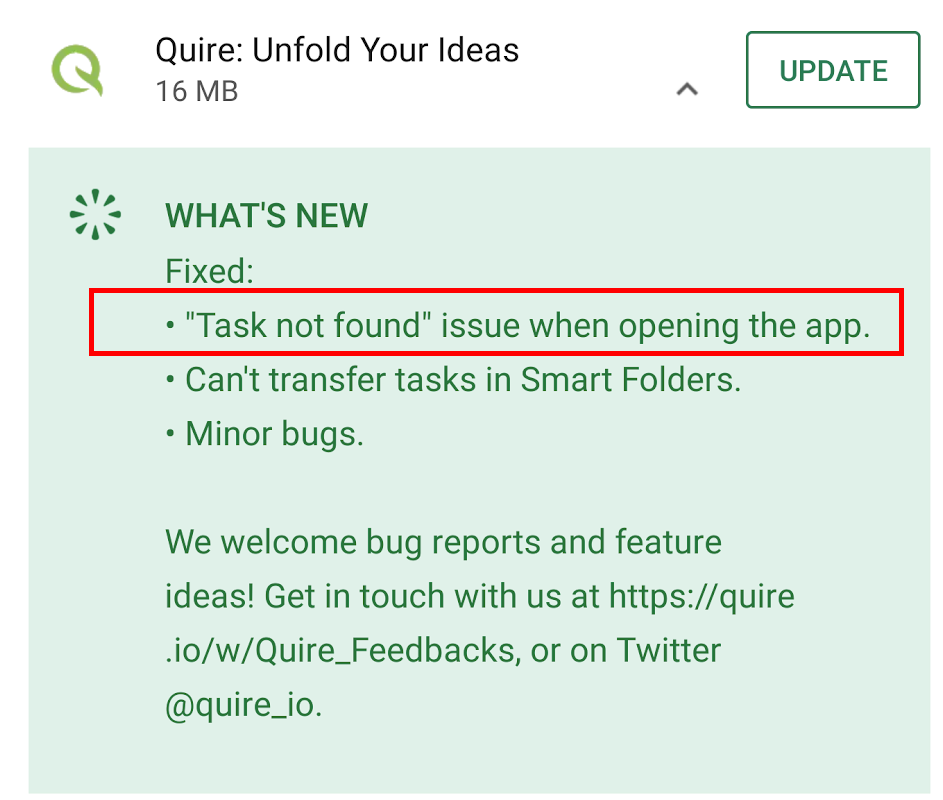
Thanks guys! very quick fix!
Yozza, Mar 20, 2019
oh, actually, I must have been imagining things, just checked again. on the web it also goes to the last selected task...
Yozza, Mar 14, 2019
Hi Vicky,
Just to confirm, the expected behavior for the app is to go to the last selected task, but on the web it's to go to the top of the list?
Yozza, Mar 14, 2019
Glad to help !! Have a great day!
Vicky, Mar 20, 2019
Hi Yozza,
Thank you for your message. Actually, it's our spec to remember the last destination/behavior of the user. So when you return to project A, the last task that you're working on will be selected.
Regards to your first issue, I cannot reproduce the "task cannot be found" problem. If it still persists, please take a short screen record and send to us for further investigation!
Thank you very much!
Vicky, Mar 14, 2019
Hi Yozza,
Thank you for your feedback. I've tried to reproduce your issue but it's impossible from my end. Would you mind to help me record a short video of how you did it? Or you can tell me the step-by-step guide so that I can reproduce the issue. I really appreciate your patience! Thank you very much.
Vicky, Mar 14, 2019
Thanks Vicky! My pleasure!
Yozza, Mar 14, 2019
Hi Yozza,
Our tech team has already looked into the problem. The issue is caused by one of our specs. We'll get it fixed soon 😃 Thank you for pointing out to us! Have a great day!
Vicky, Mar 14, 2019
Hi Vicky, seems like there are still two "last tasks" (see my comments above), one for the app and one for the web?
Is that the intended behaviour?
Yozza, Mar 25, 2019
Hi Vicky,
Thanks very much for the quick investigation!
As per my follow up comment, the issue (navigating to a specific task) manifests even when clicking a project in the sidebar.
The steps to reproduce are thus as simple as this:
When returning to project A, the task viewed in 1) will be selected. (As opposed to the top of the list)
Thanks!
Yozza, Mar 14, 2019