
So straight up, I have been unable to reliably reproduce this.
However, I have noticed that occasionally tasks that I KNOW are complete show as to-do (or vice versa).
Sometimes refreshing Quire will fix this and they will correctly show as complete/to-do. Other times, I need to close the browser tab and open it again to fix it.
While it's only happened a handful of times, it's very concerning and makes me worried my task date is lost/corrupted...
Sorry I can't be more helpful with more information here but I don't have any...
Hi Peggy,
Yeah it's tricky one to reproduce, because you have to first notice the task and then secondly remember what the state should be...
The detailed activity log (not the "heartbeat" latest status) is always correct. So, yes I moved the task (within the same project)
I've never changed the state when I've noticed this issue as I'm worried it will cause an inconsistency and might break something. I always simply refresh the page to fix it.
Unfortunately I've never been able to reliably reproduce it. I just sometimes notice it.
Yozza, Jul 20, 2019
Hi Peggy, This just happened again so I was able to take a bunch of screenshots and follow your instructions:
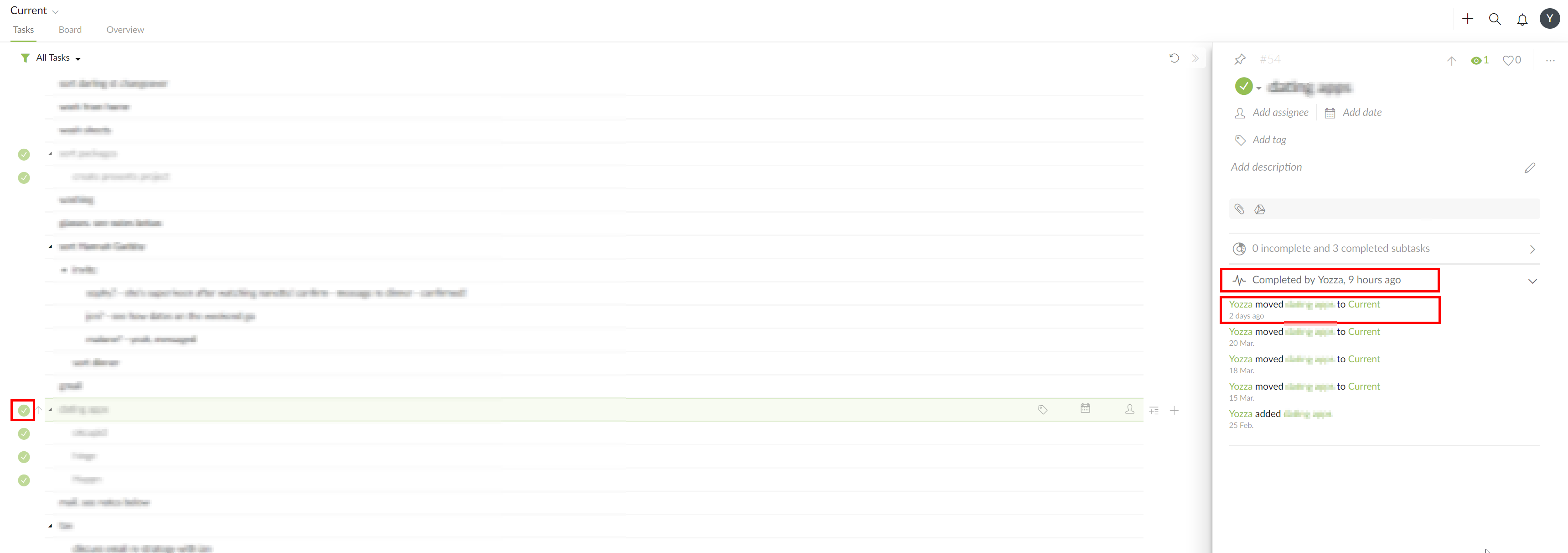
1/ The task activity log is inconsistent and doesn't appear as it would if the task were actually completed. The "heartbeat" latest update says the task is completed. However, expanding the activity log, doesn't show an entry for when it was completed! (The last activity is when it was moved.)
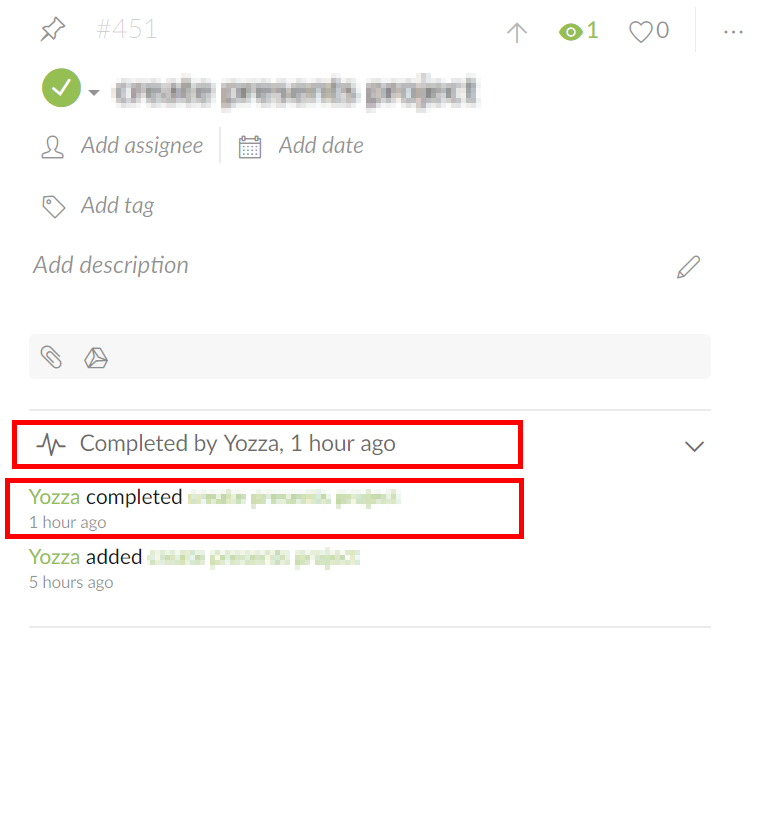
For reference, a task that is actually completed will show an entry for when the task was completed when expanding the activity log:
This inconsistency should hopefully make it easy to debug as it is a concrete symptom.
Also of note, subtasks of the incorrectly marked complete task showed the same behavior:
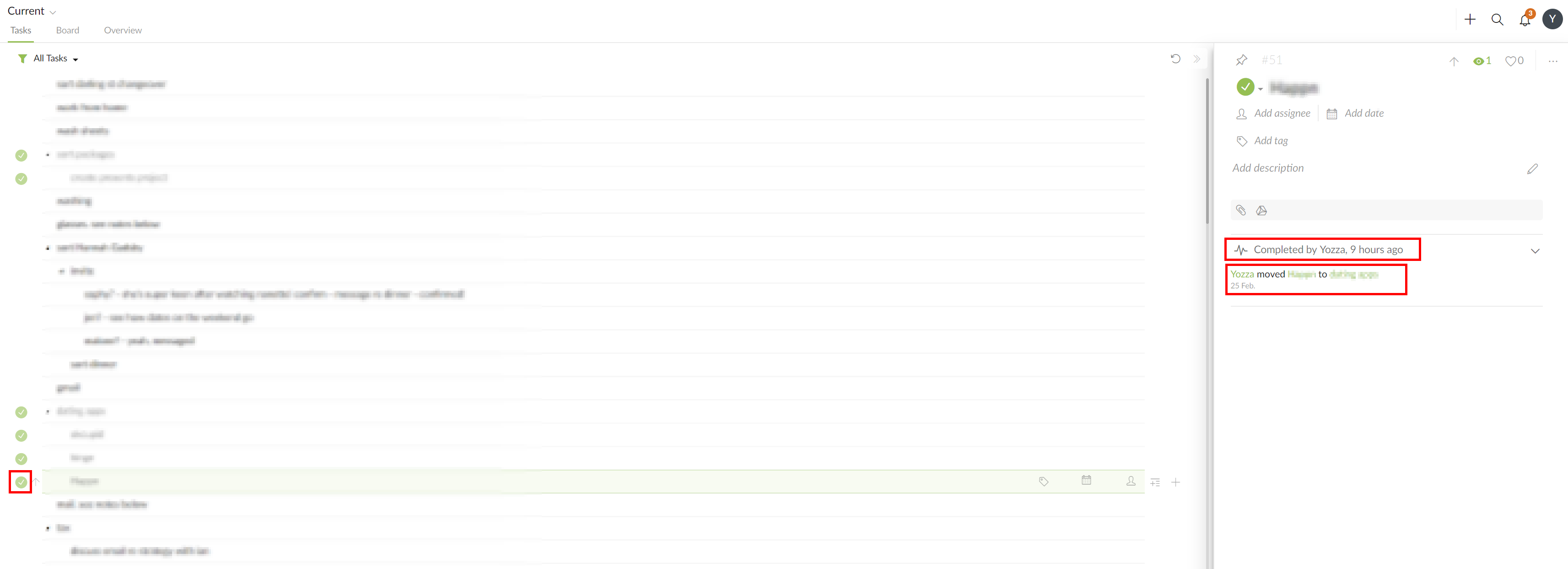
2/ I opened the project in a new browser window and it was still marked as complete. (The activity log also remained unchanged)
I then switched to a different project and back, and it was still marked as complete. (The activity log also remained unchanged)
Then I closed the window and reopened it, and it was still marked as complete. (The activity log also remained unchanged)
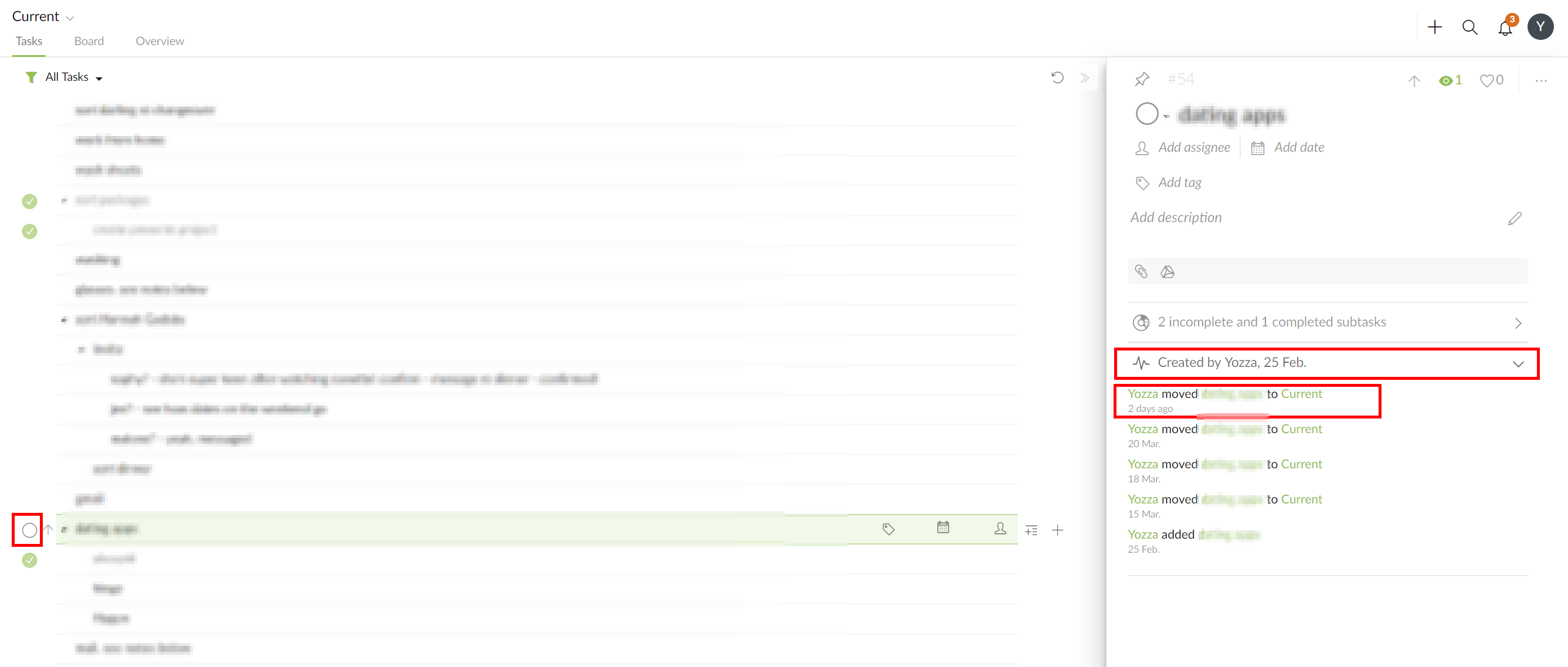
Finally, I refreshed the page, and it was fixed! Importantly, the activity log showed no change in completion status!
Yozza, Apr 3, 2019
Hi Yozza, if this situation happens next time, 1/ do not close the browser tab, please help to check the task activity log first and see if there’s any changes 2/ open the same project in a new browser tab to check if the task status is correct or not, if it’s incorrect, please switch to another project then switch back to check if the task status is correct. Thanks for your help!
Peggy, Apr 1, 2019
Hi Yozza, our tech team will look into this! Thanks for all the screenshot. 👍
Peggy, Apr 9, 2019
Hi Yozza, You could check the task activity log to see if someone else reopened the completed tasks (or vice versa). Thanks.
Peggy, Mar 29, 2019
Hi, any update on this?
It's still happening...
Yozza, Jul 18, 2019
Hi Peggy,
I don't think that's the issue:
- Refreshing/reopening Quire will show the correct status
- I actually did check the activity log after the refresh and no change had occurred.
Given this, I think it's actually a display/client side issue, rather than a backend issue...
If it happens again, is there any information I could provide which would assist in identifying this issue?
Again, to emphasise, this is quite rare, and has only a happened a handful of times, so it's not a huge issue.
Yozza, Mar 30, 2019
@yozza0 , thank you for the report. I was trying to reproduce this issue by following the steps you provided. Unfortunately, I wasn't able to reproduce it... 😞
I will let our developer team knows about this first, and we will continue to keep an eye on this. If you find any new reproduce steps/details, please let us know! Thank you so much for your help.
Peggy, Nov 27, 2019
So, while I haven't tested this to determine the exact steps required to reliably reproduce, I think I've figured out the circumstances in which this happens:
- a recurring task is marked as complete
- the new version of the recurring task appears in the project
- tasks underneath or "near" the completed task have their status changed in the UI
- refreshing the page fixes the issue
So, my guess (without knowing exactly how the UI has been implemented) is that there is some kind of ordered list of task statuses and the appearance of the next iteration of the recurring task messes this up somehow??
Yozza, Nov 26, 2019
Hi Peggy,
Not quite able to systematically reproduce it yet. But I'm now fairly confident it's to do with interactions between the mobile app (android) and the web app.
i.e.
- open quire on the web (chrome) on a PC (windows)
- make changes on the mobile app (create task, mark tasks as complete, move tasks)
- return to quire on the web. Some tasks will be marked as complete/to-do incorrectly.
It seems as though while the web app does indeed automatically sync changes (new tasks, moved tasks, etc.), the client side UI is rendering some tasks as complete/to-do incorrectly.
Refreshing the page always fixes the issue. (so the server side back end is not the issue)
Yozza, Jan 17, 2020
@yozza0 , I think I have figured out what happened... 😂
Steps:
- See this example.
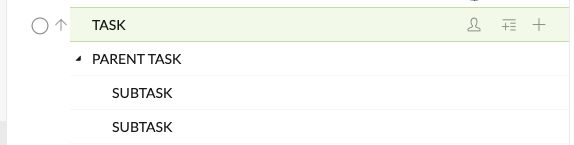
- Move TASK inside PARENT TASK.
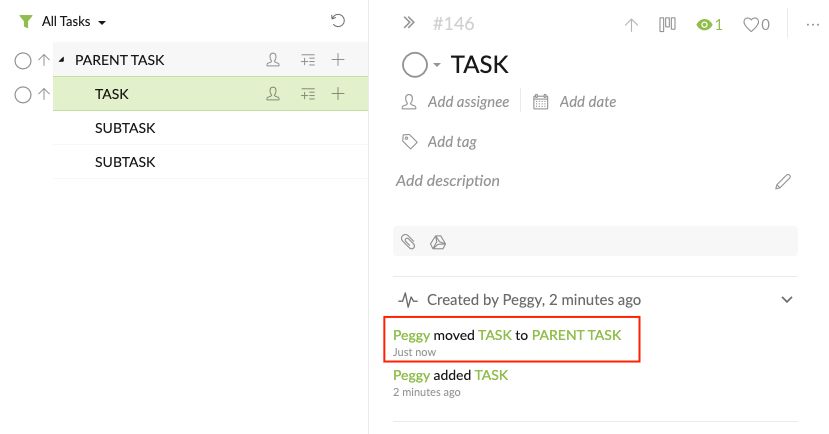
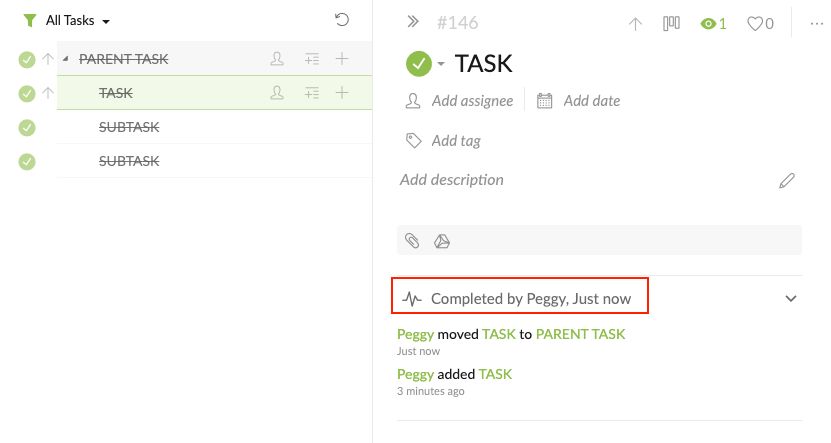
- Then complete the PARENT TASK. TASK will also be completed.
Peggy, Nov 28, 2019
Hi Peggy, unless I'm misreading your post, I don't think that's it.
Completing a parent task will also complete all subtasks. This is expected behavior, and not what I'm referring to.
Yozza, Dec 29, 2019
Hi Peggy,
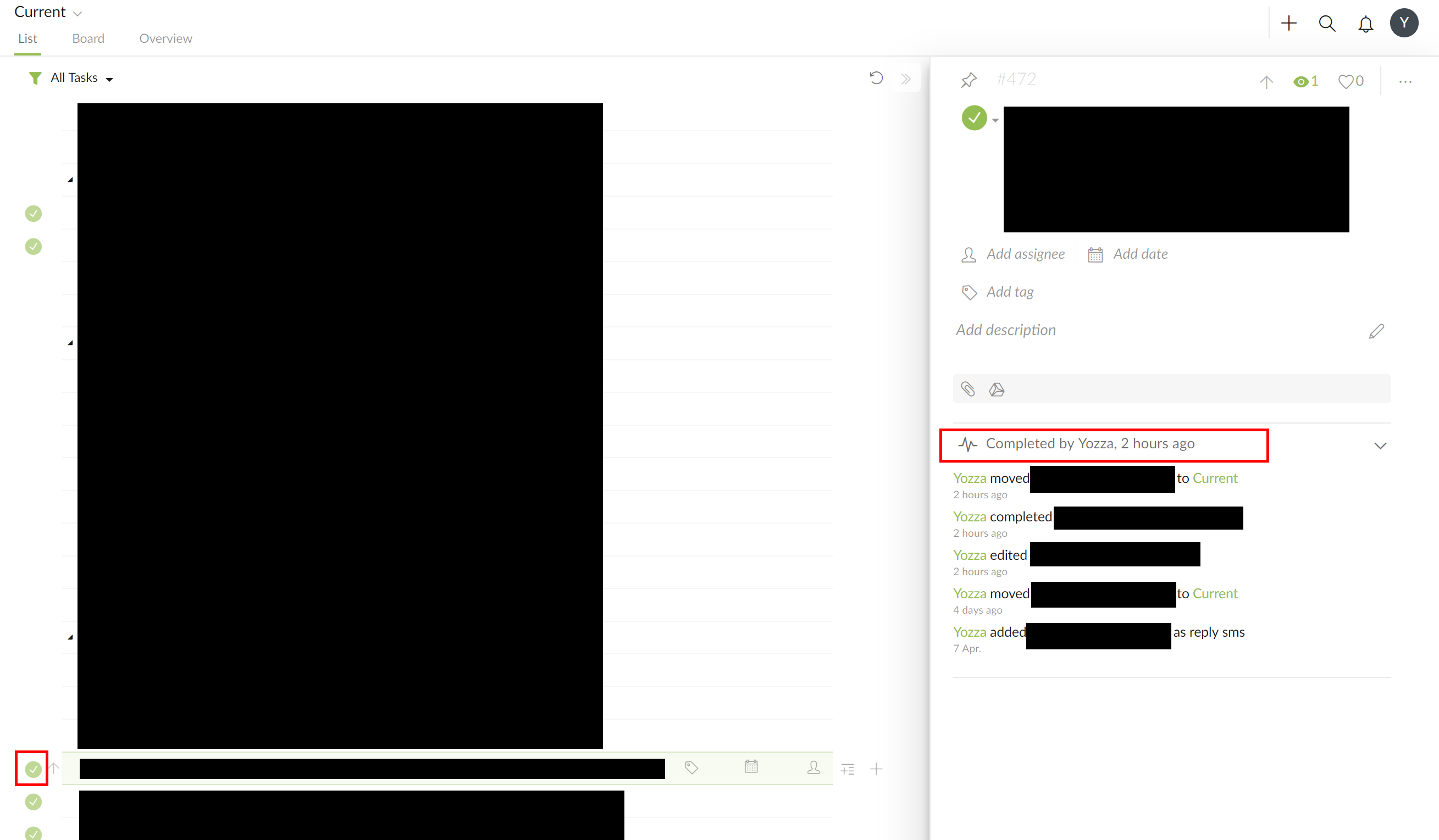
I managed to get a screenshot of this happening in reverse: Marked as to-do, but should be completed:
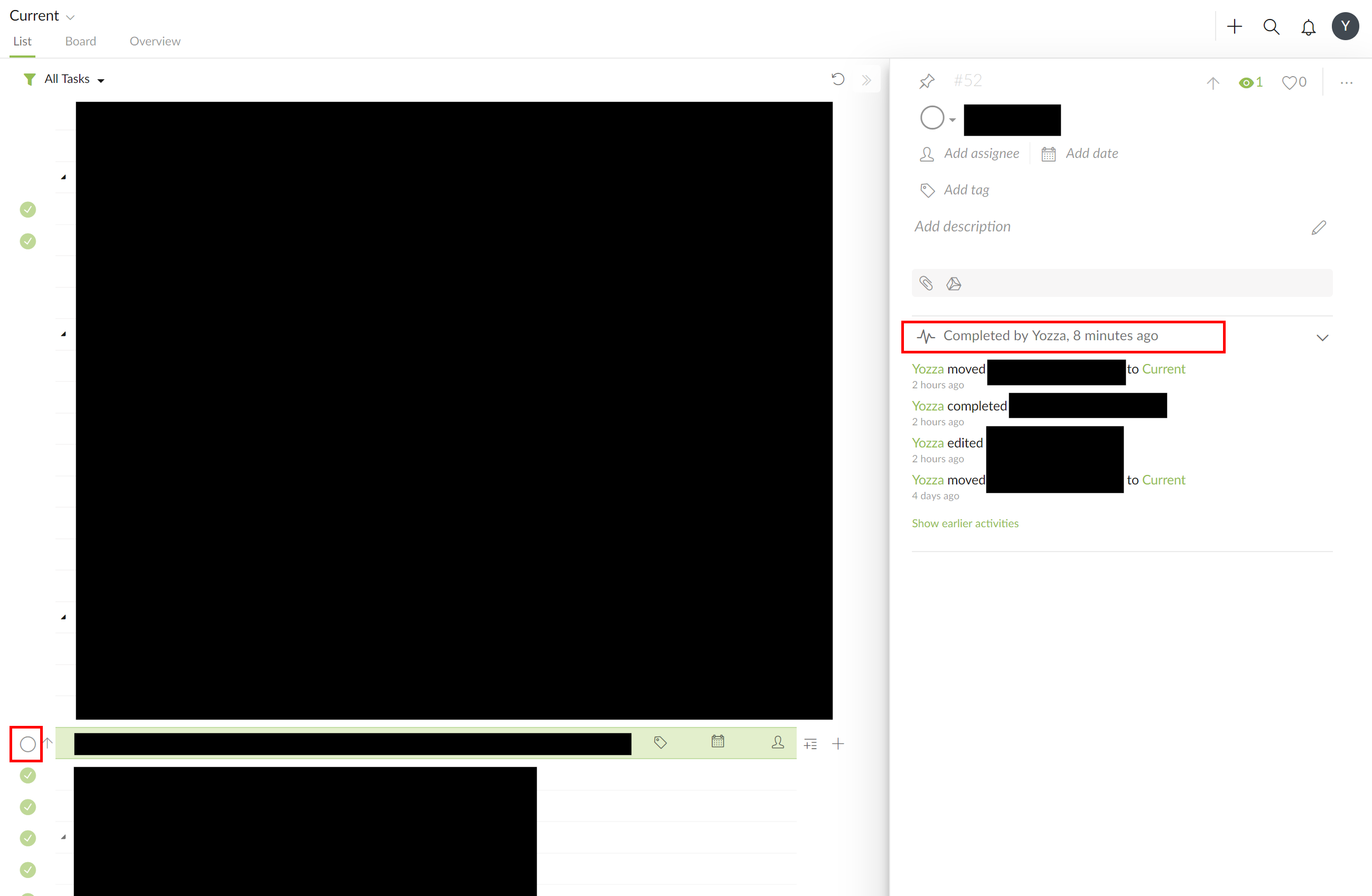
Of note, is that unlike in the examples in my previous comment, the activity log was consistent and correctly showed the task as completed.
Selecting a different project, and then coming back had no effect. Once again, had to refresh quire to fix it:
Yozza, Apr 17, 2019
Hi Yozza, Unfortunately, we still couldn’t reproduce this issue… 😞 please help with the questions below, so our tech team could look into it. Thanks in advance!
Peggy, Jul 19, 2019