
Uploading pictures such as project or team icon don't seem to work. Tried with both PNG and JPG images, in small and large sizes.
Hi @jammi , So in Safari, only profile picture you couldn't upload? Others can be uploaded?
- profile image
- task attachment
- comment attachment
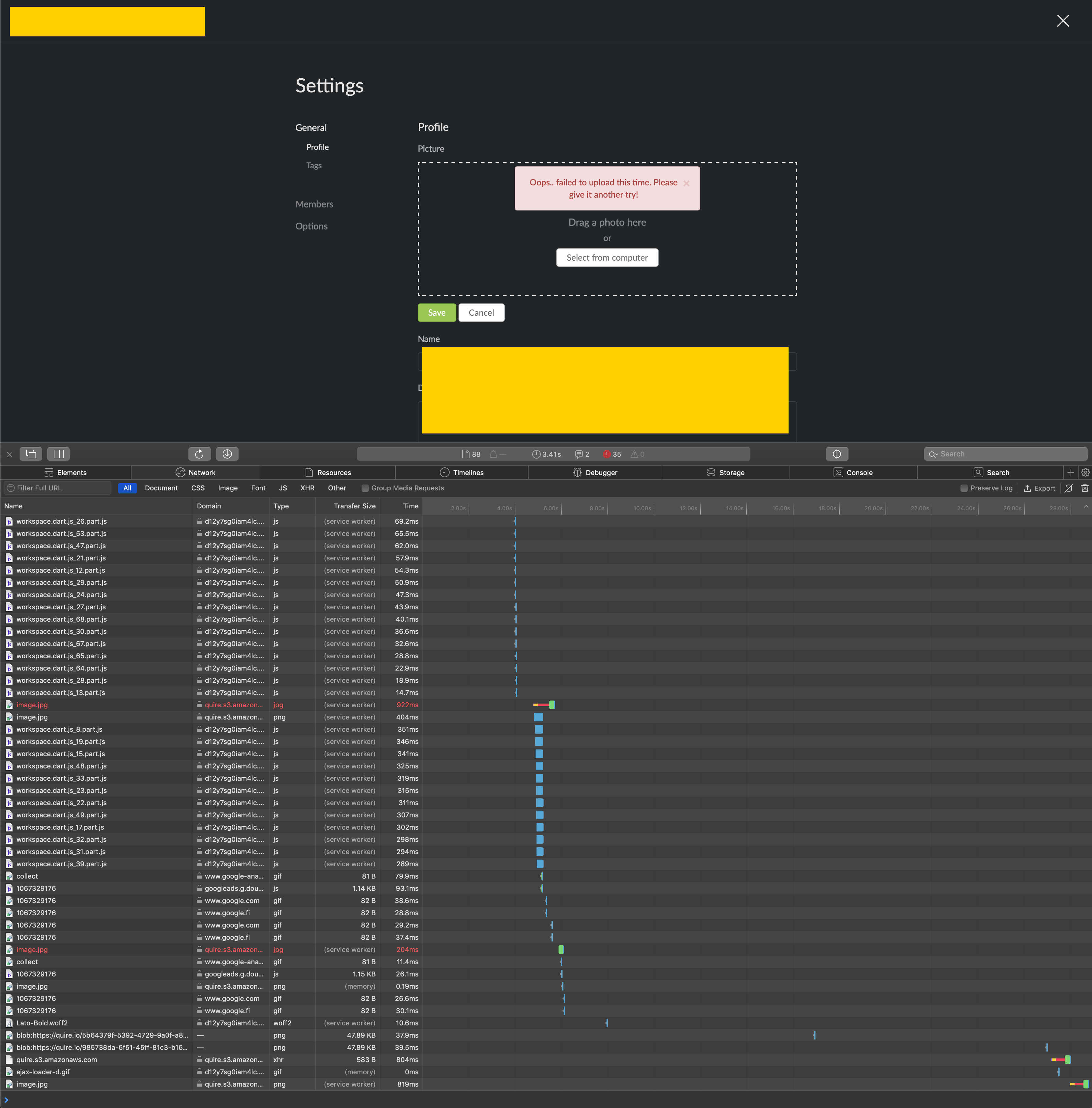
As our tech team couldn't reproduce this issue, the above three all can be uploaded on our Safari. Would you mind opening up the Network tab when uploading? See if it works? If not, please share the screenshot of the Network tab for our tech team to investigate. Thanks for your help in advance.
Peggy, May 8, 2019
On Chrome it’s working fine.
Jammi Heinonen, May 6, 2019
Hi @jammi , Please help to check below 3 steps, let me know if any of below worked. Thanks for your help.
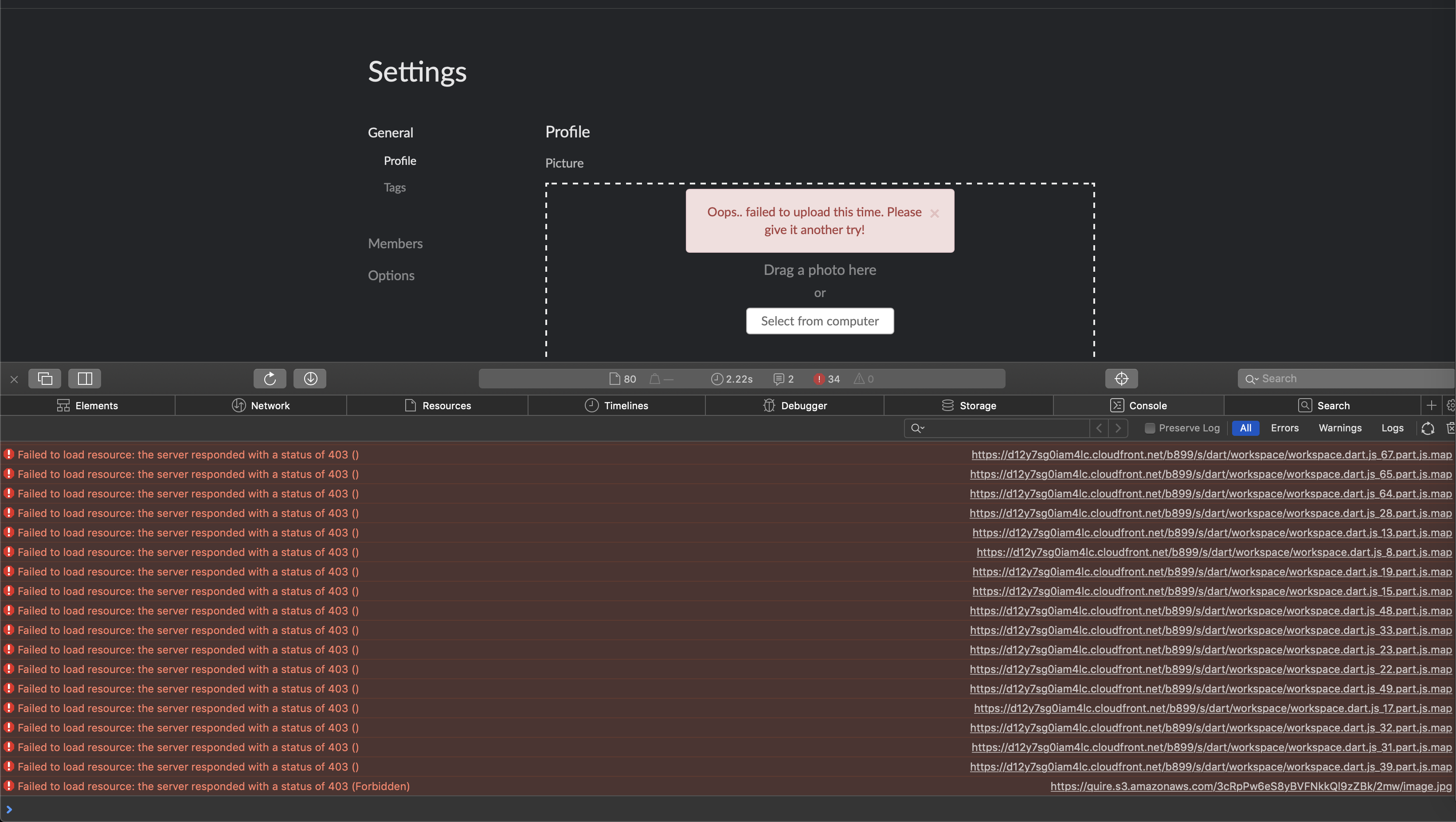
- Check the browser console to see if any error
- Try upload pictures with another browser (Chrome or Firefox)
- Try upload pictures to other Quire organizations or account
Peggy, May 3, 2019
Yeah, it's been blocked and I think the console part is more useful since it shows that as well as the other attempts that aren't obvious in the network tab without scrolling back and forth.
Jammi Heinonen, May 6, 2019
Projects, Organizations and Profile pictures; all fail the same way among the ones I've tried so far. Comment attachments seem to work though, as demonstrated here.
Jammi Heinonen, May 8, 2019
Ok, so here's how to reproduce the issue: install the Tampermonkey extension; no enabled userscripts in it required to cause a conflict. If you're doing some event exclusivity instead of just adding an event listener, it might explain what we're seeing here.
Jammi Heinonen, May 9, 2019
Yet somehow attaching images here works fine, so why not use that routine instead?
Jammi Heinonen, May 6, 2019
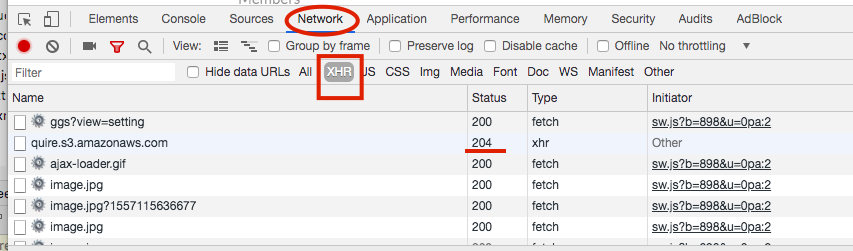
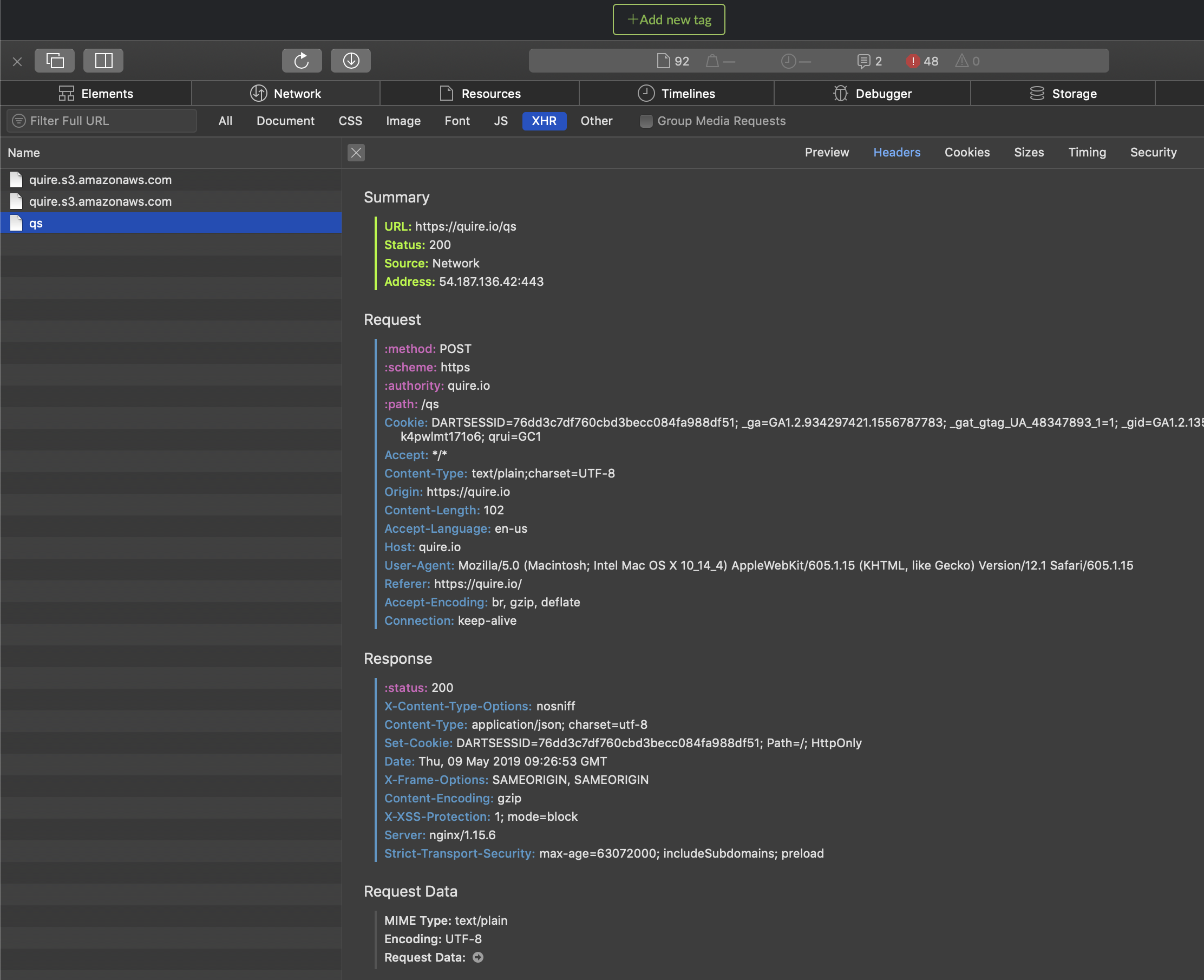
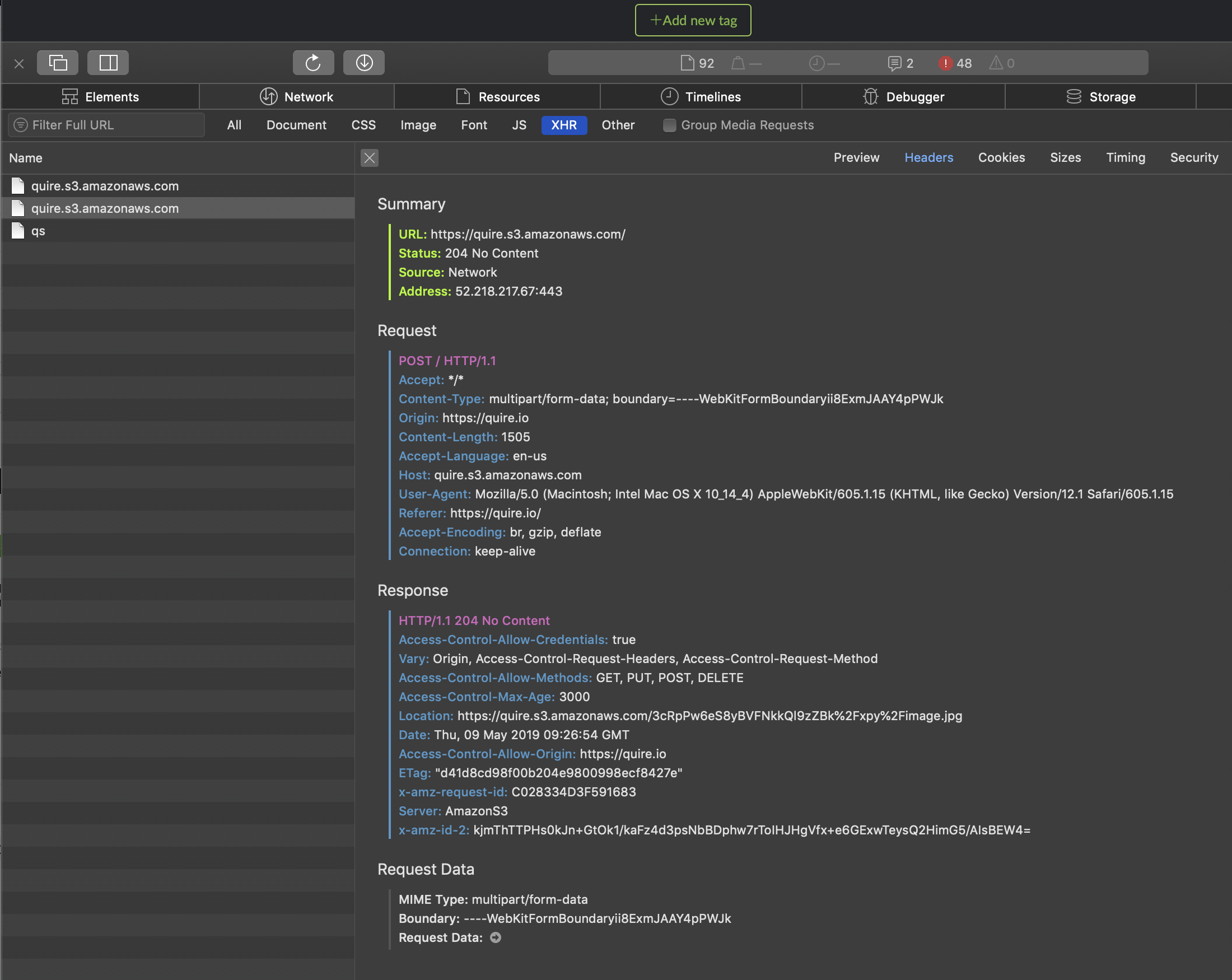
Hi @jammi , I'm so sorry that I wasn't clear enough in the last comment. 😞 Would you mind screenshotting the XHR tab in Network? Our tech team would like to know the status code number when you upload the profile picture. Thanks for your help in advance. We really appreciate it.
- Open the Safari developer console and switch to Network tab.
- Filter Network request by enable XHR.
- Upload an image for the project profile.
- Check what status code number, in our case, it is "204."
Peggy, May 9, 2019
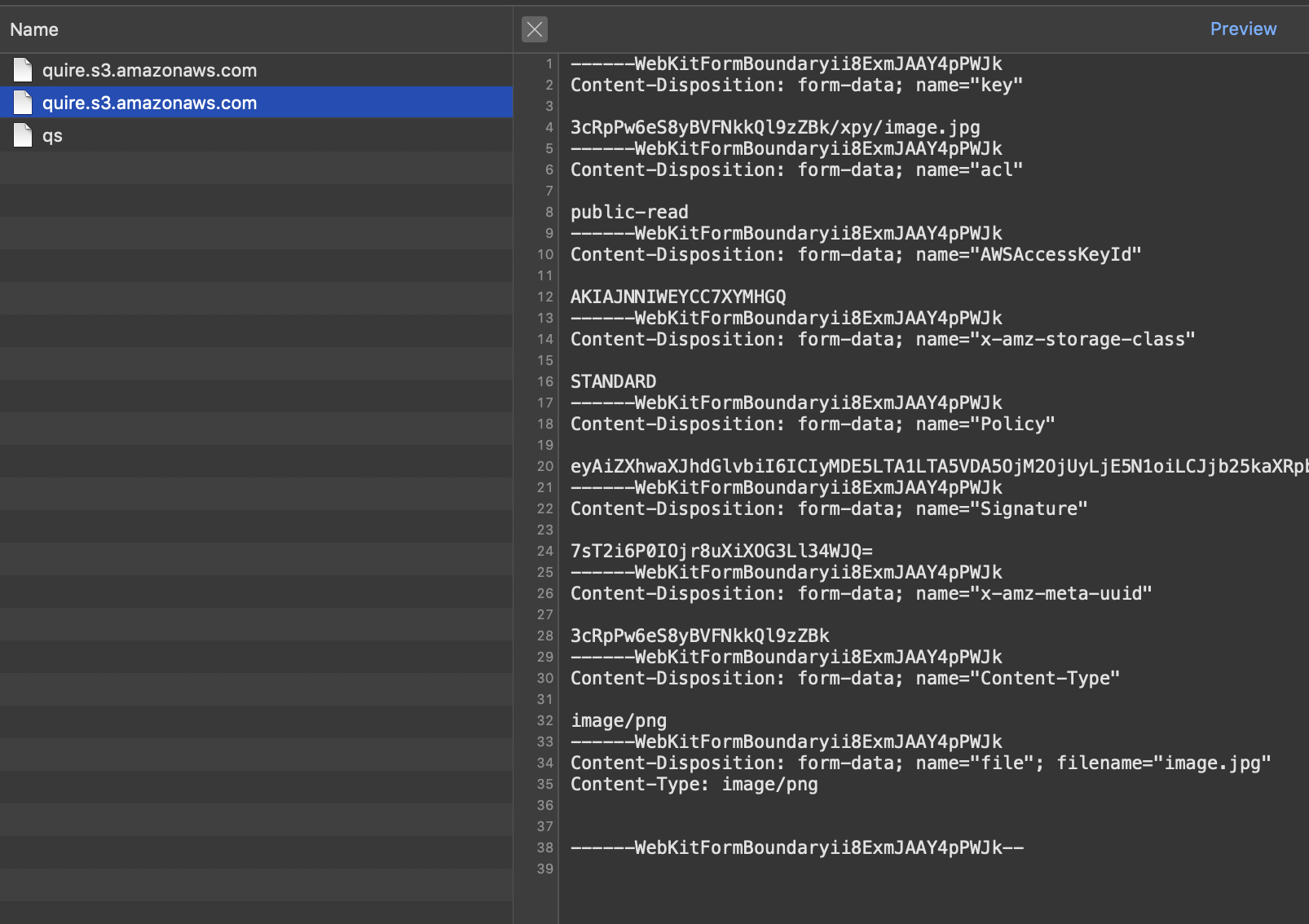
Yeah, 204 status and empty response body for the aws request and https://quire.io/qs with 200 status and response of true.
I think your bigger problem is in the request body you're sending to the aws instance, where the image section is blank and would indicate a JS issue in handling the image data to upload.
Jammi Heinonen, May 9, 2019
I went through troubleshooting this via first disabling all extensions, then re-enabling them one by one.
Jammi Heinonen, May 9, 2019
It seems like it’s not working on Safari.
Jammi Heinonen, May 3, 2019
Hi @jammi , thanks for the help last time, could you please follow below steps and kindly screenshot the console for our tech team, so they can investigate further.
- Open the Chrome developer console and switch to Network tab.
- Filter network request by enable
XHR. - Upload a image for project.
- Check what status code number, in my case, it is 204.
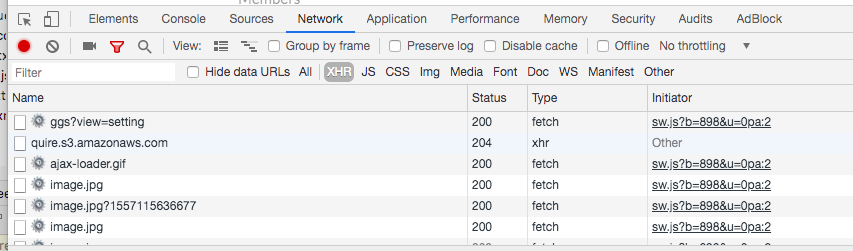
We are guessing it's probably blocked https://quire.s3.amazonaws.com/, that's why it can't be uploaded. Again, thanks for the help! 😃
Peggy, May 6, 2019
And nothing of particular interest in the console either.
Jammi Heinonen, May 3, 2019