
A click on a tag with the Ctrl key pressed could automatically apply a filter that only displays the entries with the corresponding tag. For refinement, a small menu could open to add more tags. Confirming this dialog would then apply the filter.
In the app it might be possible to do this with a long press
Hi @egs2003 , here's a tip on how to assign tags to a task quickly: inspect a task, and type #. A dropdown menu of your tags will appear, you can then use the up/down arrow key to assign a tag. Hope this helps.
Peggy, Nov 13, 2019
Hi Neil - I have brought this to the team. Unfortunately, making it default to filter by a specific tag when clicking on it won't be in our consideration. However, here's a tip on how to quickly access the filter by 'tag' view: right click on the tag to Filter by a specific tag.
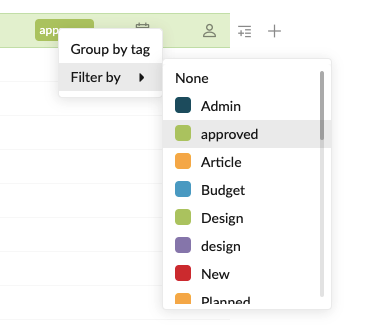
I hope this helps.
Peggy, Jul 8, 2021
Certainly does, thanks Peggy. Although it's still the opposite of what I'd expect or most often look for (filter by tag most likely), it's good to know/have both options! Ideal would maybe then be to have setting to make either the default action?
Neil Hart, Jul 8, 2021
Not sure exactly what you mean, but I simply meant that a default action is what would happy when you click/left click on a tag (e.g. edit tag OR filter by tagged clicked on). The opposite would happen if you right clicked on the same tag. Does that help?
Neil Hart, Jul 12, 2021
Hi Peggy, not sure if you have understood the suggestion here - as seems more like what I had in mind...
Specifically, if you click on a task's existing tag, you would then be presented with a view of all tasks with the same tag (so effectovely a filtered view).
At the moment, Quire doesn't behave as I'd expected here - instead when I click on a tag in order to see all tasks tagged in the same way, I get an option to change the tag.
If anything, I'd personally make the 'filter by tags' the default and CTRL+Tag to change the tag an extra option.
Make sense/help any?
Thanks.
Neil Hart, Jul 2, 2021
Update:
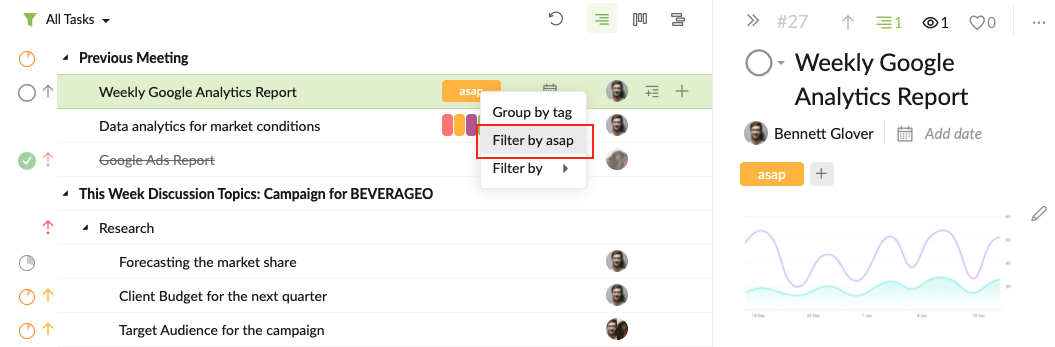
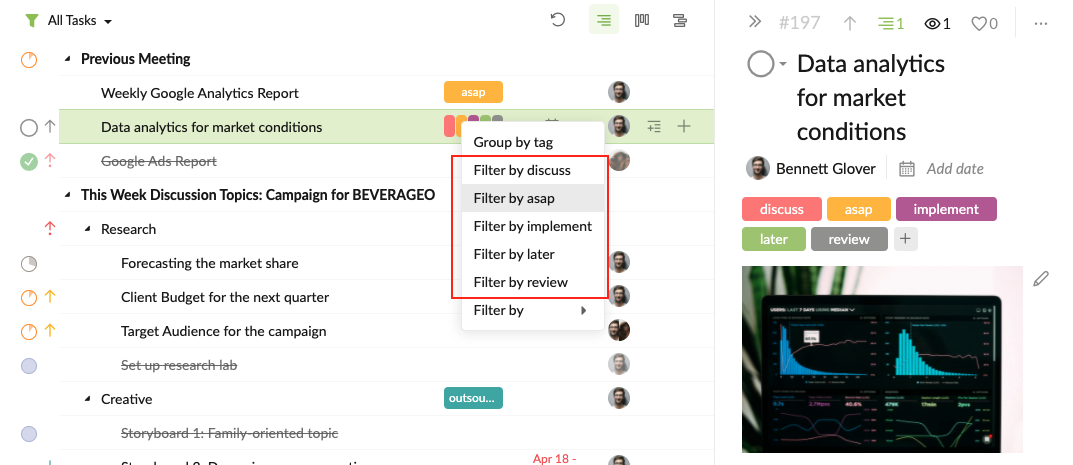
There's a small enhancement in the newest version. When right clicking on the tag in the main panel, it will list out the tags that are already applied to the task, so you can Filter by a certain tag more quickly.
Please refresh your Quire page to get the newest version.
Peggy, Aug 19, 2021
Hi Neil -
I have a question about the 'default action' you have mentioned. Do you mean, for example, when you right click on the tag approved in the main panel, you will then be able to see an option 'Filter by approved' right away (without searching for the approved tag in the context menu again)?
Peggy, Jul 12, 2021