
Putra, Dec 11, 2019
Hi @putra , unfortunately, you would need to access Quire Feedback first, then use the filter icon to filter out the tasks that you have favorited or followed.
A quick way to access Quire Feedback would be clicking on you profile picture at the top right corner > Help > Feedback, scroll down to Check out all feedback. Hope this helps.
Peggy, Dec 11, 2019
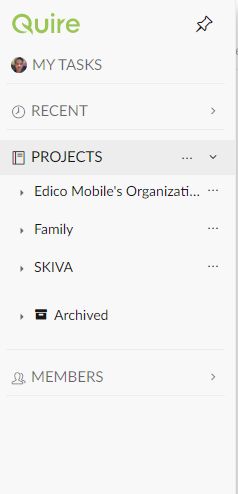
Is that the only way to come here "Quire Feedback"? I thought there is menu link at sidebar showing "Follow" or "Favorite".
Putra, Dec 11, 2019
Im using desktop browser. I dont know how to find this task after click follow or favorite until you reply.
Putra, Dec 11, 2019
⭐️ We have closed your thread in order to optimize the performance of the Quire Feedback Forum. Please see our Quire Feedback Official Guideline for more information.
Peggy, Oct 20, 2021
I cant find... Unread tab also dont have
Putra, Dec 11, 2019
Ok thanks.
Putra, Dec 12, 2019