
I see tabs like "List" "Board" "Overview" I would like to setup a tab labeled "List - per theme" and "List - per date" or any other filtered view I need often
As you may understand, I'm always switching filtering setup to go to one view to another. Okay, the workaround is to have two browser tabs, with the two views. but I think of this as a native quire feature would be more convenient: could be handled on mobile app, could also fix the Ctrl+X/Ctrl+V feature issue as I could stay in the very same browser tab.
5 smart folders only. that's short for this use case. How could I get the "bookmarks" feature ?
Xavier Debacker, Jan 13, 2020
Then just make a smart folder. Each smart folder saves a different filter. Even if they are basically the same smart folder.
A smart folder can even be a single project.
I don't know how many we are allowed to make but.
You can toggle the Smart folders too
(deleted-OmuA), Jan 11, 2020
@xavier.debacker I figured out a hack to get this.
You have to create a new bookmark for each view.
Just follow me for a second.
Quire will remember the last filter used in a bookmark. So you create two bookmarks of the same thing. And then set up a different filter in each one.
Now you can toggle them.
I wish we could bookmark filters into the bookmarks column but they will never give us that.
Until that day, you can use this workaround.
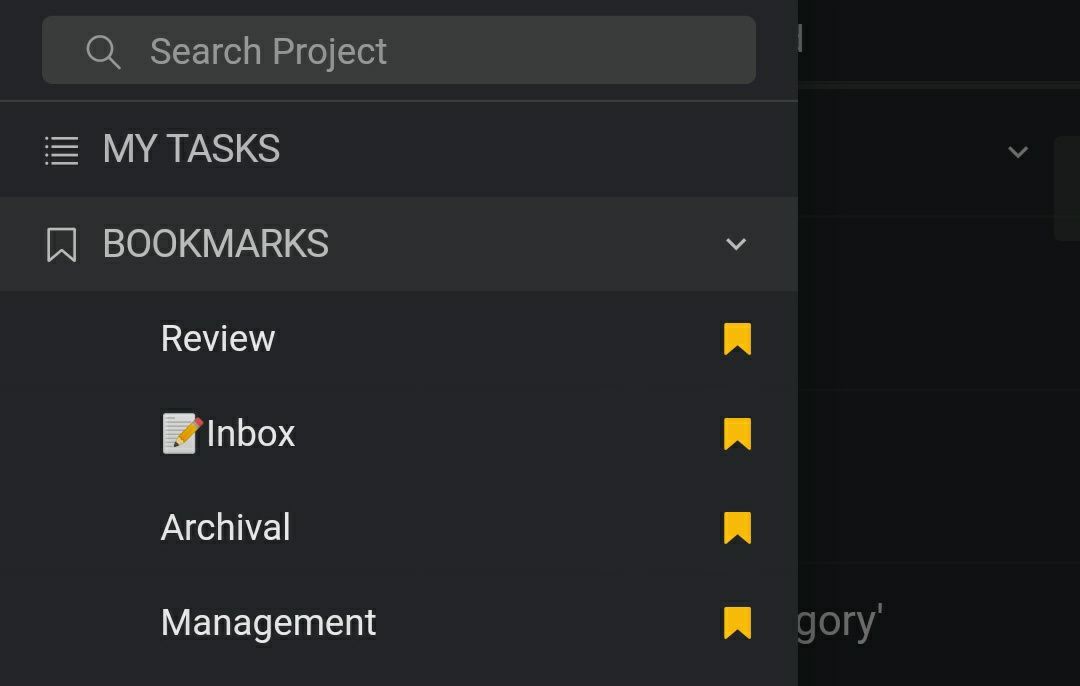
In my setup here "REVIEW" and "management" are actually the same thing bookmarked but that both have a different default filter.
Hope that helps.
(deleted-OmuA), Jan 10, 2020
Thanks @joshuarobison.biz this looks promising but I can't locate the "bookmarks" section
Xavier Debacker, Jan 11, 2020