
Hi! I'm not being able to add Global Tags from the My Tasks View. They don't show up unless I go into the specific Project.
Thanks
Thanks for your response @peggy . Please take a look at the screenshots below. When I try to add tags from the MY TASKS View I am only able to select from the Project Specific Tags. (See image 1 below). I am not being able to gain access to the Global Tags.
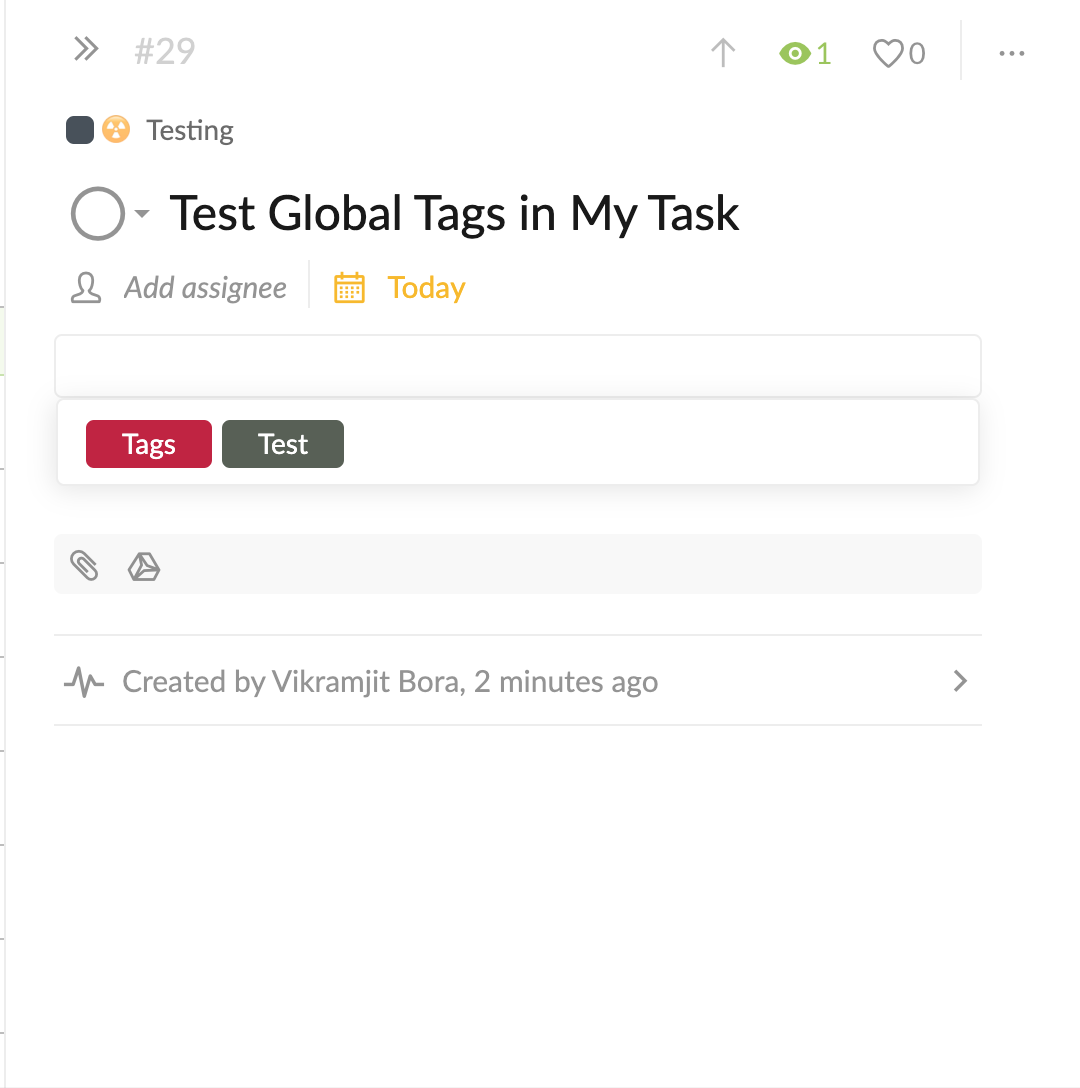 Image 1
However, when I go into the Project Folder then I get to choose from all the Global Tags. (See image 2 below)
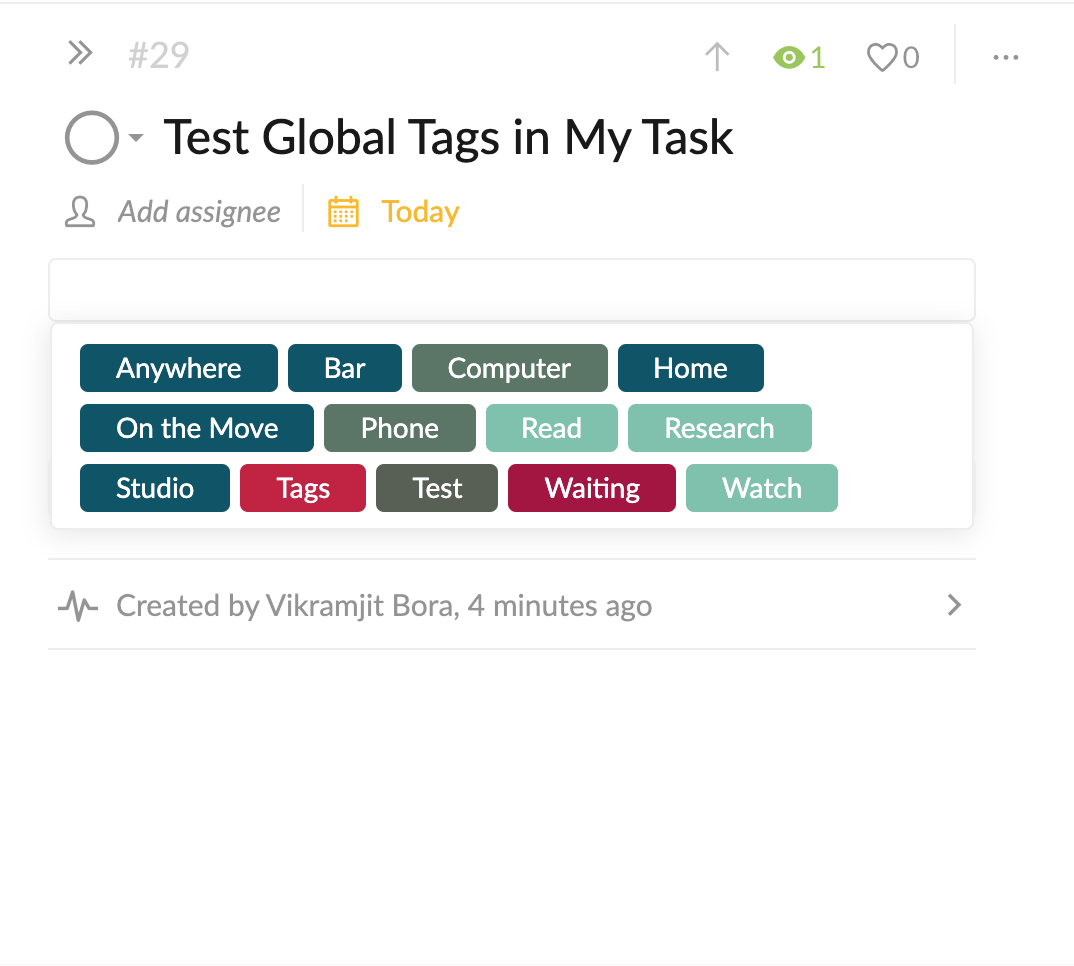 Image 2
Vikramjit Bora, 2020年1月22日
Hi @VBora , I'm sorry. Could you please provide the reproduce steps or screenshots for us to look into it? I'm not sure what you mean. Thank you for your help.
Peggy, 2020年1月21日
@peggy This seems to happen in a few Projects only. In some of the Projects I am being able to access all the Global Tags. In the Smart Folders also it's working fine.
Vikramjit Bora, 2020年1月23日
Hi @VBora , our team will be looking into this issue. Thank you for the explanation. I will let you know when there's an update! Sorry for the trouble caused.
Peggy, 2020年2月6日
Hi again @peggy . There seems to be a slight bug. If I go into the projects by right clicking and come back to My Tasks then the same problem is back. However, it goes away once I refresh.
Vikramjit Bora, 2020年2月6日
Thank you @peggy . You guys are awesome.
Vikramjit Bora, 2020年2月6日
Hi @VBora , this issue had been fixed, please refresh your Quire page and try again. Thanks.
Peggy, 2020年2月6日