
I've added 5 members to the Positive Impact project in my Quire.
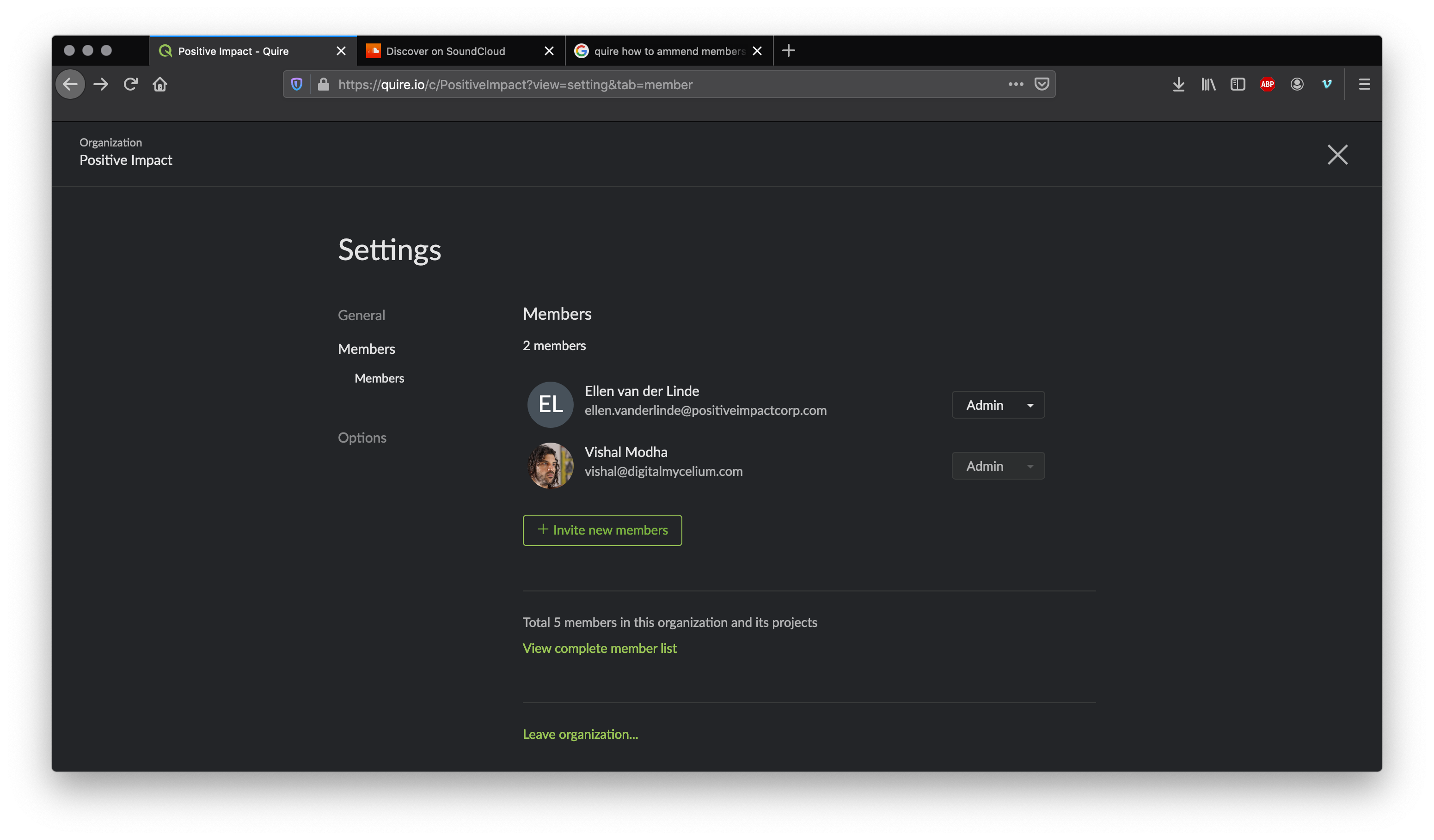
Only 1 or 2 of them were Admin, and I recently had to update one of the members to Admin status so that they could add Projects etc.
I've invited all of these members manually by entering their email address.
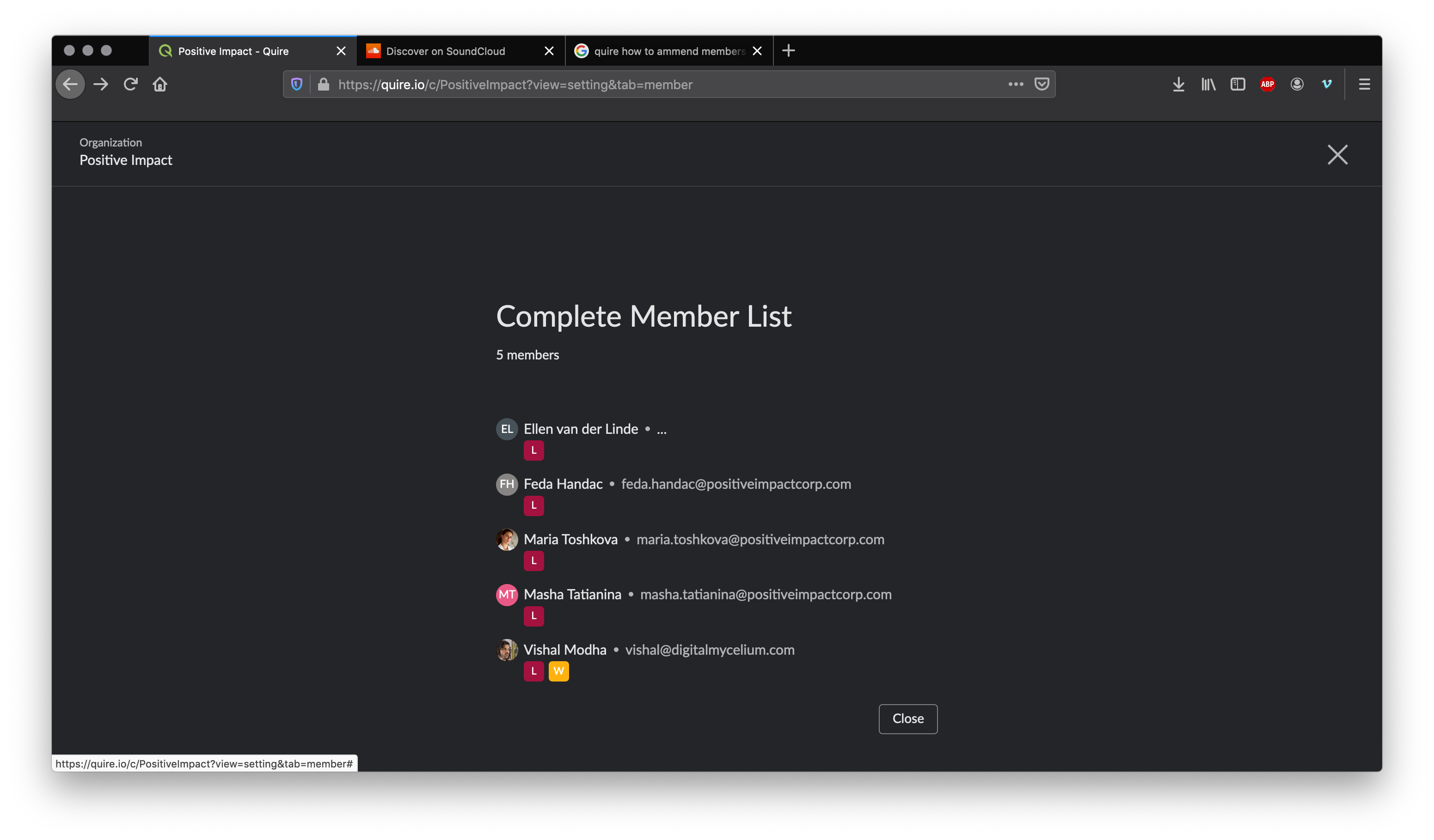
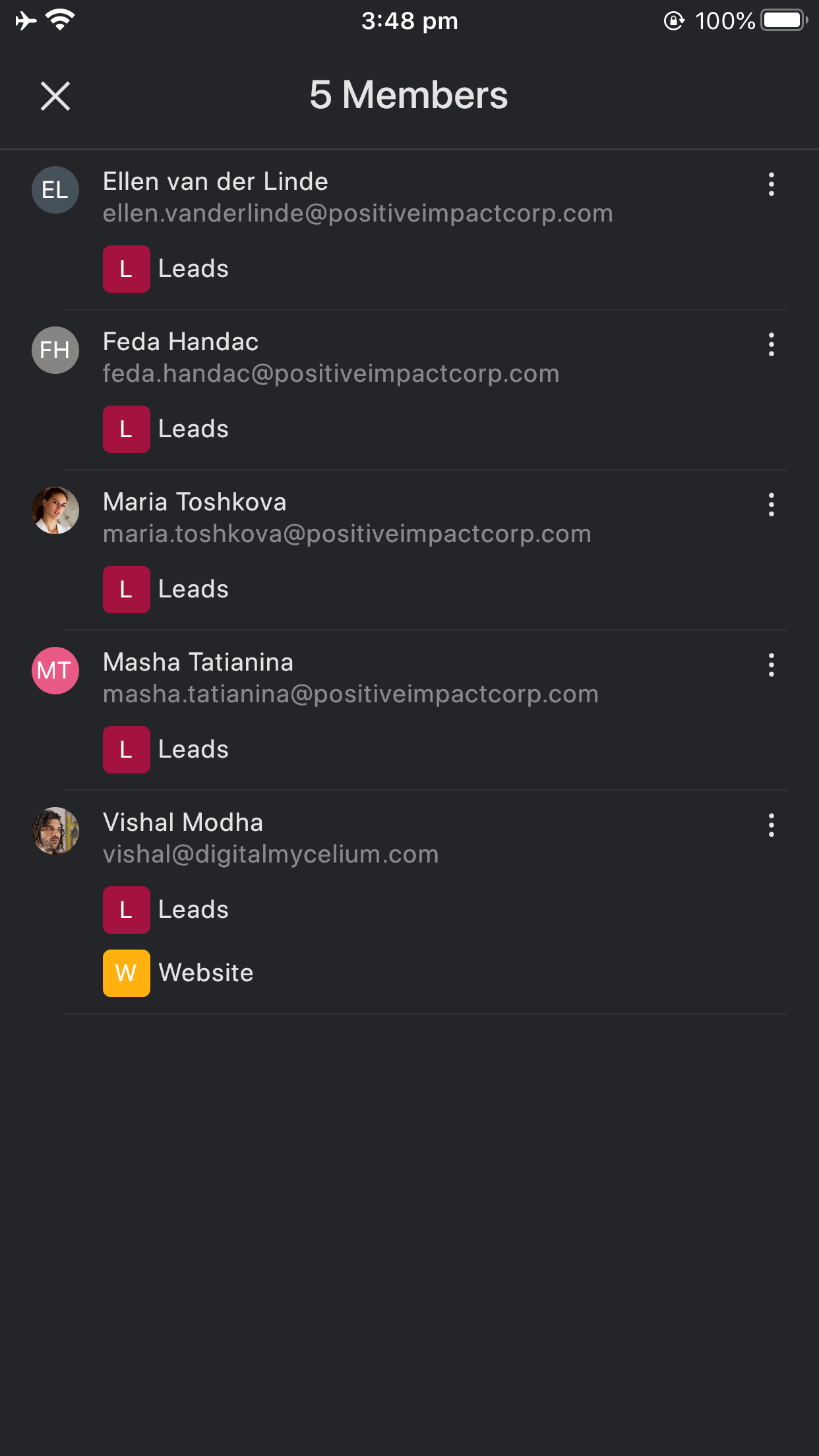
- On the desktop screen, I couldnt see the first members email, I could see it clearly on the mobile.
- I couldnt find anywhere that I could change their privilages? I literally had to find their email address manually through my mail and invite them again as an Admin. They are now showing up on the list alongside me and I can now change their member type, but still not the rest of the team?
View complete list of members screen doesn't let me do anything but delete members, and still, the first member email address is now showing.
Thank you @peggy I'm still wondering why I can't change the member types of the users that I manually invited within quire using their email addresses?
I even got an email when they joined:
Hi Vishal,
Upon your invitation, Feda Handac (feda.handac@positiveimpactcorp.com) has successfully joined Quire.
Thanks, The Quire Team
If I upgrade them from normal to admin, will they get another email address?
Why is it that I only have the option to update 1 of the users to admin, and the rest I can only see if I click on 'View complete member list', but now on this screen I can't change anything about the users?

Vishal Modha, 2020年2月14日
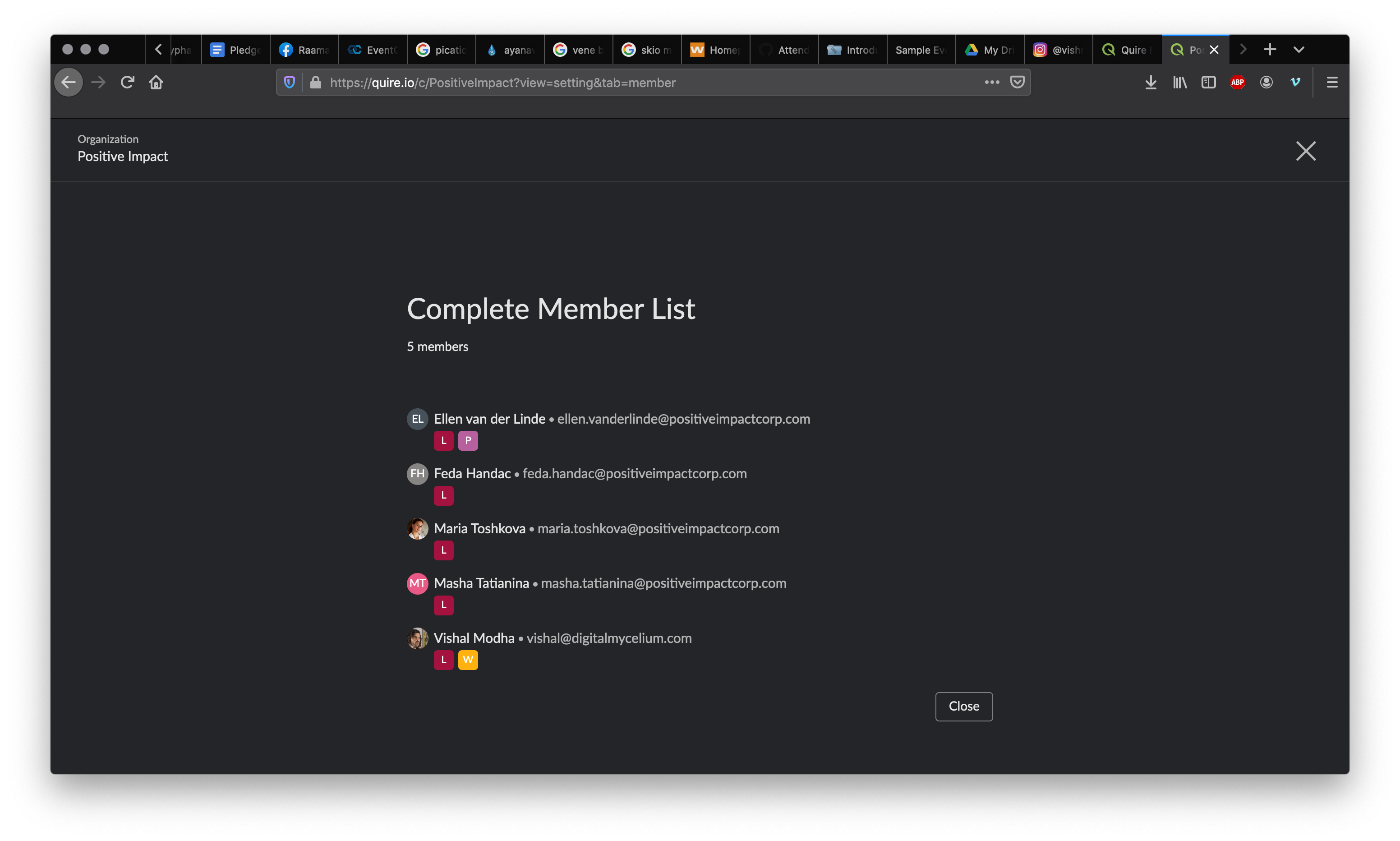
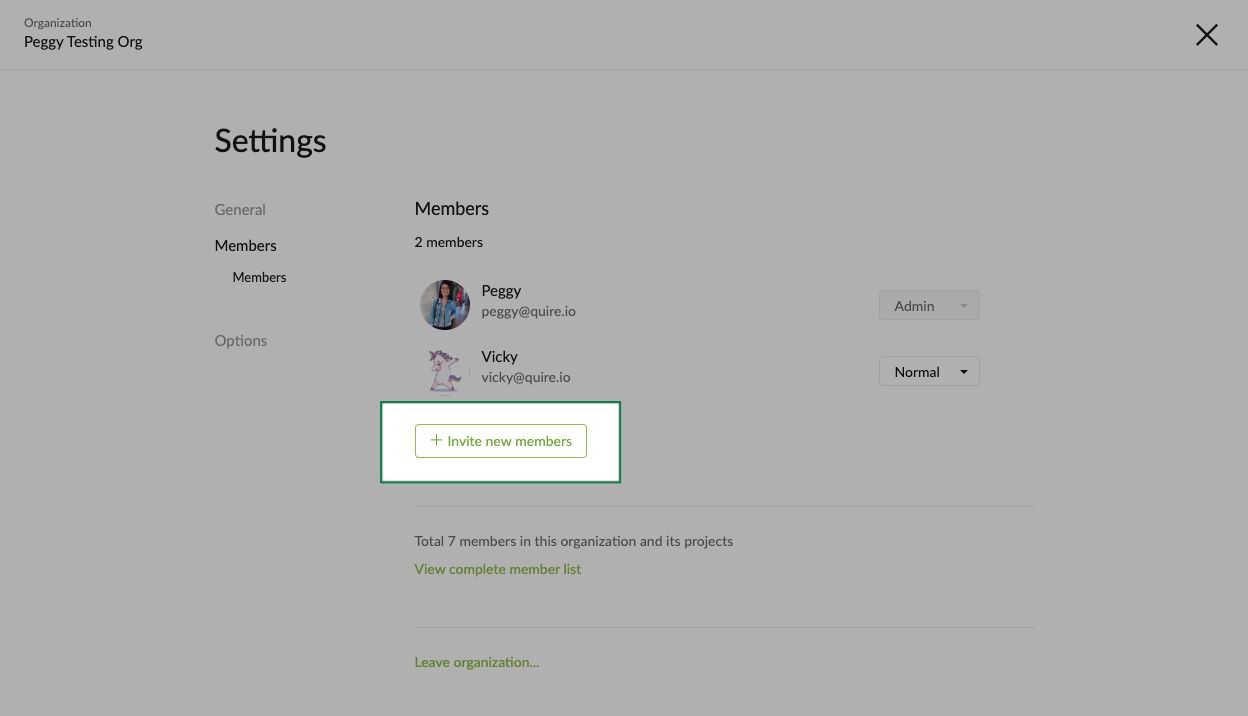
Hi @incredible , you only see them in your "Complete member list" (2nd attachment) because the members were invited to the Project level. Click on the "Invite new members" at the Organization level (1st attachment) and invite members via email.
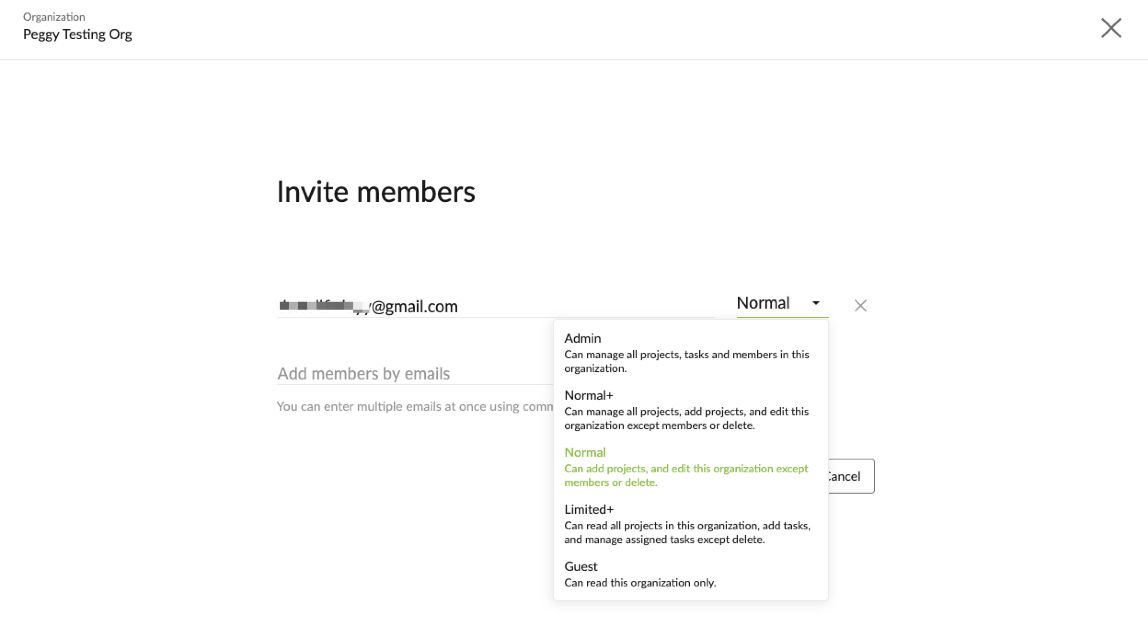
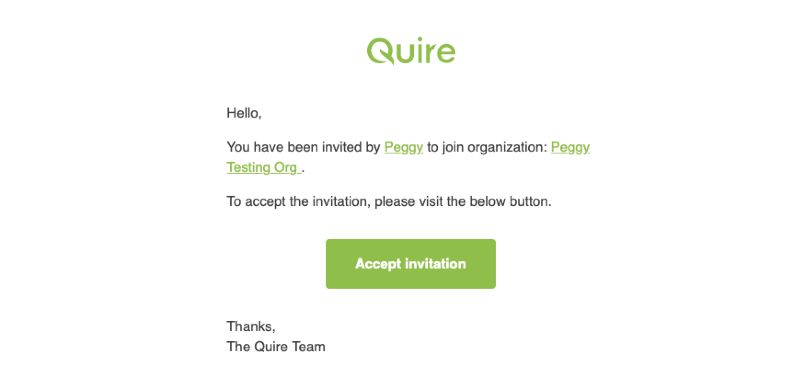
An invitation email will be sent out (as below). The member will need to click the button in the email to accept the invitation.
Peggy, 2020年2月17日
No problem, I did invite all of the members via entering their email address manually
Vishal Modha, 2020年2月12日
Hi @incredible , the way to invite project level members to an organization member is to invite them by entering their email.
For the email not showing completely, I have passed this issue to our team. We will look into it. Thank you for letting us know.
Peggy, 2020年2月12日
Hi @incredible , just letting you know, we had fixed the "email not showing" issue. 💪
Peggy, 2020年2月13日