
I find quite limiting the fact that subtasks on a dashboard view have no reference to their previous level task. I think this should be a must to make panel views effective.
Hi @jlmoyac , I'm not sure what you mean by "dashboard view"? Do you mean you would like to see what parent task the subtask belongs to in the Board view? If so, you could toggle on Advanced mode by pressing Ctrl or Alt for Mac. This way you will see the task path above the task name. Hope this helps.
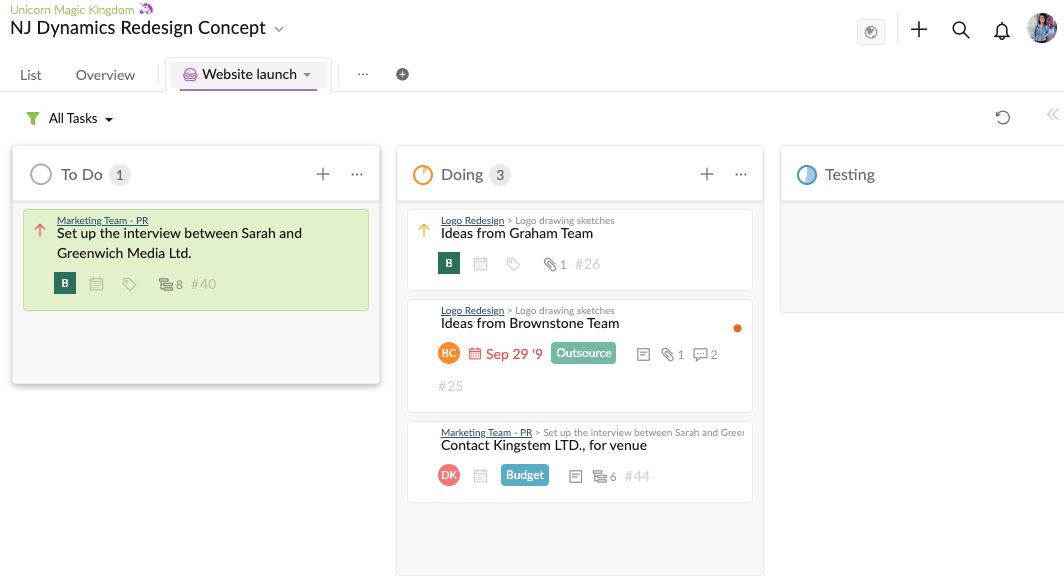
Peggy, Mar 2, 2020
@jlmoyac , our main goal is to make our interface as clean and simple as possible. That's why we made a toggle on/off button for the Advanced mode. However, I understand why you would want to make it a default view since it can save some time by skipping the step of turning it on/off with the keyboard shortcut. I will let our team know about your feedback.
Peggy, Mar 3, 2020
Hi @peggy, first of all, I just switched to Quire just recently and I'm loving it. One thing I noticed is that when pressing Ctrl or Alt for Mac the tags are shown in their original size instead of being narrowed down (like when the view does not include the task path). In this way if a task has more than a tag, you can see only the first (1st screenshot). If instead the view does not include the task path, then the tags are narrowed correctly and all can be seen (2nd screenshot). I really like to have the task path on, but it also very important for me having all the tags visible 😃 Hope this can be fixed.
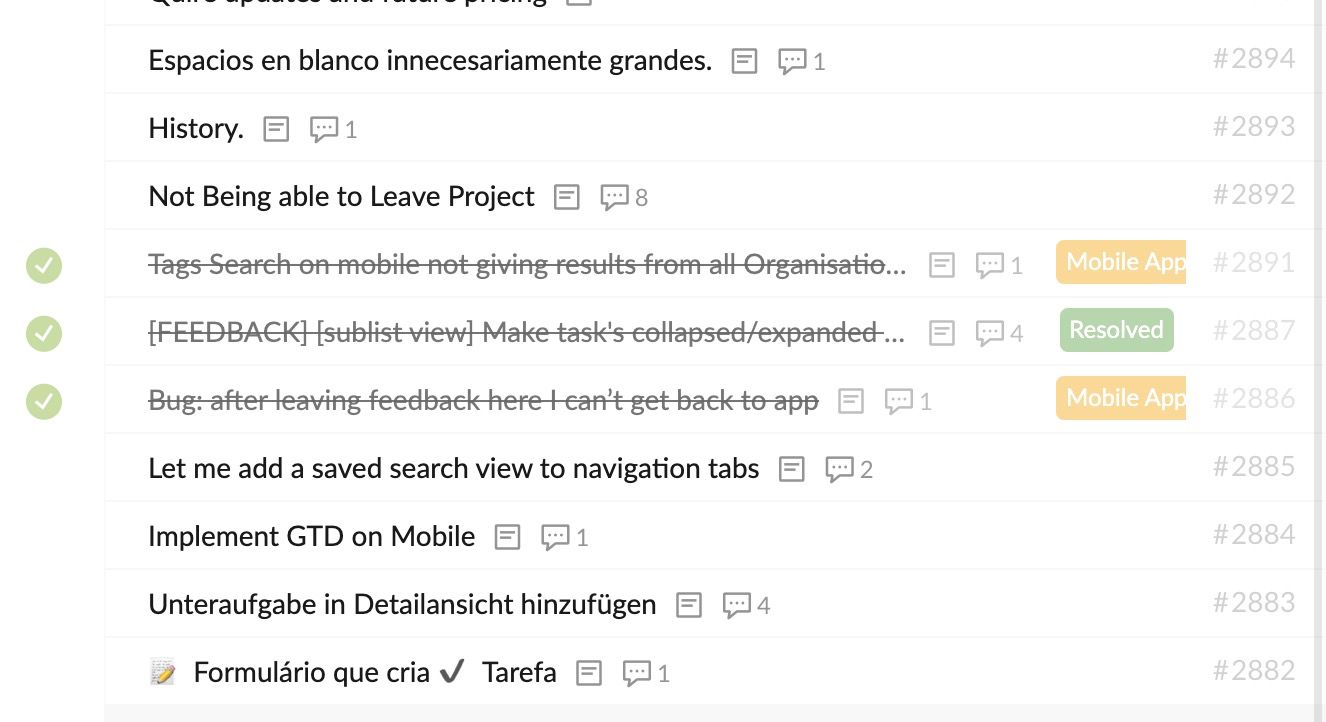
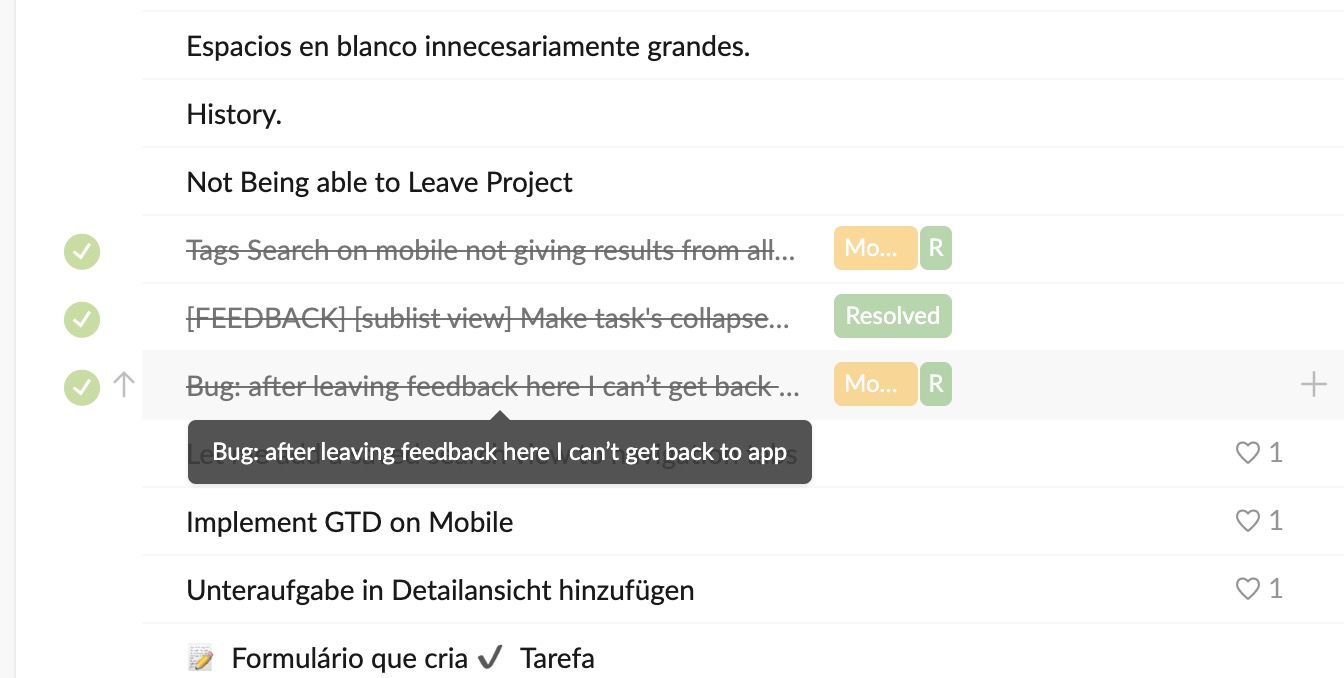
Gian Luca, Apr 23, 2020
@rano44 - thank you for your response. Do you mean for the case like below? You would like both the tags to been shown in the main panel, rather than one not showing?
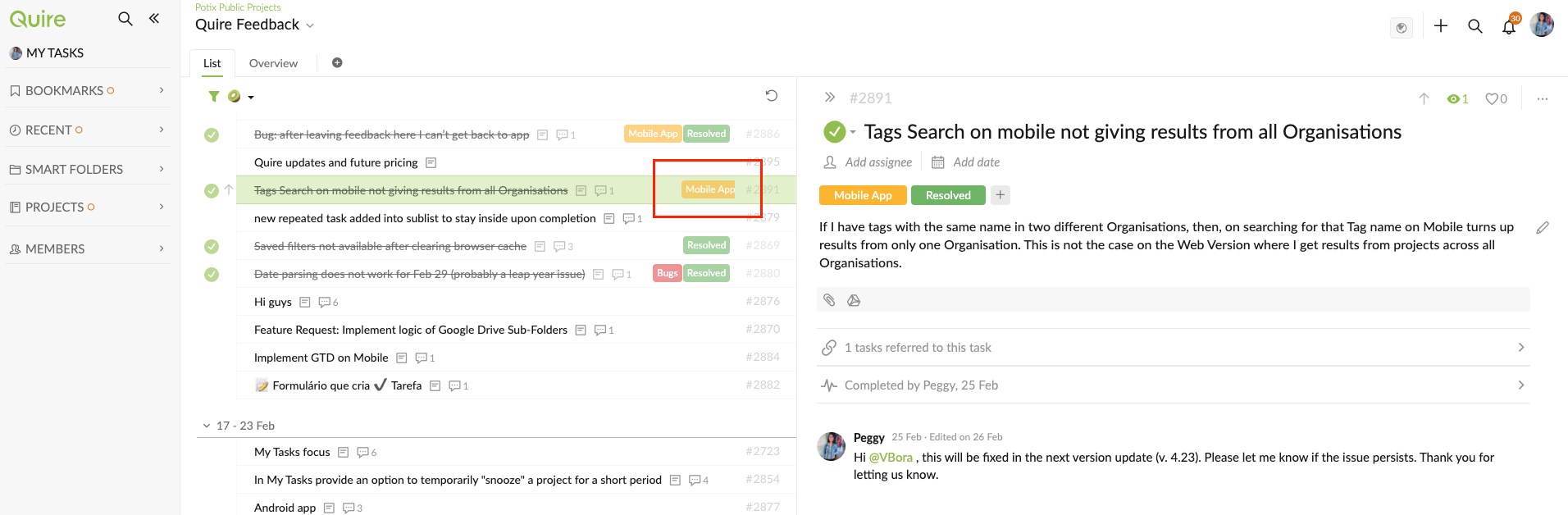
If so, you could just adjust the detail panel to make both tags show.
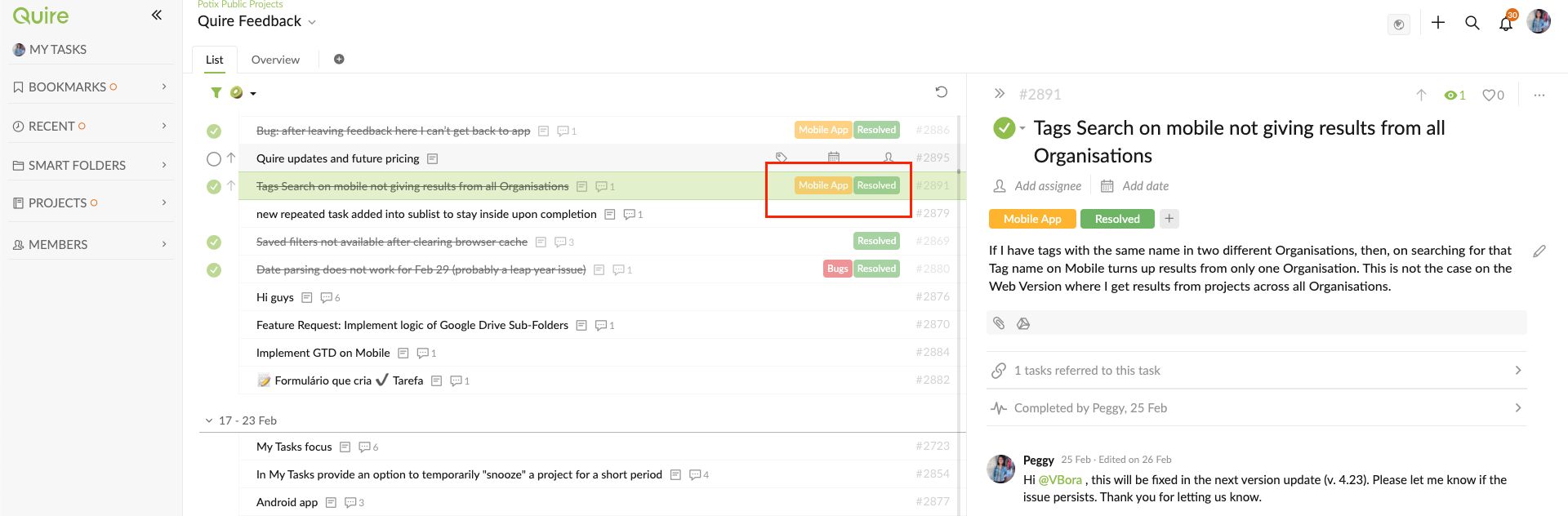
When in Advanced mode (Ctrl/Alt), we would like the entire task name to show rather than having the tags take up the space.
Peggy, Apr 27, 2020
Hi @peggy. Yes I meant the board view and that. In that case take my suggestion to make that the default view. I had no idea just the Ctrl key changed the view.
J.L. Moya C, Mar 2, 2020
@peggy thanks for the reply, however, resizing the detail panel does not really change things. I forgot to mention that this small visual bug is when you pin the 3rd panel (detail panel). If that panel is not open there is no need to scale down the labels. It is a really minor thing, but I just don't see why the visual with no details scales down properly the labels (so all are visible no matter the size of the panel, like in photo 2), while the visual with parent task does not (in the photo 1, if I make the detail panel larger or smaller it does not change the fact that the labels are not rescaled)
Gian Luca, Apr 24, 2020
Sure, I see that @peggy, but on a screen like mine (13") it is just not possible to adjust the panels in a way that more than one label is visibile in Advance mode. However, in the not Advance Mode the labels are resized nicely, whatever the size of the panels (like in my first photo). I was wondering why this behaviour could not be also adopted in the Advance Mode. Anyway, really not a big deal 😃
Gian Luca, Apr 27, 2020
@rano44 - we have made some adjustments in the latest update. Please refresh your Quire page. In Advanced mode (
Ctrl), you would be able to see all the tags, unless the task name is too long and took up all the space.Peggy, Apr 30, 2020