
Apparently I deleted a task and everything underneath it without meaning to. I didn't even realize it was gone until asked about the project's status. All I can figure is I hit the shortcut keys to delete and now all my tasks, subtasks, sub-subtasks meeting notes, project notes, etc....are gone. Gone! I'm going to have to set up another meeting with my client and RETAKE all my notes for this project because Quire does not have my back.
There was no warning, no prompt to make sure i wanted to delete, nothing. It's just all gone. Makes me wonder what else I am missing from my project list!
There is no backup, no way to retrieve deleted items. (Hitting "undo" immediately after the action is NOT enough! People make mistakes and delete things unintentionally and sometimes without even realizing it!)
This one incident has made me rethink using Quire, even though I am a long-time user. It makes me sad, but the risk of losing data is a big deal.
Hi @michele , thank you for your feedback! We have made some adjustments: when you delete a task with subtasks, our system will tell you how many subtasks are also being completed as well.
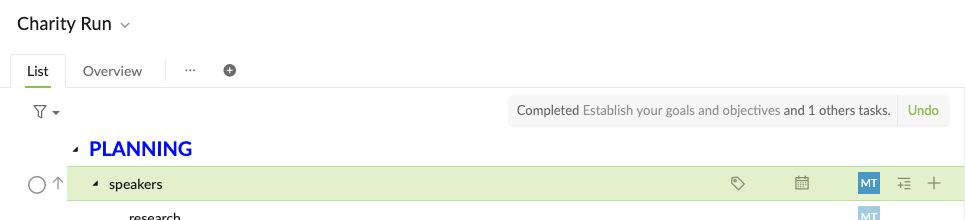
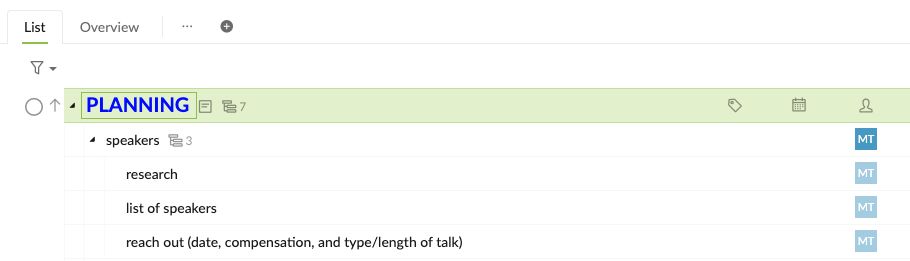
Another way to prevent deleting parent task (and all the subtasks altogether) is to toggle on the Advanced mode (hit Ctrl or Alt for Mac). You will then see the subtask icon beside the task name.
Peggy, Mar 20, 2020
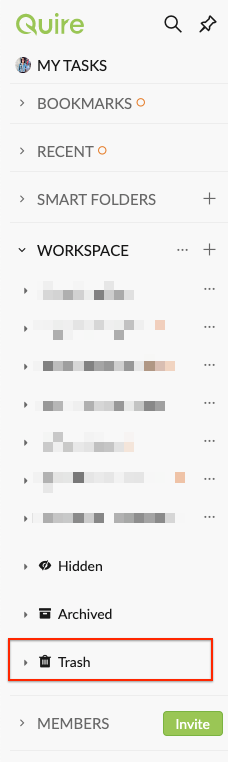
@michele - They will only appear if you've hidden, archived or deleted projects before.
Peggy, Jan 18, 2021
It seems like it would easy enough for Quire to automatically create a "trash" or "deleted" and empty it automatically every 30 days. That would give users 30 days to say "oopsie" and be able to restore.
As much as I love the beauty of Quire, I still have not gone back to being a full-time user and it's because of this one tiny little HUGE issue. I can't take the risk of losing information again like that. Would love to know if this is something in the works and if so, I would jump back on board.
Michele, Dec 17, 2020
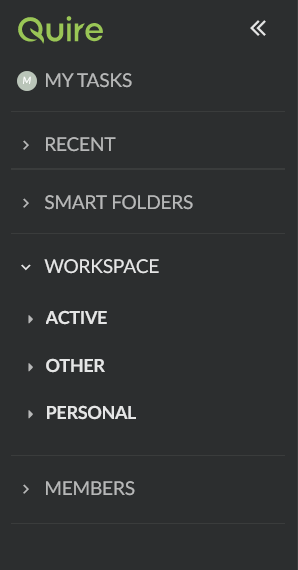
Thank you for replying @peggy That sounds great except I can't see those (Hidden, Archived, Trash) at all! Any idea why not?
Michele, Jan 14, 2021
Just noticed other users mentioning a "trash" feature! I deleted something on purpose (to test this feature) and do not see a trash bin anywhere. Help?
Michele, Dec 17, 2020
Hi @michele - Sorry for the late reply.
We store the deleted tasks at the Undo button for 7 days only. You can find the Undo button at the upper right corner of the main panel.
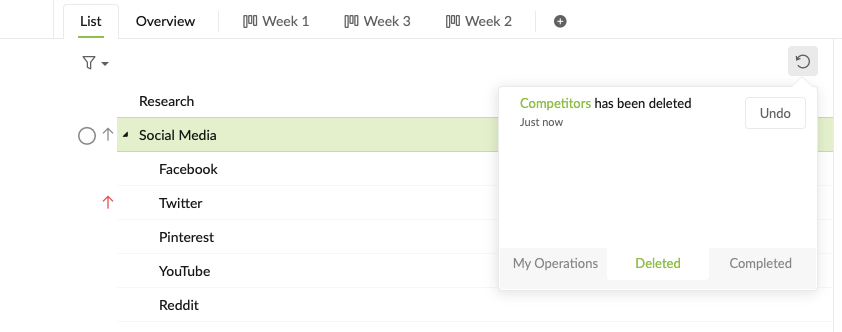
This also works with deleted projects as well. You will also be able to restore a deleted projects within 7 days of deletion. You can find the Trash bin for projects at the sidebar.
Peggy, Dec 21, 2020
The risk of loosing information is both with marking a task as "Completed" - and the "Delete" functionality.
The underlying pattern is that many use Quire (partly or mainly) for documentation - i.e. not tasks that should be completed.
Accepting that some projects (or portions (sub trees) of them are primarily documentation (allowing to set them as such) - would eliminate most of this.
Asteinarson, Apr 7, 2025