
#2971: Quire Feedback
Status: Completed
Hello @peggy
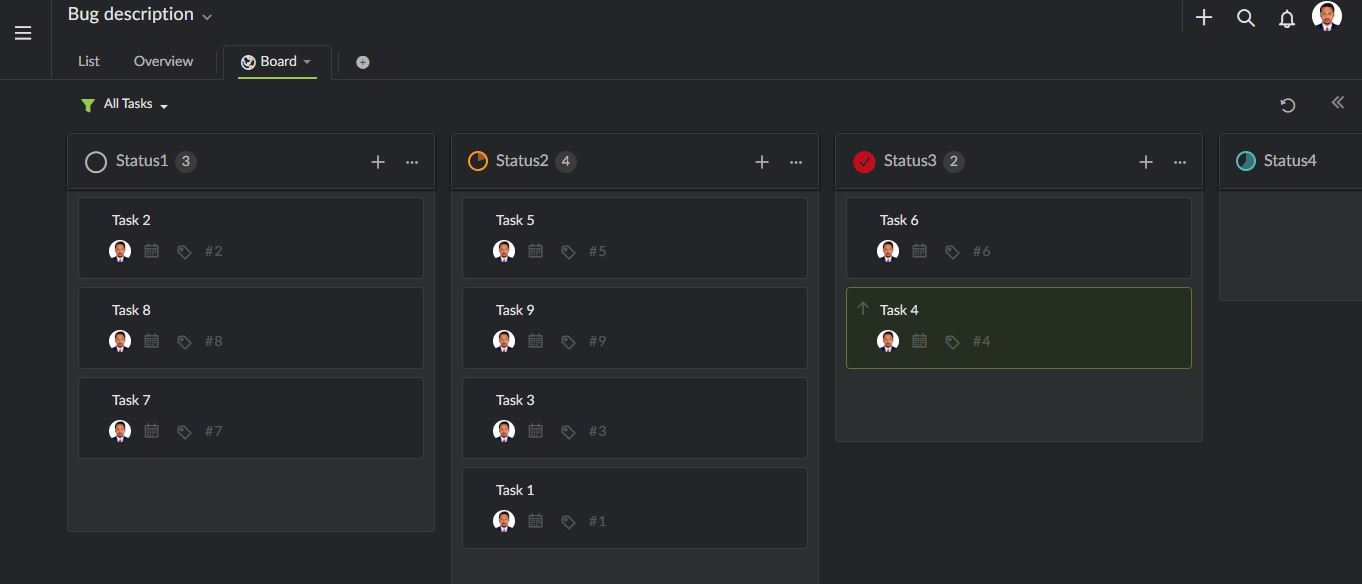
- I added a board to view my tasks in columns
- Then I renamed To-Do, In Progress and Completed to my custom names (Status1, Status2, Status3)
- Then I added few more columns (Status4, Status5) and set % to each column
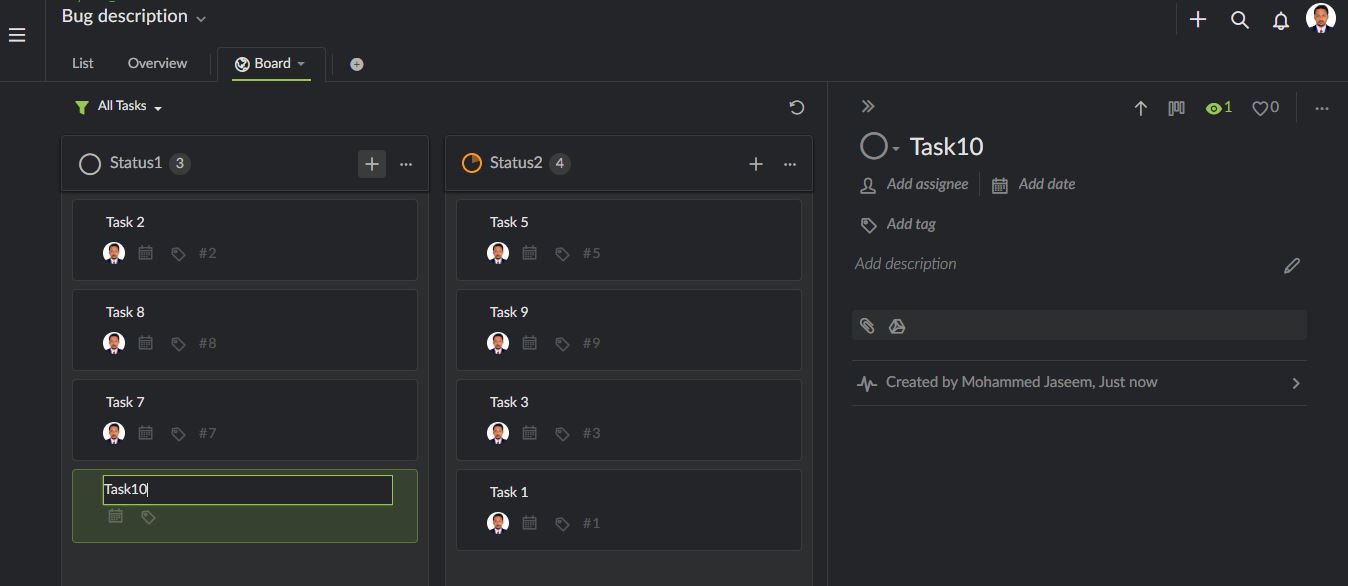
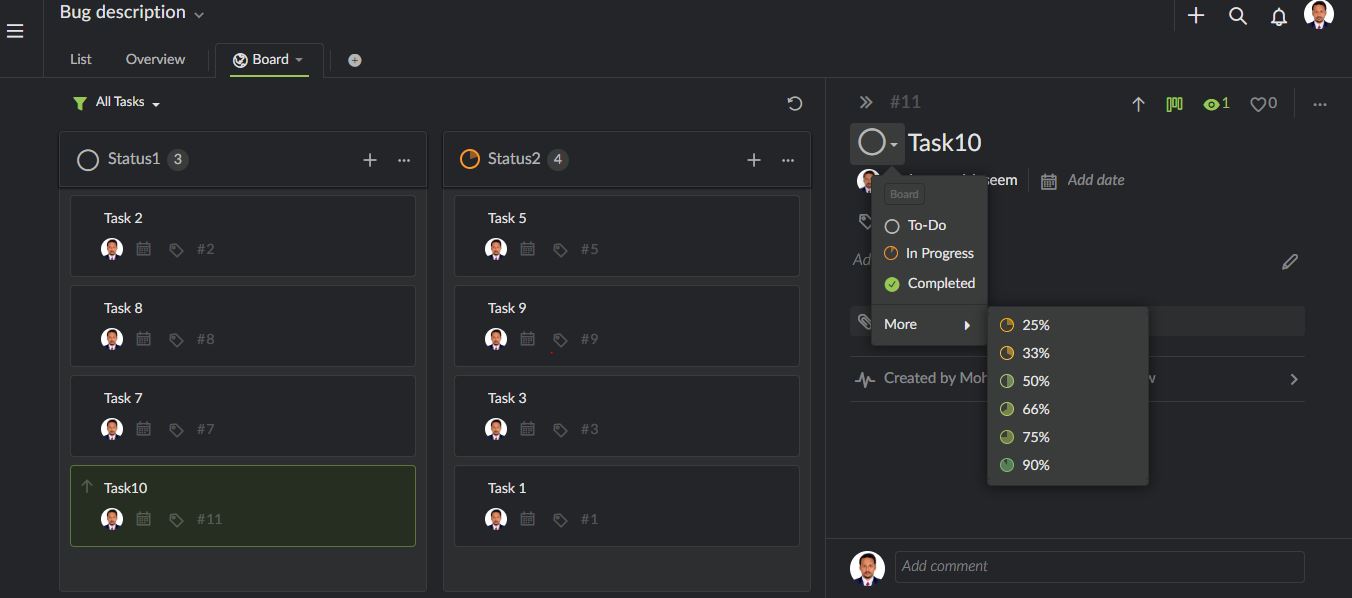
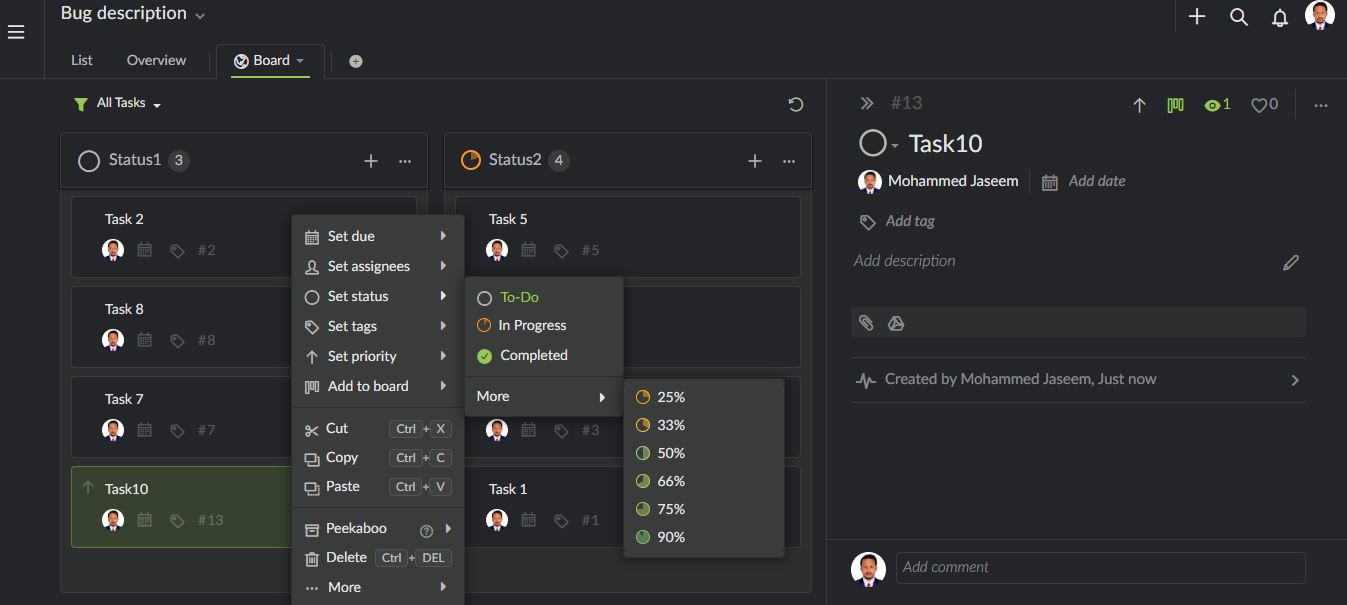
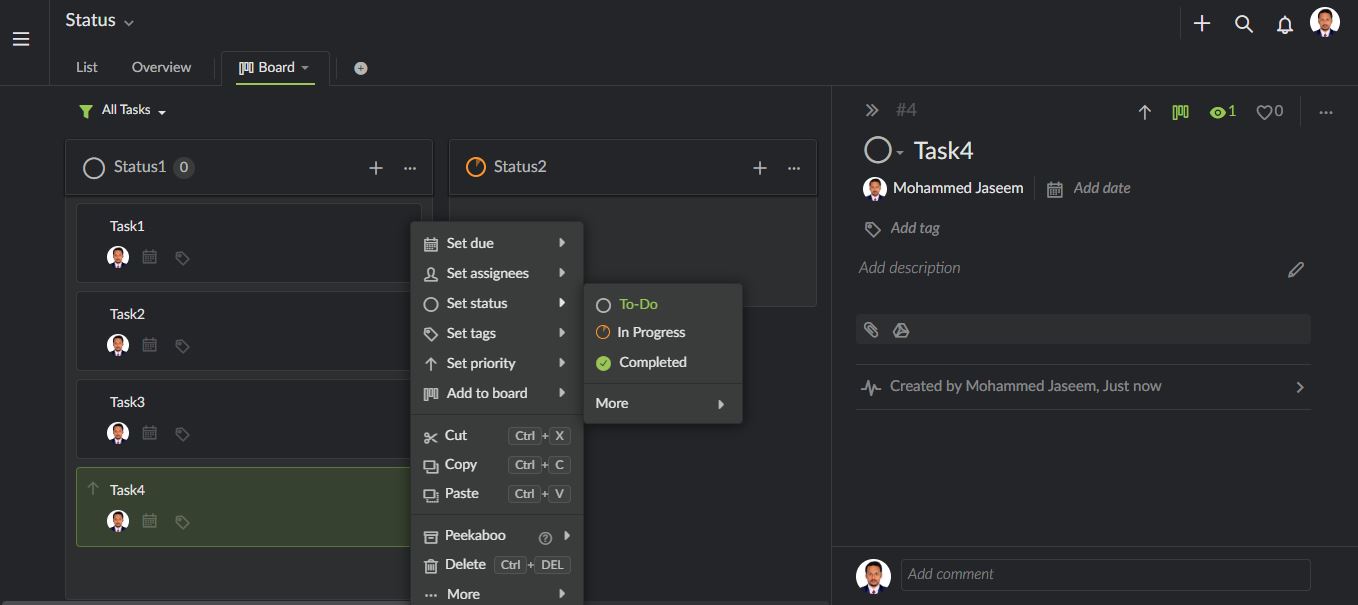
- Now I created a new task. I did not click ENTER button, but just directly tried to set status (as I am trying to do things quick), it shows To-Do, In Progress and Completed. I have to refresh the page now, to see my custom statuses.
Please solve this issue. Here are the screenshots.
Created by Mohammed Jaseem Mar 21, 2020, Edited Mar 25, 2020
Hi @mjm , thank you for your feedback. However, I wasn't able to reproduce your issue (right-click menu issue). When I right-click on the new task I have created, it shows the correct status names.
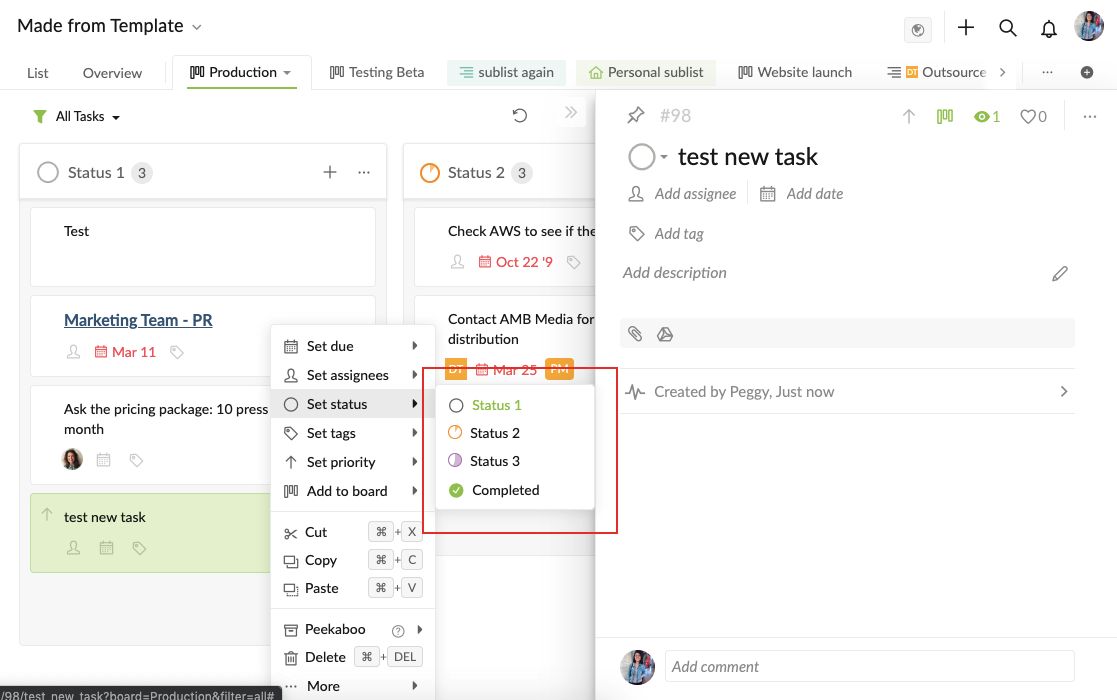
Regarding to your other question: you would need to add the new task from List to Board first. Then you will be able to see the new status created when you right click on the task in the List view.
Peggy, Mar 27, 2020
Hi @peggy The issue seems solved on the panel on the right side. But not solved in the right click menu. Here is the screenshot.
Mohammed Jaseem, Mar 26, 2020
Also, apart from this issue, there is one more similar concern.
Mohammed Jaseem, Mar 26, 2020