
Hey Crystal! So I finally convinced my team to use Quire, but then, nobody commited to it and they stopped using it. Funny story, Since I were the only one using it, I could keep track of other's people mistakes and when I got fired for someone else´s mistake, I could back myself up with the quire app. So, Thanks a lot!
But now, I need to remove myself from that organization but there seems to be no way for me to do that.
Let me know if I could help in any way for us to solve this issue.
P.S. I love QUIRE!
So, Perhaps you guys did something but I was finally able to leave the organization. Thanks!!!!
Manuel Cordero, May 19, 2020
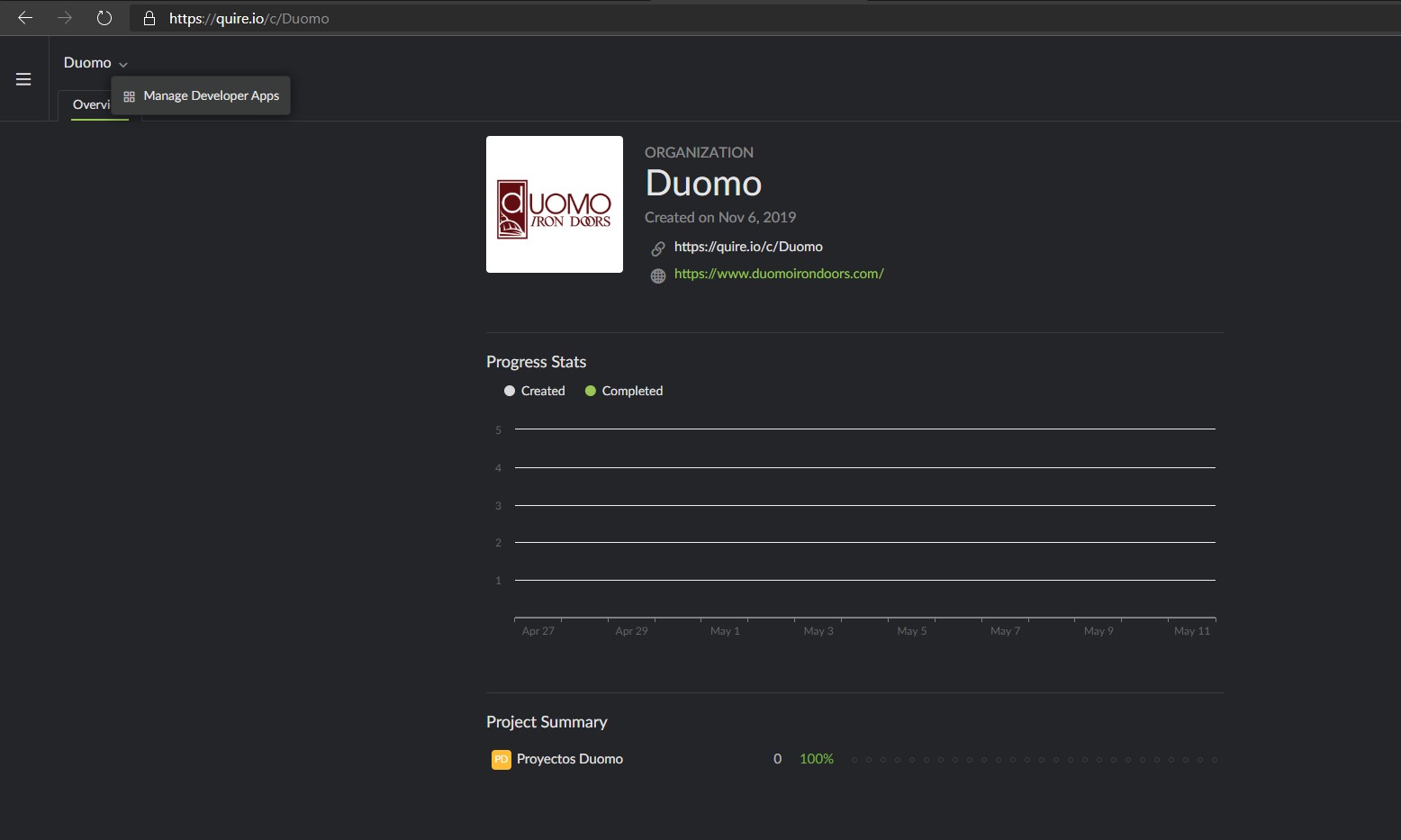
Thanks Peggy! I have been able to do that in the past, but the option to do that is not available. Here is a screenshot that may explain what may be happening, Pretty much the only option available is: Developer apps. It used to be that I was able to see the organization's options, but wasn't able to leave the organization, but now, not even that option is showing up.
So, perhaps a new security feature is obstructing that view from my account?
Thanks for making quire awesome and glad to meet you.
Manuel Cordero, May 13, 2020
@manuel.cordero - hello, sadly Crystal is no longer with the Quire team anymore. Thank you for sharing that story with us! Here's a guide on how you can leave a organization: https://quire.io/guide/leave-organization/
Peggy, May 11, 2020
@manuel.cordero - yes, we had made fixed some spec issue. Glad to hear that you can leave the organization! 😊 I will close this thread. Please let us know if you have any other questions! Thanks.
Peggy, May 20, 2020
@peggy - I have good news! After adding a single task I was able to open the members options. when I try to leave the project it tells me that I am the last admin left so I can´t leave the project, except, I am not an Admin of such project, I only have normal access.
I hope solving this bug improves the UX of everyone else facing this issue. Thanks Peggy
Manuel Cordero, May 13, 2020