
Jesus is the second time that I've lot a great deal of work because the telephone locked the screen! It happened also in the desktop version, you just forget to press save and everything is gone!!
Via Quire Android
wow! That's awesa wee Ill check!
Carlos Miquel K, Jul 28, 2020
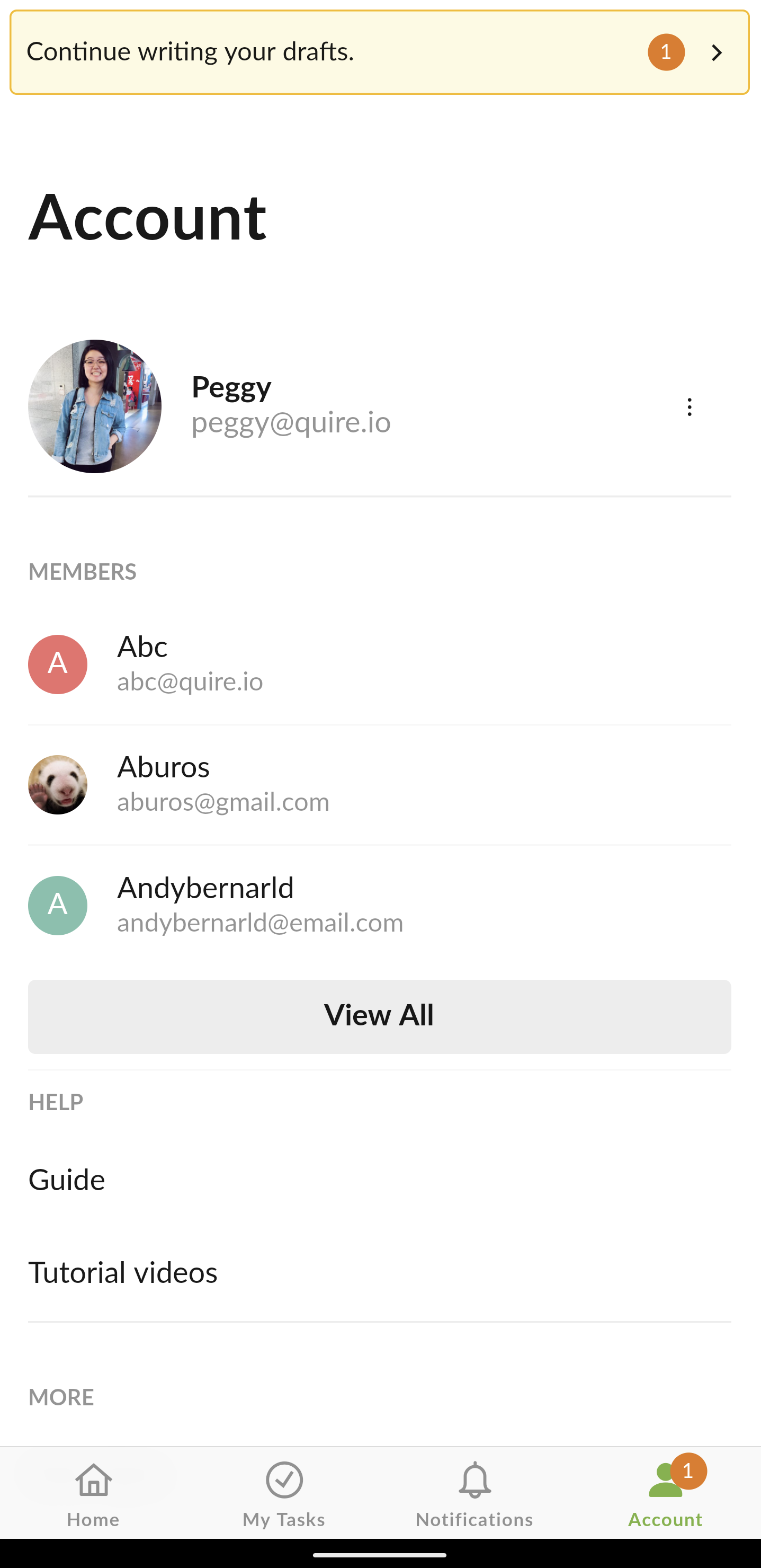
Hi @kaahrl - we had made some enhancements for our Quire mobile app regarding this issue.
In the latest update, you will be able to find the drafts (e.g. descriptions that you haven't finished editing) at the Account tab if there's any. Hope this helps.
Kindly let me know if there are any questions. Thank you so much!
Peggy, Jul 28, 2020
Carlos Miquel K, Jul 11, 2020
@kaahrl - Could you please provide the reproduce steps for us? Any screen recordings or screenshots would be super helpful as well!
In mobile app, after typing the new task description, we will not save the edit if you quit the app without tapping Done or if you tap Cancel.
In the browser version, after typing new task description and you click on another task without clicking on Save, we will auto save the edited descriptions.
Peggy, Jun 15, 2020
I didnt saw thiscomment, I will screen record it because it has happened again today
Carlos Miquel K, Jul 11, 2020