
Dear Sir/Madam,
I would like to have the option to assign some of the task to diffirent people without specify their email address. The purpose is to keep track of tasks that have been delegated. I would like to make the list of "pseudo"-members, and assign them to different tasks, to check their progress later by asking them directly. Is it possible to add such functionality? Huge thanks to you in advance for your kind assistance.
Best regards, Andrey
It looks like this:

Andrey Trushkin, Aug 14, 2020
Thank you for your participation, @VBora.
Sincirely, I didn't tried this approach with an external team, but with pseudo-members of my team the tasks filters fine within the project as you have mentioned. Probably My Tasks list is already globally filtered only with tasks assigned to you. But if you assign to the task both you and another person, this task falls into My Tasks list and could be filtered using the "Assigned to" criteria for the person you have assign this task together with yourself. That's what I managed to find out.
Best wishes, Andrey
Andrey Trushkin, Aug 14, 2020
This is a pretty cool suggestion @Andrey_Trushkin .
I tried the workaround suggested by @peggy using both the External team option and adding a member to the project. It works fine within the project but when I try to filter by this criteria in the MyTasks page it displays the below error message.
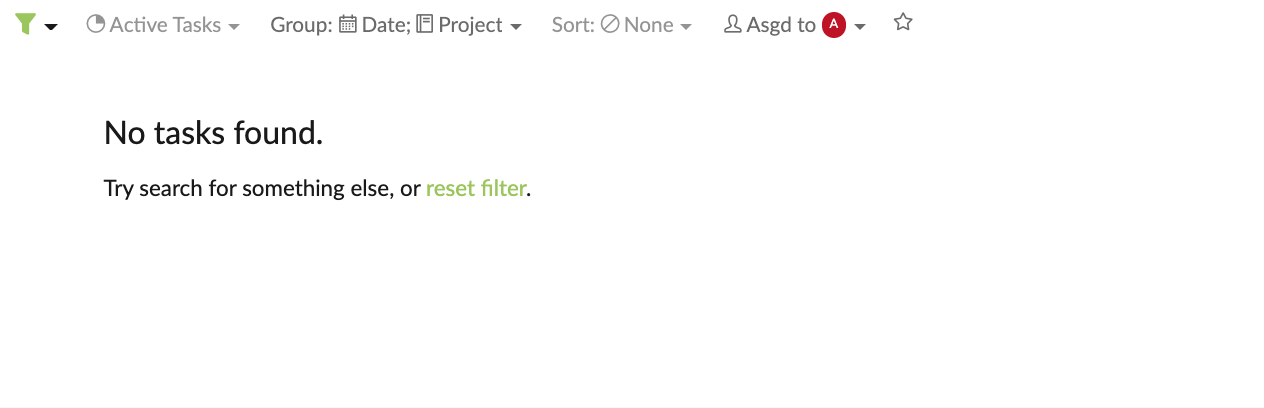
I had not assigned a due date so the task should have been displayed under the unscheduled category.
Thanks a lot.
Vikramjit Bora, Aug 14, 2020
Thank you, @peggy. It seems to work for now, but a kind of crooked nail. Hope it will work fine for my needs. Will let you know, if any additional assistance will be necessary. Thank you for your kind help.
Regards, Andrey
Andrey Trushkin, Aug 14, 2020
Hi @Andrey_Trushkin - thank you for your feedback! Unfortunately, you wouldn't be able to make a list of "pseudo"-members without entering an email address. However, you can add a member to your project and enter a fake email address (i.e.
jack@email.com). Hope this helps.Kindly let me know if this works for you or if you have any further questions! Looking forward to your reply.
Peggy, Aug 14, 2020