
For a little while now, I'd guess around 2 weeks, whenever I scroll in Quire by swiping 2 fingers on the touchpad the scrolling is so fast it's worthless. But it's normal everywhere else. It's doesn't matter if I'm scrolling through tasks in the list or comments or whatever inside a task. I have to instead scroll by grabbing and dragging the scrollbar which is really annoying. I'm guessing it would be the same If I used a mousewheel to scroll.
Hi all - This issue had been resolved. Sorry for all the inconvenience caused. I will close this thread. If the issue persists, please kindly let us know! Thanks!
Peggy, May 10, 2021
Thanks for the reply!
- Linux Mint
- Chrome. I just tested Firefox and it's normal there.
- Nope, no other that I've come across and I browse a lot.
Oscar Jonsson, Oct 11, 2020
Hi @ogggan - Thanks for your report.
Please let us know the following so our developer team could look further into this issue:
- What OS are you using?
- What browser are you using?
- Does this issue happens in other websites?
Waiting for your reply. 😃
Peggy, Oct 5, 2020
This problem seems to have been fixed now, I just noticed this. Does it work properly for you too now, @markuso?
Oscar Jonsson, May 8, 2021
@ogggan Yes, I confirm that it seems to be fixed now. OMG! It is such a better experience when managing a long list of tasks. Much appreciated.
(deleted-Z3ZB), May 8, 2021
Scrolling is normal in the notifications-box:
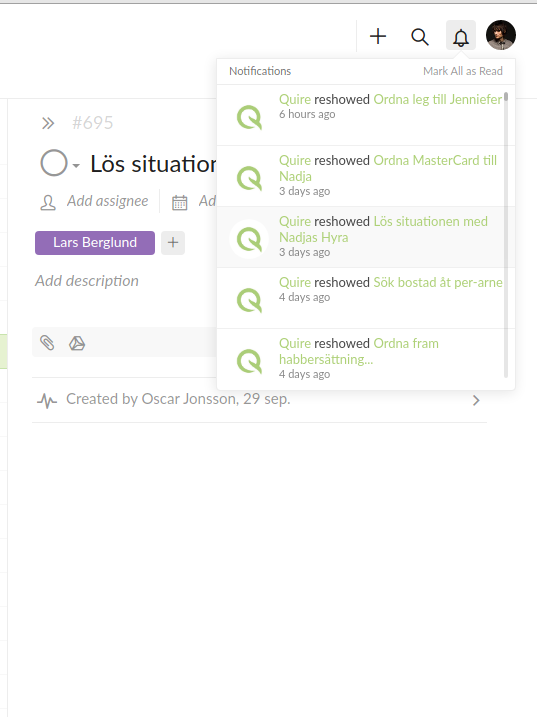
But not in the left pane or the right pane or the main task-list.
Oscar Jonsson, Oct 11, 2020
The same for me using Chrome on Ubuntu Linux. No other site or web app does this. It is also a problem in the Quire Linux app as well. It has been like this for a long time and it makes navigating any sizable list a big challenge as it moves the page very fast. It is hard to get to tasks or explore any content and lists that are longer then the display height.
(deleted-Z3ZB), Apr 20, 2021
Hi @ogggan - Thank you for all the information! I have escalated this feedback to our development team. If I hear any update, I will let you know immediately. Sorry for the inconvenience caused!
Peggy, Oct 12, 2020