
Project One 5 Delayed Tasks (Orange Color), 2 On time progressing Tasks,20 Upcoming Tasks (Blue color). This one is not needed in the progress bar.
Just Combine Delayed and On Progress Progress bar, below all the projects in the left menu. gets an easy idea of the project status.
Hi @ArunPrasadES - Thank you for your feedback.
Could you please provide a visual example for what you mean? Thanks so much for your help.
If you are talking about the sidebar on the left hand side, at the moment, we will show orange dots next to the project name, if the project have unread tasks.
If you wish to add more information at the sidebar, we would need to think about it, since we would like to keep the sidebar as clean and simple as possible.
To see more information about the progress of each project, you can go to the Overview page of each project. There you will find progress stats, weekly summary and task activities. Is this what you were looking for?
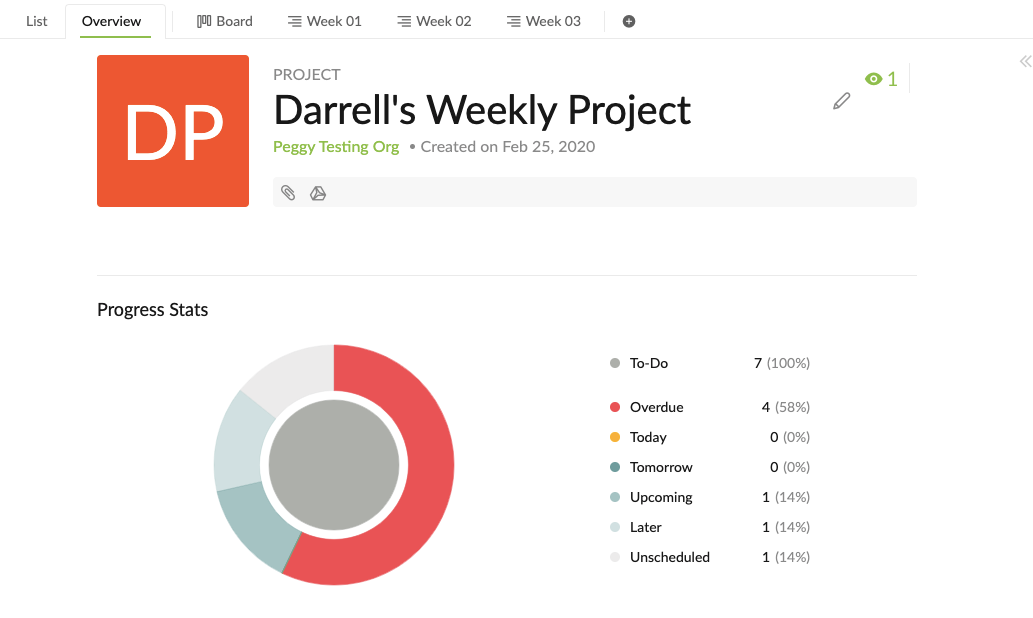
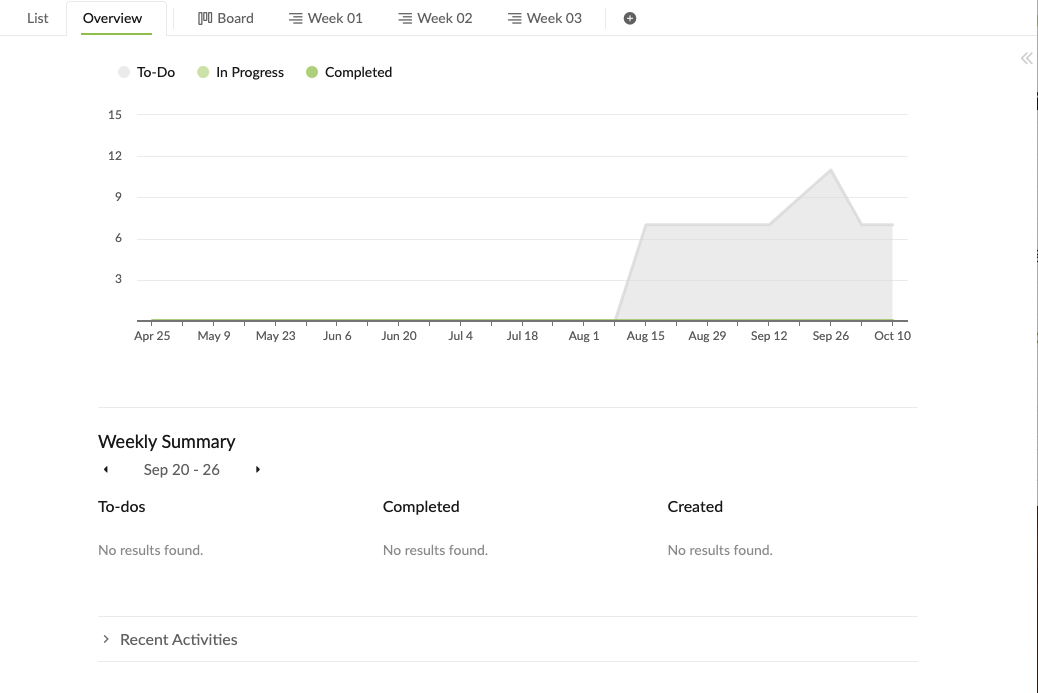
Peggy, Oct 7, 2020
⭐️ We have closed your thread in order to optimize the performance of the Quire Feedback Forum. Please see our Quire Feedback Official Guideline for more information.
If the request/feedback wasn’t answered or the issue hasn’t been resolved in the newest version, please leave a comment below, the Quire team will be notified.
Peggy, Jul 8, 2021