
I am the project admin, adding many different users. Many of them are generic company role emails and need a different name (a person's name, not the email address, which will need to be changed periodically).
How can I rename the users?
Hi Jennifer, Unfortunately, you cannot change the member's name or email address. You can remove a member from your organization if you no longer want him/her to be a part of it. After you remove him/her, you can add a new one.
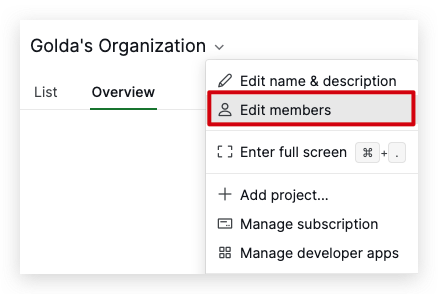
To remove a member from an organization and its projects, navigate to your organization dropdown menu > Edit members > View complete member list > hover over to the member's tab > click the trash bin icon on the right side.
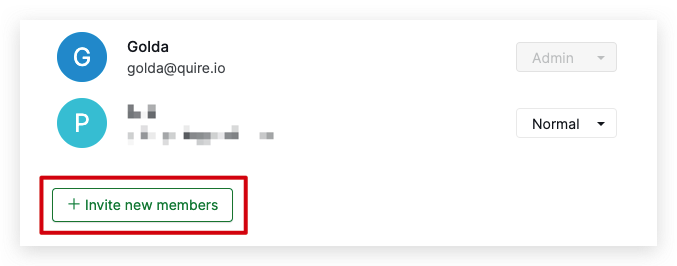
On the Members page, click + Invite new members to add a new one.
Golda, Jan 13, 2023
I have the same issue. Should I cancel a member and add another one?
Jennifer, Jan 13, 2023
Hi @ericforman - Thank you for your feedback.
At the moment, you won't be able to change the name of other members. But this is something we will implement in the future. I will let you know once we have more information regarding this request. 😜
Peggy, Nov 17, 2020