
How can I change or delete tag for my task that is not assigned to any project? I can only add new tag, but I can't change or delete tags. I've deleted all not assigned task, create new organization, moved all projects to the new organization and added a new not assigned task. And the unwanted tags are still there :-|
Hi @B - Oh okay, at the moment, you won't be to edit the tags for personal tasks (tasks that don't belong to any projects) on mobile app. I have pass this request to our Mobile team. Once they have an update, I will keep you posted in this thread, thanks!
Please help to edit the tags on our web version first. 😭
p.s. I have slightly edited the title for this feedback to better reflect this issue. I hope you don't mind.
Peggy, Dec 24, 2020
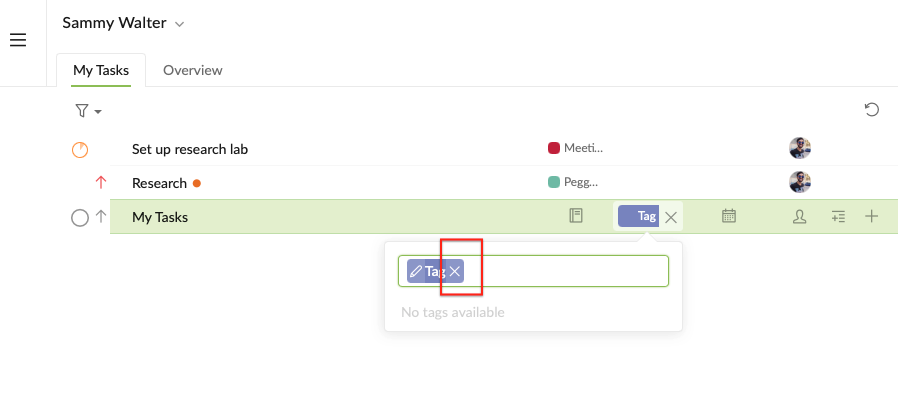
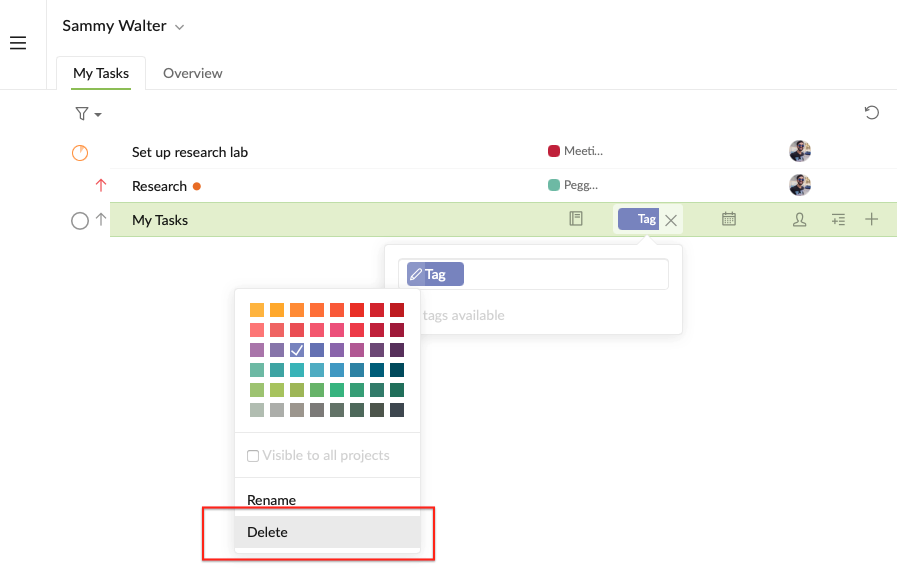
Thank You. This is what I need. Anyway I still cant do that in my mobile app. Please add that possibility.
AB, Dec 23, 2020