

Introducing Quire Kanban Board 2.0!! The Quire Nested Task List and Kanban Board has officially joined forces.
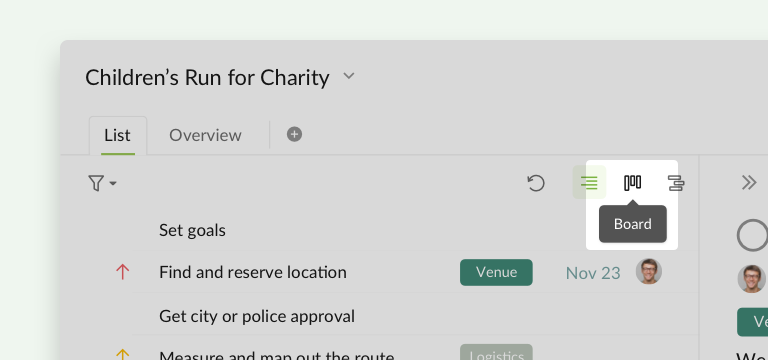
You can now switch from your List to a Board with just one click.
Another awesome thing is that you can now visualize your tasks in customizable columns. Instead of viewing your tasks by Statuses, shuffle the columns by Priority, Assignee, Tag, or Date to arrange your tasks differently.
📒 Visit our blog for more details: https://quire.io/blog/p/board.html
Hi @CBroz - Thank you for your feedback.
After the update, you won't be able to assign the task to a Sublist (in your case, another Board) when in edit mode. I have passed this issue to our Developer team and I will keep you posted when I get an update for this.
You can use the keyboard shortcut ^ (when inspecting a task, not in edit mode) to add the task to a Sublist.

I hope this helps.
Peggy, Jan 21, 2021
Hi @yangkennyk -
You can use the below shortcuts to switch among the different views:
1 for Tree view.
2 for Board view.
3 for Timeline view.
Find more keyboard shortcuts in Help.
Peggy, Feb 19, 2021
It does! Thanks so much for your attention to this.
I'm glad I can still use the shortcut outside of edit mode. In trying it out, I notice that I can hit arrow-down to select the board. Intuitively, I would expect hitting Enter or another arrow key to select one of the options from there, but that isn't working in my case. If these boards are still implemented in the future, my priority would be some way of assigning items to them with just the keyboard, in or out of edit mode.
Thanks again!
CBroz, Jan 21, 2021
Hi @CBroz - Yes! This is noted. We do have this mind. I will let you know when it get implemented. Thank you for your patience.
Peggy, Jan 22, 2021
This is great! I really appreciate the multiple views.
Unfortunately, the quick-assign special character ^ is no longer working for my pre-existing board. Is this a bug? I'd love to be able to assign my items to boards with ^Board.
Thanks for all your work! Chris
CBroz, Jan 19, 2021
is there a keyboard shortcut to switch between list/board/gantt view?
Kenny Yang, Feb 17, 2021