
One of my projects shows this (incorrect)
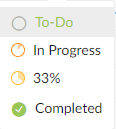 And I am unable to access the drop down menu to select other percentages.
And another show this (correct)
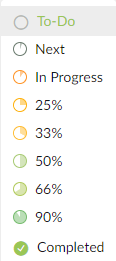
This happened after the last update. I much prefer the menu just fully listed and not having to use the dropdown. But at this point, I can't even use the dropdown.
I have tried clearing my browser cache as well as using an entirely new browser with no luck.
Hi @mike-luyties - Thank you for reaching out to us.
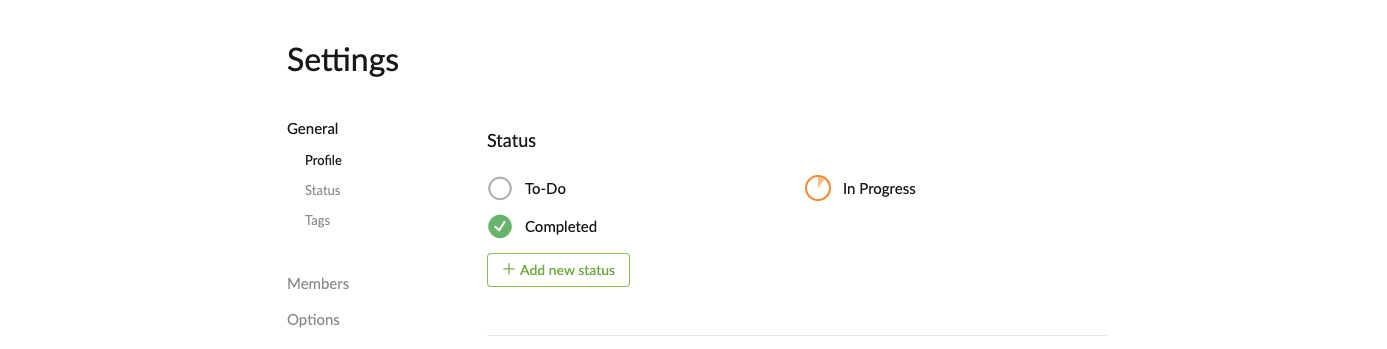
In the last update, we have brought the statuses to the Project level. Before the update, if you have tasks in a certain status, that status will been seen in the project (for all the Boards) right now.
You can edit the statuses by clicking on Edit status in the dropdown menu next to the Project name at the top.

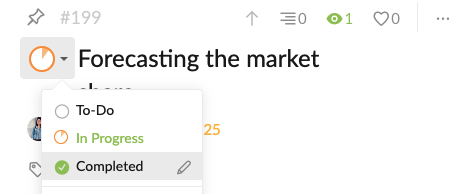
For the other issue, could you please share more details with us so we can better understand what might be happening here? Do you mean you can click on the arrow icon next the status circle? But after clicking on the status, nothing happens? The status won't be applied?
Looking forward to your reply.
Peggy, Jan 25, 2021
Hi @mike-luyties - At the moment, you won't be able to copy a status to another project. You would have to add them separately in each project.
Our team knows that this will be a useful function for our future improvement. We have listed this in our internal to-do list. I will let you know when we have an update for this. Thanks!
p.s. This feature request is mentioned in another thread #3998. You can add your comments or votes there. 😜
Peggy, Jan 27, 2021
Hi Peggy, thanks for getting back to me. I see the way to edit status now and have done so. Just would have been nice to have that migrated from the old system to the new one automatically instead of just leaving 33% there.
No, there is no other bug. What I thought was a bug was just not knowing about the status creation tool and changes.
Is there a way to copy these statuses from one project to another?
Mike Luyties, Jan 25, 2021