
The clicking on the subtasks first and THEN on the parent task (when both are set to daily occurence) throws the parent task to tomorrow, but throws the subtasks 2 days later. Example: Let's have a task Morning with three nested tasks related to the morning routines. The tasks and its subtask are due to today (19th of Feb) and with daily occurence:
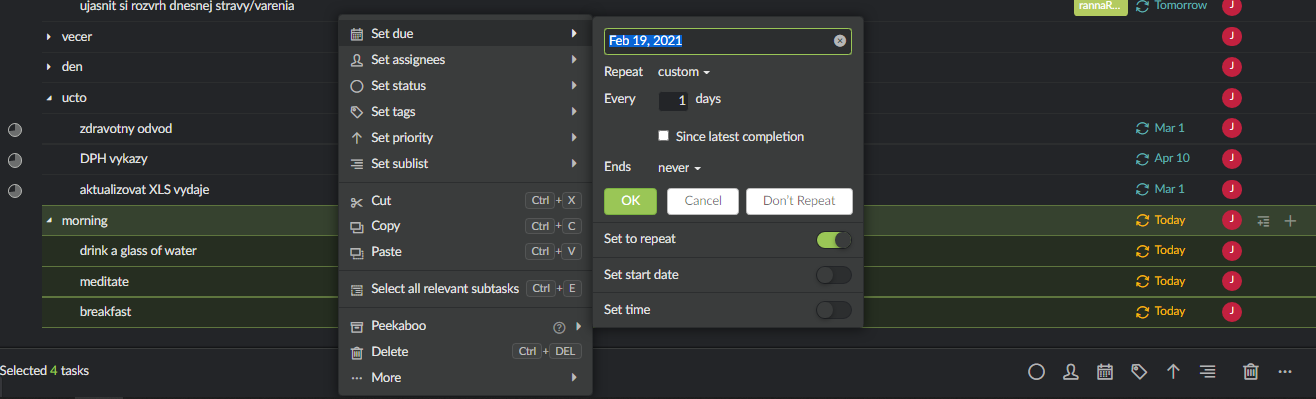
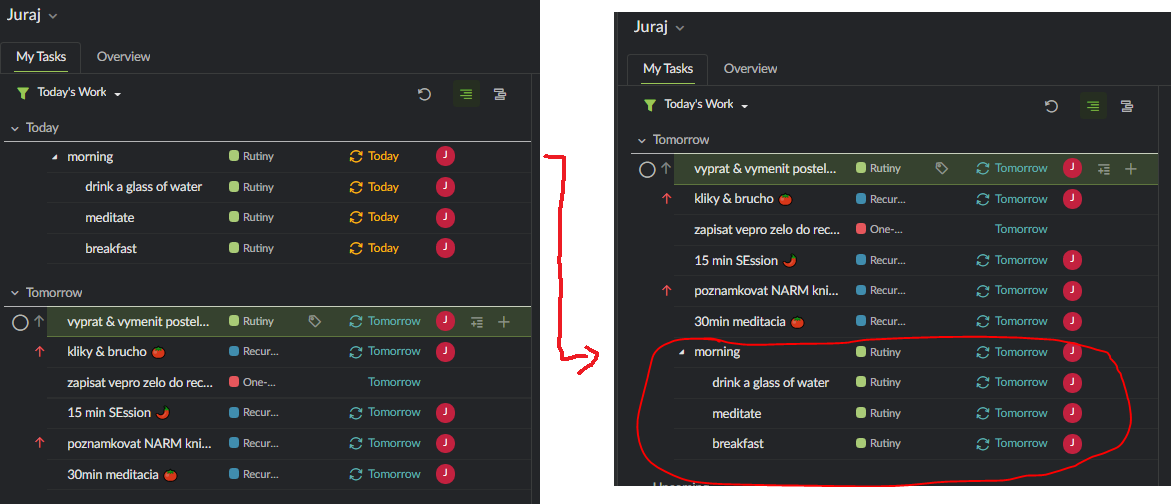
Now, if in the MyTasks view I check only the parent task, the task correctly transfers to another day together with its subtasks:
However, when I first check subtasks, and only then the parent task (which is intended use, to make sure that each of the routines are done and then check and close all this task-container), then what happens is, that while checking the subtasks, they correctly transfer to the next day, BUT just after clicking the parent task, suddenly the parent task transfers to the next day, but the subtasks, incomprehensibly, suddenly find themselves in the day after tomorrow (although no click were made on them).
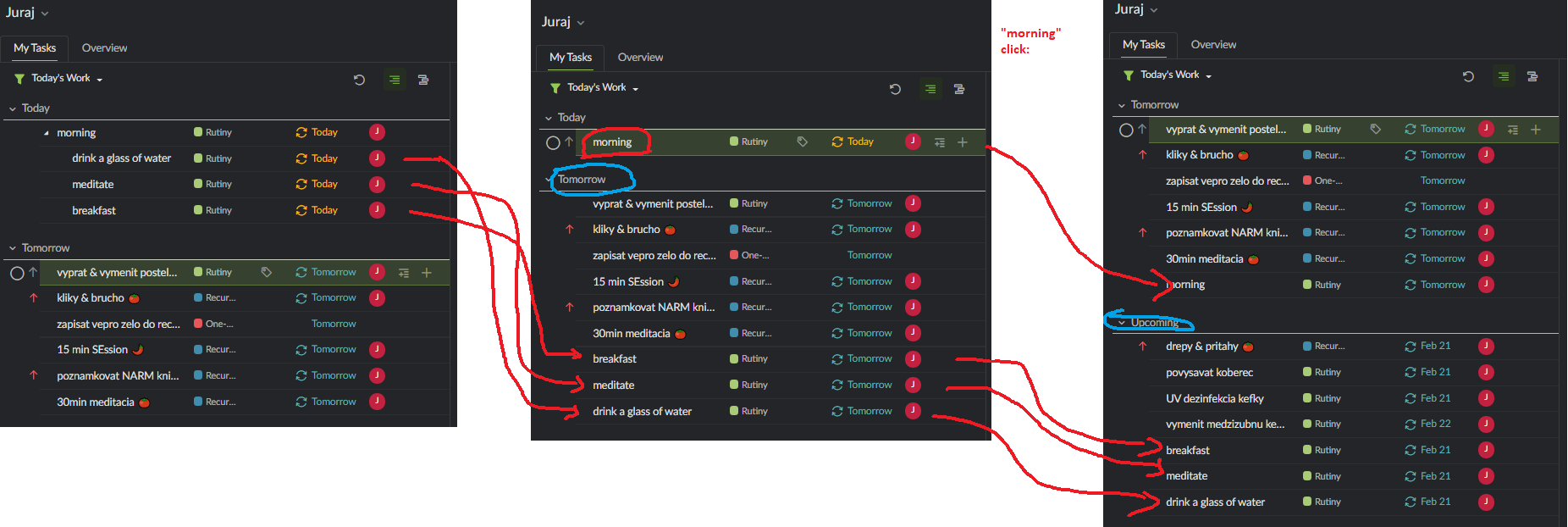
The check of the parent task apparently sends all its subtasks to the next day, regardless if they were checked or not. But this does not makes sense to me, I want to check all the subtasks and only after then all their container, and have it prepared the same way for the next day.
Hi @Juraj - Thank you for explaining this to us.
This is our spec. A parent task is viewed as an independent task from its subtasks. But when you complete a parent task, we assume that all its subtasks should be completed as well, that's why the subtasks will close together when you click on complete for the parent task.
So for a recurring task, if you have completed the subtask first, it will generate the a new subtask right at the moment. However, if you later, completed the parent task, the system will close all its subtasks again, thus generating a new subtask for you. I hope this makes sense.
Please let me know if you have any other questions. We are open for more ideas and the expected behavior that you have in mind for this. Thanks!
Peggy, Feb 26, 2021