
#4217: Quire Feedback
Status: Completed
Hi,
I can't find an option to export or import my my projects. The dropdown next to my project name looks nothing like that in the documentation online.
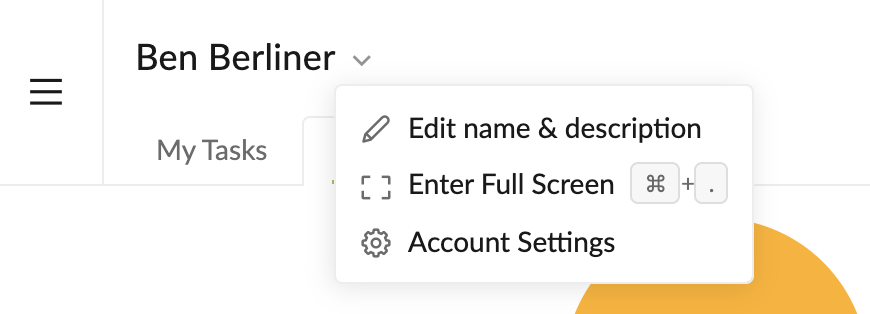
Created by Ben Berliner Mar 6, 2021, Edited Mar 15, 2021
Hi @Ben_Berliner - Just like what @Alex_Neth had mentioned, you would need to go to a Project first, then click on the dropdown menu beside the project's name. From your screenshot, you are your My Tasks page.
Here's a gif, I hope this helps.
![[feedback] export and import Quire.gif](/aup/Co/UCBqfoLOQPyM1_TWkk-m3mFf/668b5gl9/%5Bfeedback%5D%20export%20and%20import%20Quire.gif)
p.s. @Alex_Neth Thanks so much for jumping in! 👍
Peggy, Mar 8, 2021
that worked! Thanks everybody!
Ben Berliner, Mar 12, 2021
That looks ike the user menu. Go to Workspace > Organization > Project
Alex Neth, Mar 6, 2021