
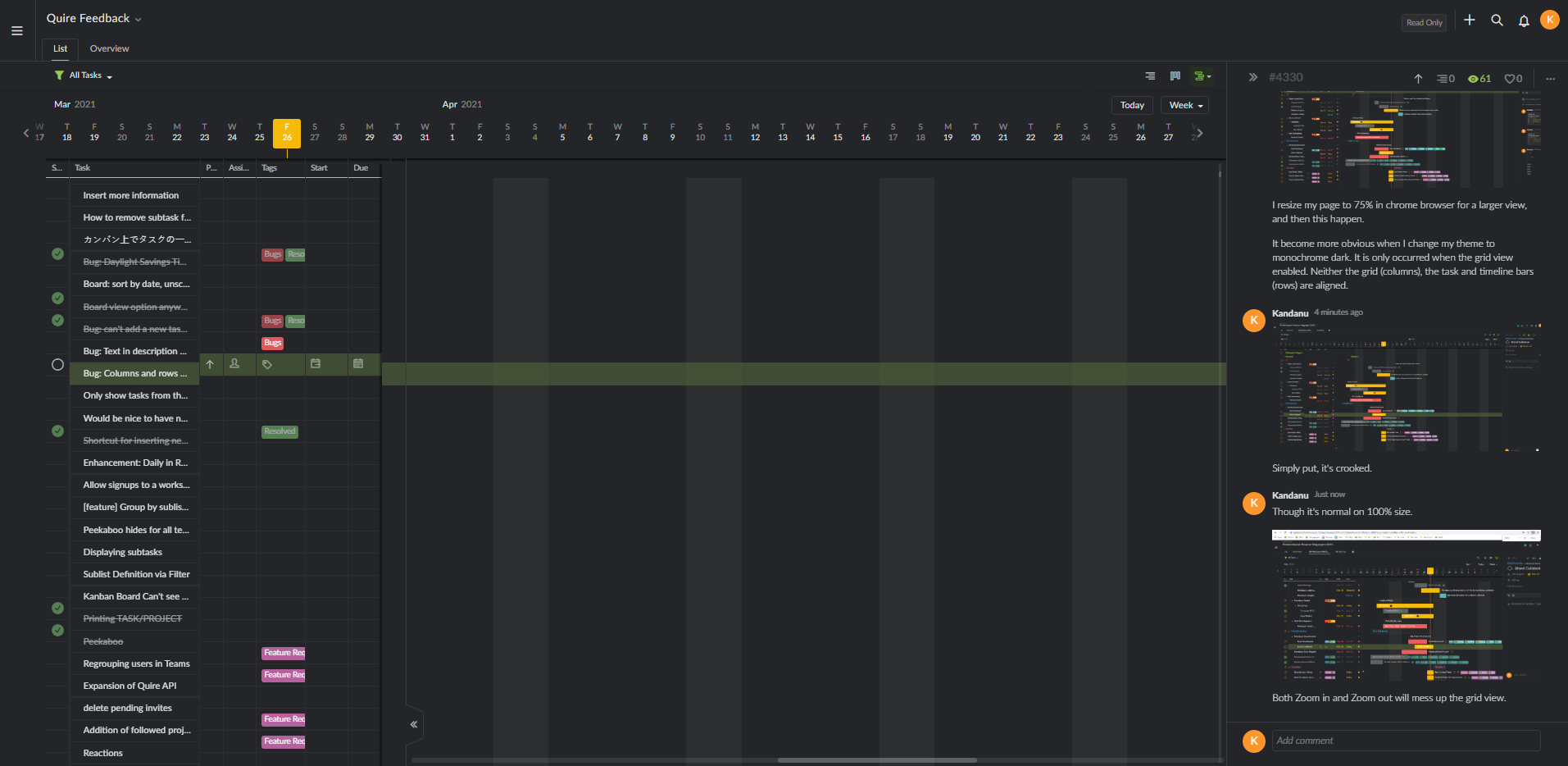
Yep, it happen on all board, including this one.
Kandanu, Mar 26, 2021
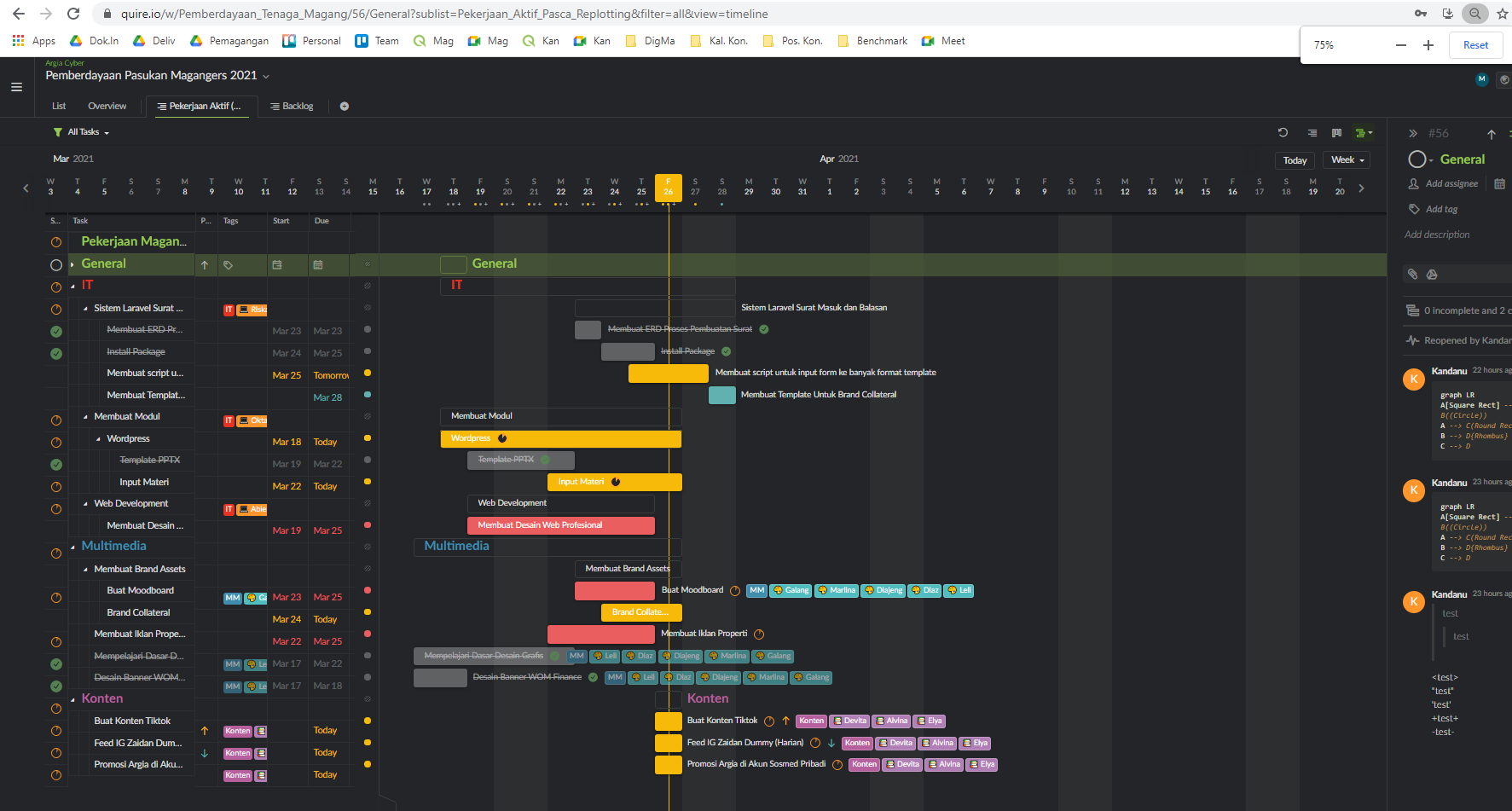
I resize my page to 75% in chrome browser for a larger view, and then this happen.
It become more obvious when I change my theme to monochrome dark. It is only occurred when the grid view enabled. Neither the grid (columns), the task and timeline bars (rows) are aligned.
Kandanu, Mar 26, 2021
Though it's normal on 100% size.
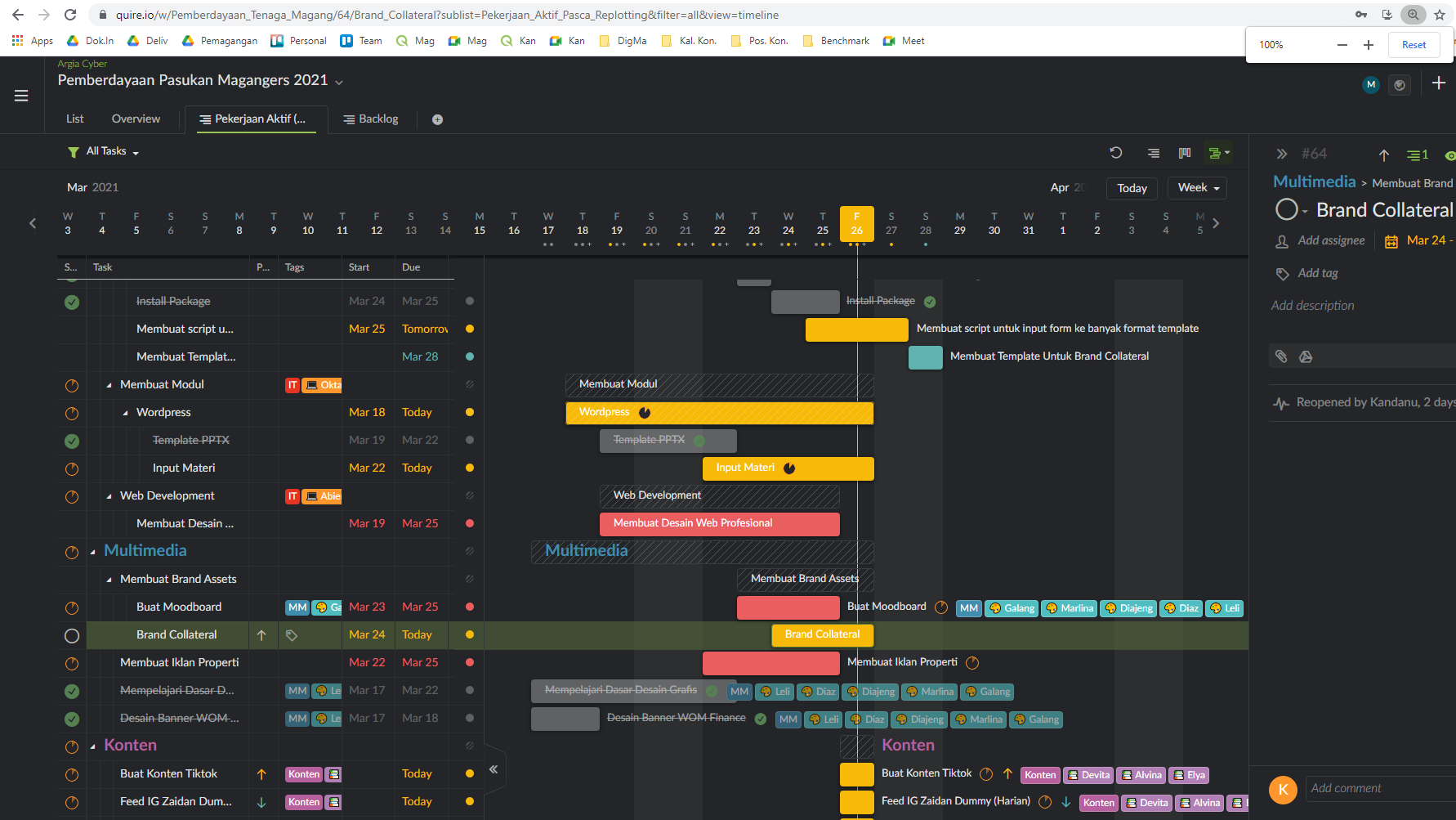
Both Zoom in and Zoom out will mess up the grid view.
Kandanu, Mar 26, 2021
Dang.. that's unfortunate. I guess I'll stick on using a bigger monitor for the time being 😅 Anyway, thanks for the follow up @peggy 👍
Kandanu, Mar 29, 2021
Hi @Kandanu - Thank you for your screenshots! Unfortunately, we don't support resizing the browser at this moment.
I understand that you are resizing the browser so that you can view more task bars in one view. We might support a compact mode in the future to solve this problem. I will share your feedback with our team.
I'm afraid at the moment, in order for the Timeline not to be crooked, you would need to resize your browser back to 100%. Sorry for the inconvenience. 😭
Peggy, Mar 29, 2021
Simply put, it's crooked.
Kandanu, Mar 26, 2021