
Hi,
when I'm double clicking a task, edit the text and enter ">", I can start typing the name of the project I want the task to move to.
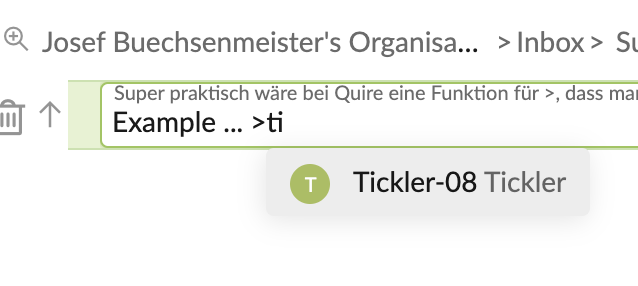
This is super helpful because I have a lot of different projects - the list of the projects I have to choose from is quite long.
However, when I'm just marking a task and then press ">" I don't get the possibility to start typing. This is a bit annoying because I have to scroll down a long list.
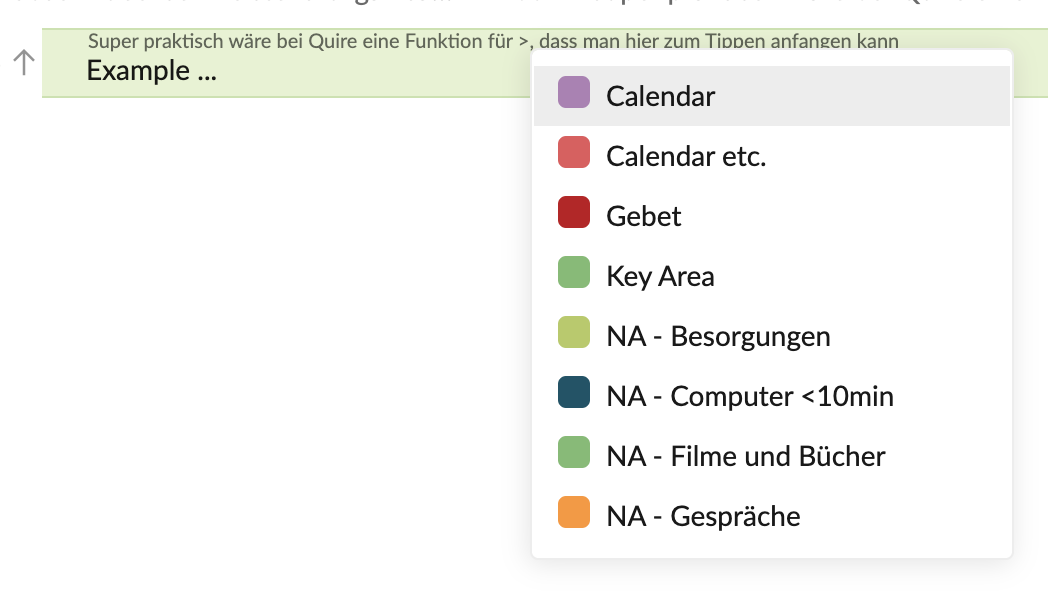
Would this be a thing that can be adjusted?
Awesome! 😃
Josef Buechsenmeister, Mar 31, 2021
Hi @josef.buechsenmeister - I have passed this suggestion to our team. Once I have an update, I will keep you posted in this thread. Thanks!
I'm afraid at the moment, you need to transfer the task to another project in edit mode so that you can search for the project name by typing.
A quick way to enter edit mode for a task is to hit F2. I hope this helps. 💪
Peggy, Mar 30, 2021
Merged #4322 to this task.
Peggy, Mar 31, 2021