
Adding tags when editing append to the tag list instead of replacing the old ones. If I create a task "T1 #ball" and then edit it, the text that will be shown is "T1". If a add the tag "#water", then the "#ball" tag is replaced instead of the tag list becoming "#water #ball".
⭐️ We have closed this thread in order to optimize the performance of our Quire Feedback Forum.
Please see our Quire Feedback Official Guideline for more information. Thank you.
Peggy, Nov 10, 2021
Hi @filipemtz - When in editing mode, the tags you type in the input area will replace the existing tags. If you would like to 'add' tags to a task, you can hit # when inspecting the task and select the tags you want to add.
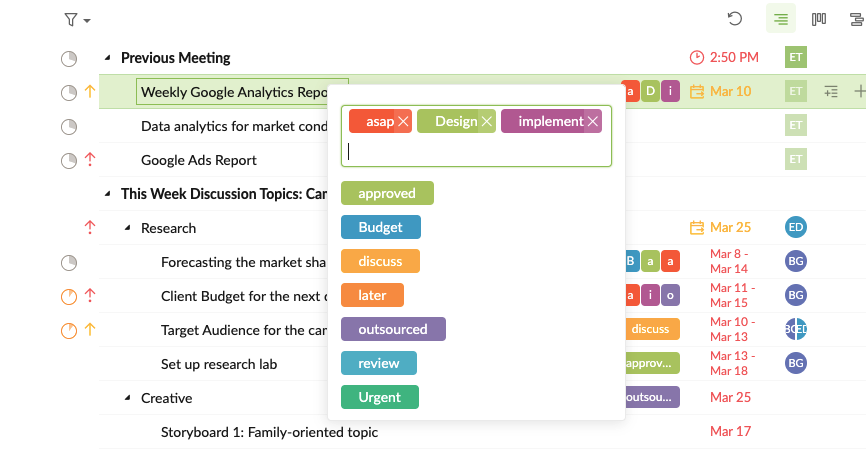
I hope this helps. Please let me know if you have any other questions. Thanks!
Peggy, Mar 29, 2021
Got it! This is perfect. Thanks!
(deleted-2v1N), Mar 30, 2021