
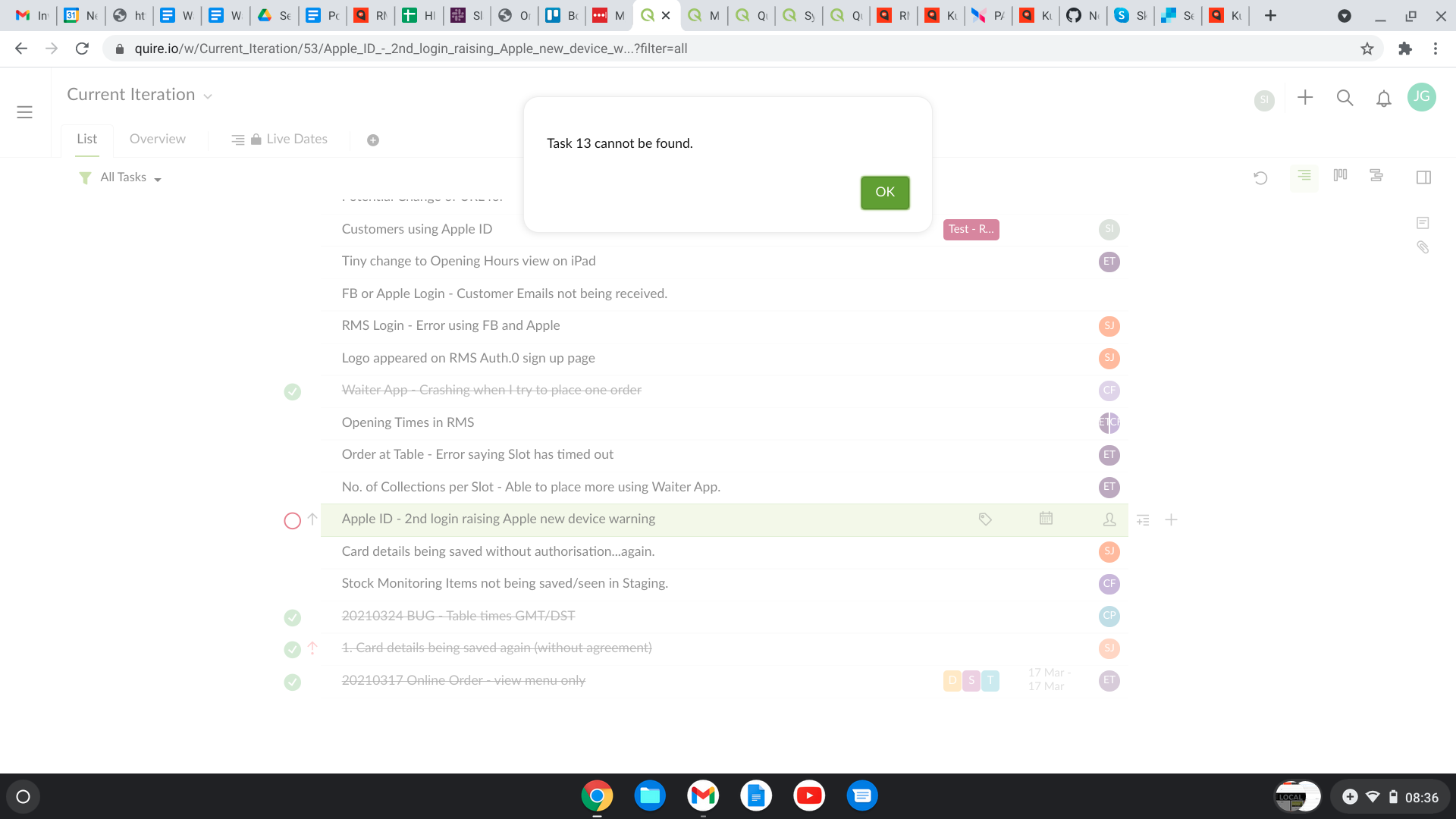
Twice in the last week or so I have had had the error: Task 40 cannot be found and Task 13 cannot be found These tasks have literally disappeared from Quire and I know that I haven't deleted them. Could this be happening as a result of transferring a task from one board to another and there happen to be two tasks with the same number?
Hi @Julie_Game - Thank you for reaching out to us.
I’m sorry to hear you are experiencing this issue. In order to better understand what might be happening would you mind answering the following questions:
- How did you accessed Quire during this time? Through a saved browser bookmark? Or from a certain URL?
- Did you move/transfer these two task (task 40 and task 13) to another project? Or are they both still in this project?
Looking forward to your reply!
Peggy, 2021年3月31日
Let me add to this I have been experiencing the same thing.
Thomas, 2021年4月1日
It's on the app, no link, just a window.
Thomas, 2021年4月6日
And is there?
Thomas, 2021年4月11日
I was getting a similar error each time I opened Quire. I realized that since I had saved Quire as one of my tabs to automatically launch when opening Chrome, it was also including an old task that has now been deleted. I solved the problem by chopping off the task from the URL in my saved Chrome page. You could be experiencing the same thing with a bookmark or cached link. Your URL to start clean should be https://quire.io/u/First_Last/ (where First and Last are your names.) Hope that helps for your situation too!
Will Abraham, 2021年5月27日
Hi Simon - Could you please let us know how you have opened Quire every time? Is it through a bookmarked URL?
If so, the bookmarked URL may contains a task ID where the task already has been deleted causing this 'Task not found' issue.
Please resave the bookmark URL as https://quire.io/ and try again. Thanks!
Peggy, 2021年7月20日
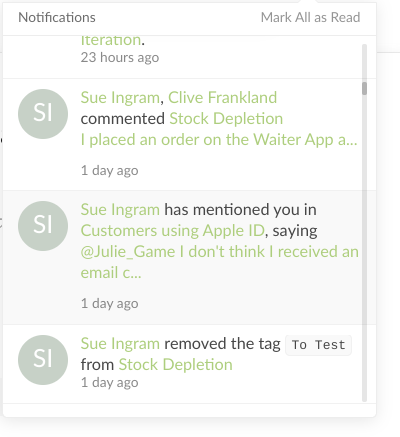
Hello @peggy Thanks for the prompt response! 1.Quire accessed via a URL which I had open all day - I transferred the project and then later in the afternoon - same window/same URL/PC had been on all day, I got an error. I have a notification that someone has commented on the task but the task is now nowhere to be found. 2. I have transferred the tasks to another project.
Julie Game, 2021年3月31日
I very explicitly do NOT give the developers access to my tasks.
Thomas, 2021年5月27日
Thank you Thomas - thought I was going bonkers to begin with :-)
Julie Game, 2021年4月1日
Hi @Thomas_
Sorry to hear that. I already passed your feedback to our Dev team and we are going to see if there's a way to reproduce it from our end.
Vicky, 2021年4月6日
Hi Thomas - This is noted! We will not access any of your projects or tasks. However, we still weren't able to reproduce this issue on our end. It would be helpful if you can answer the other questions above. So our developer team can have more information to work with and find out what might be happening. Thank you for your help.
Peggy, 2021年5月31日
Hi @Thomas_
Sorry for the inconvenience. Could you please copy paste the link from the notification panel here so that our Dev team can look further into it?
Thank you very much.
Vicky, 2021年4月6日
Hi @Julie_Game - Thank you for your update and screenshots! I will pass your information to our engineering team right away. When I get an update, I will let you know as soon as possible. Sorry for the inconvenience.
Peggy, 2021年3月31日
I am getting these messages each time I opened Quire too. Only difference is which task is lost today - it changes.. 😃
Simon Wan, 2021年7月20日
Hi @Thomas_ - Unfortunately, our team weren't able to reproduce this issue on our end. Could you please let us know the exact reproducing steps and what was done before this issue happen, so our team can follow your steps and try to reproduce it on our side? Please share some screenshots of what you see.
Below are some questions that we would like to double check with you again; sorry for the back and forth replies:
- Are you accessing Quire from a saved/bookmarked browser URL? If so, could you please share the URL with us?
- If you are accessing from a notification on the web browser, please copy/paste the link and share it with us.
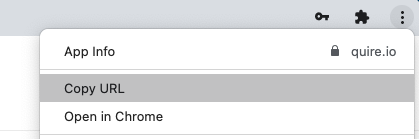
- If you are accessing from a notification via web app mage from Google Chrome, kindly share the link with us, You can copy the URL from the More Options menu at the upper right corner.
- If you were accessing from the mobile app notification, please kindly share a screen recording with us.
Since this is public forum, feel free to share the information to support@quire.io. We will continue to help you via email!
(As we need to access your task/task activity log to find out what's happening, please kindly write in the email stating that you give our developer team permission to access your project.)
Peggy, 2021年4月12日
Got another error, that this task that I'm commenting on doesn't exist. Clicked OK, now I'm here.
Thomas, 2021年4月1日