
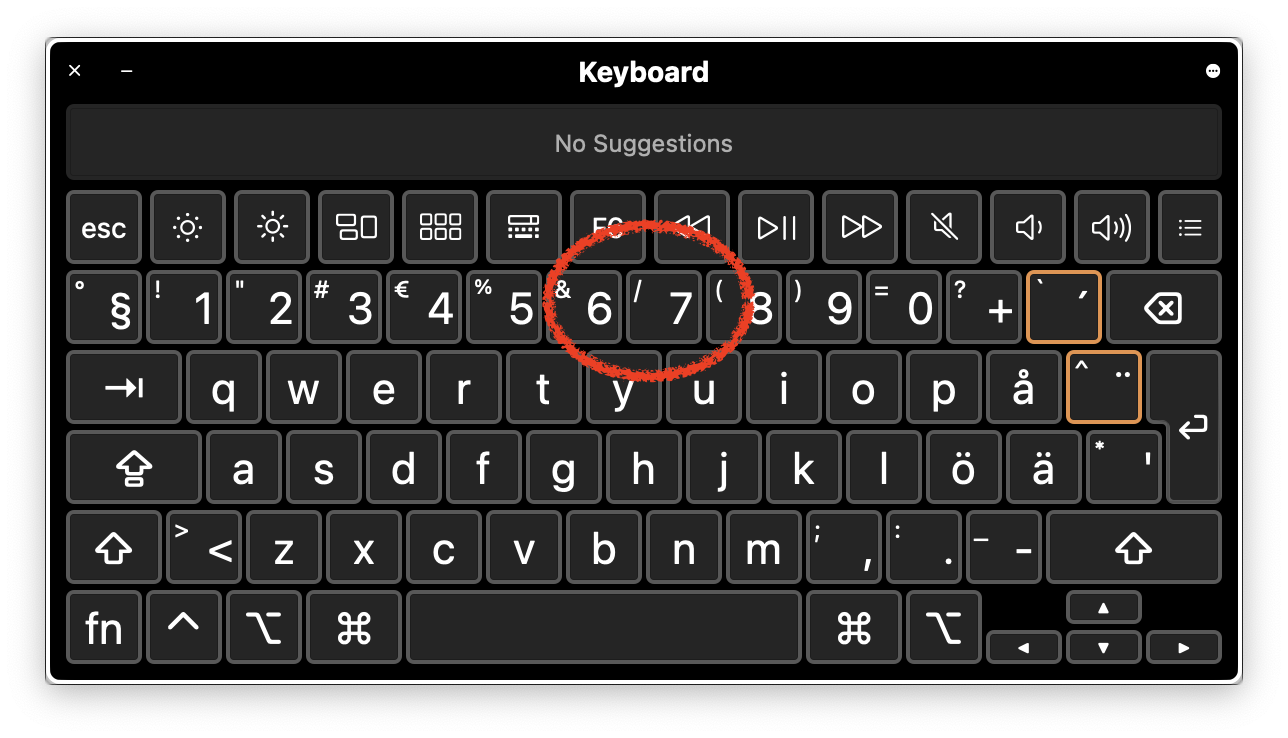
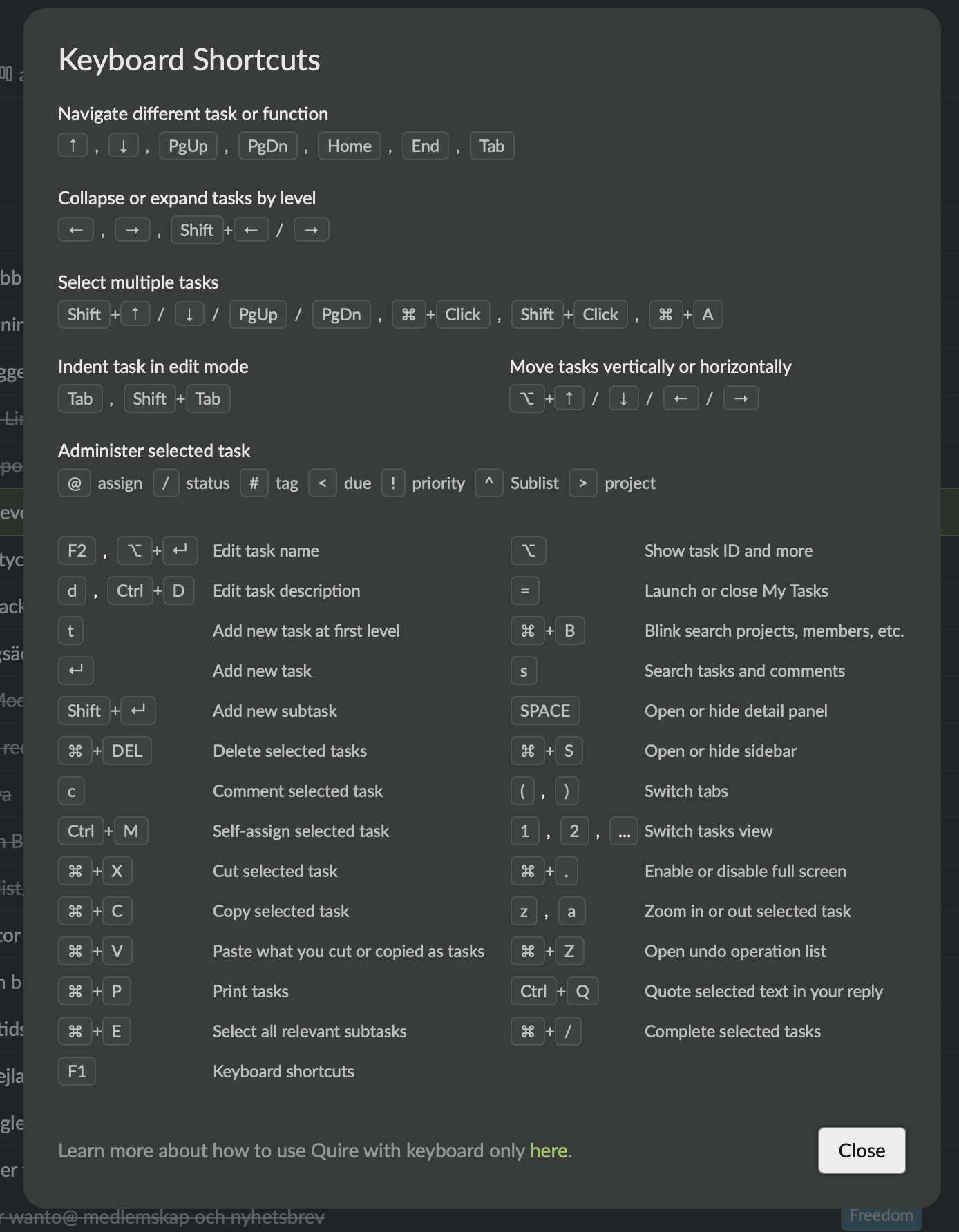
Keyboards shortcuts should be convenient, but they are not. To mark a task as completed you should "⌘ + /" click the selected task. To actually do the complete-click-shortcut according to the specified symbols I need to "⌘ + shift + 7" since the "/" is what you get when pressing shift + 7 on my keyboard.
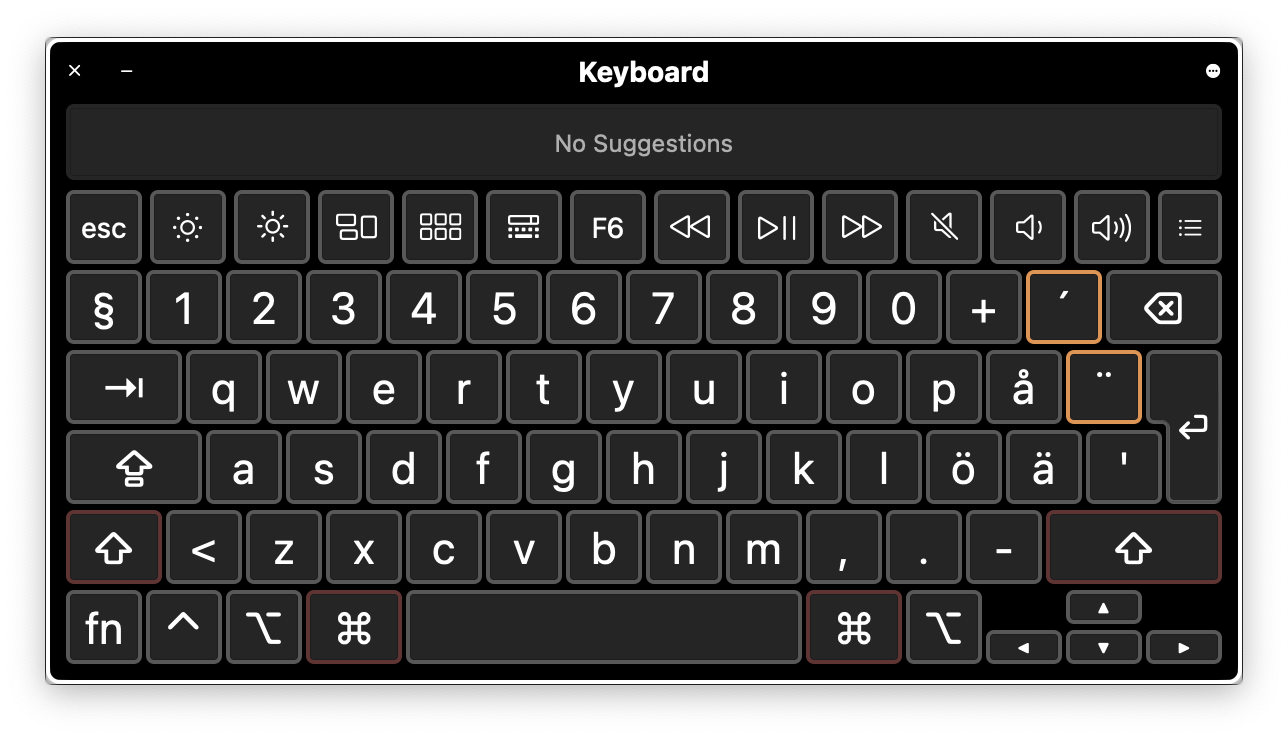
This does not work for me. Pressing ⌘ "undoes the shift" and makes the / "not reachable" (I can see this when looking at the keyboard viewer while pressing the keys). The result is no response.
Now, I'd really love to have this issue solved. I do all heavy lifting and task managment (creating, selecting, editing, deleting, moving, folding, unfolding etc) with keystrokes and I love it! It is just very silly that I cannot do that I cannot mark the status in a convent way.
Have I missed something fundamental? Otherwise I think this is an issue that should be looked into. I am working on a Mac and I have a Swedish (Apple) keyboard.
If I change inout device to another keyboard I am successfully in the shortcut pressing. But that is not convenient!
Many thanks for comments and suggestions! /Jonas
Ok great!
Jonas, 2021年4月9日
👍
Peggy, 2021年10月18日
I want to prioritize this issue.
I think the shortcut ⌘+/ is not a convenient choice. Please look at the character map and realize that '/' is only accessible for me togehter with a 'shift'. But holding 'shift' and ⌘ effectively removes the '/' !
A simple solution to this problem is that you also assign '⌘+ k' or 'm' or ... for completion of a task.
Please, please consider this!
Jonas, 2021年9月26日
OK! I'd love to do that. But I cannot do that key-combination. To be very clear:
I can only access / in combination with the Shift key. When I press ⌘ the / is removed from my accessible characters.
So, unfortunately I experience no fix. 😞
Jonas, 2021年10月7日
Hi Jonas - We have added another keyboard shortcut Shift + C for completing tasks! Please give it a try. I hope this helps!
Peggy, 2021年10月14日
That sound great! What are the new 'alternative' shortcuts? I want to give it a try but cannot find any information (and I have refreshed).
Jonas, 2021年10月7日
Thanks for your respnse! Unfortunately switching keyboard layout ”all the time” is not convenient.
⌘ + shift is the problem, they are not compatible. I am more thinking along the lines of a script that emulates ⌘ + shift and assign that script to a personal shortcut.
But having an option to choose your own shortcut would be much easier...
Jonas, 2021年4月9日
Hi Jonas - We have raised this issue to our Developer team again. We will keep you posted if we have any updates from the team.
Peggy, 2021年9月28日
Hi @jonastidstrom - I will pass your suggestion to the team and let you know when we have an update. For now, please kindly change to the English layout for the keyboard shortcut to work. Thank you!
Peggy, 2021年4月9日
Works like a champ!
Thank you so much for being — awesome!
Jonas, 2021年10月18日
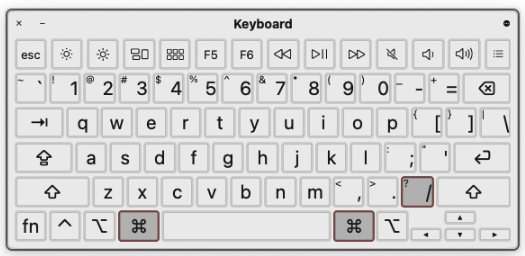
Hi @jonastidstrom - For the keyboard shortcuts, please switch your keyboard layout to English first. Then you should be able to complete a task by pressing the below keys. I hope this solves your question!
Peggy, 2021年4月8日
Hi Jonas - We have fixed this issue in the latest version update. After refreshing your Quire page, please give the combination hotkeys a try and let us know if the issue persists with your language keyboard. Thanks!
Peggy, 2021年10月6日
Hi Jonas - Sorry that I wasn't clear in the last reply. We didn't add any new alternatives, however, the team had fixed the combination issue with ⌘ + Shift key. Would you mind trying ⌘ + / for completing a task and see if there are still any issues? Thanks so much!
Peggy, 2021年10月7日
Hi Jonas - I will have our tech team to check again and get back to you as soon as I have any information from them. Sorry for the inconvenience caused.
Peggy, 2021年10月8日
Great!
Jonas, 2021年9月29日