
Cuando una tarea se incluye como subtarea por error, no encuentro la forma de poder modificar a que tarea madre corresponde. Al igual que no encuentro información en el tutorial sobre shorcuts para poder modificar este punto.
Muchas veces cuando añades una tarea rápidamente por defecto lo incluye como subtarea de la última que fue creada con antelación.
Muchas gracias por vuestro tiempo.
Hi Roberto - I am afraid in this case, you would need to switch back to the Tree view to reorder your tasks to the correct order.
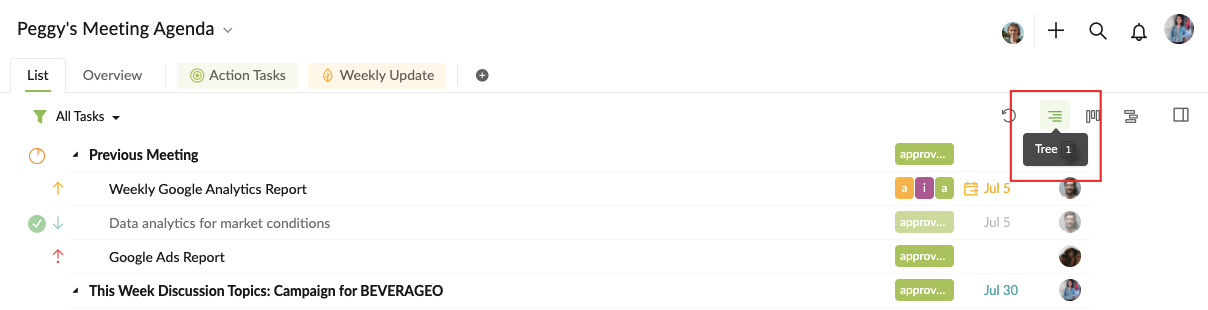
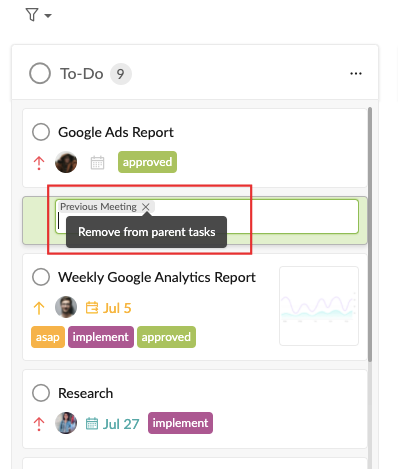
However, in the Board view, next time, when you are creating a new task, you can click on the x to remove the parent task first, so the newly added task will not have any parent tasks.
I hope this helps.
Peggy, Jul 19, 2021
Hi Peggy, I'm sorry if I havent reach you in english. The big issue is that I dont know how to unmark a task as a subtask of another one.
Roberto Marco, Jul 19, 2021
Thanks for your help. This is the point, I notice that when we are creating a new task and shows that is going to be included under a parent task yo can clic to remove from parent task. But after is created I can not find the way to remove it. Theres is no way to change it after the task has been already created?
Roberto Marco, Jul 20, 2021
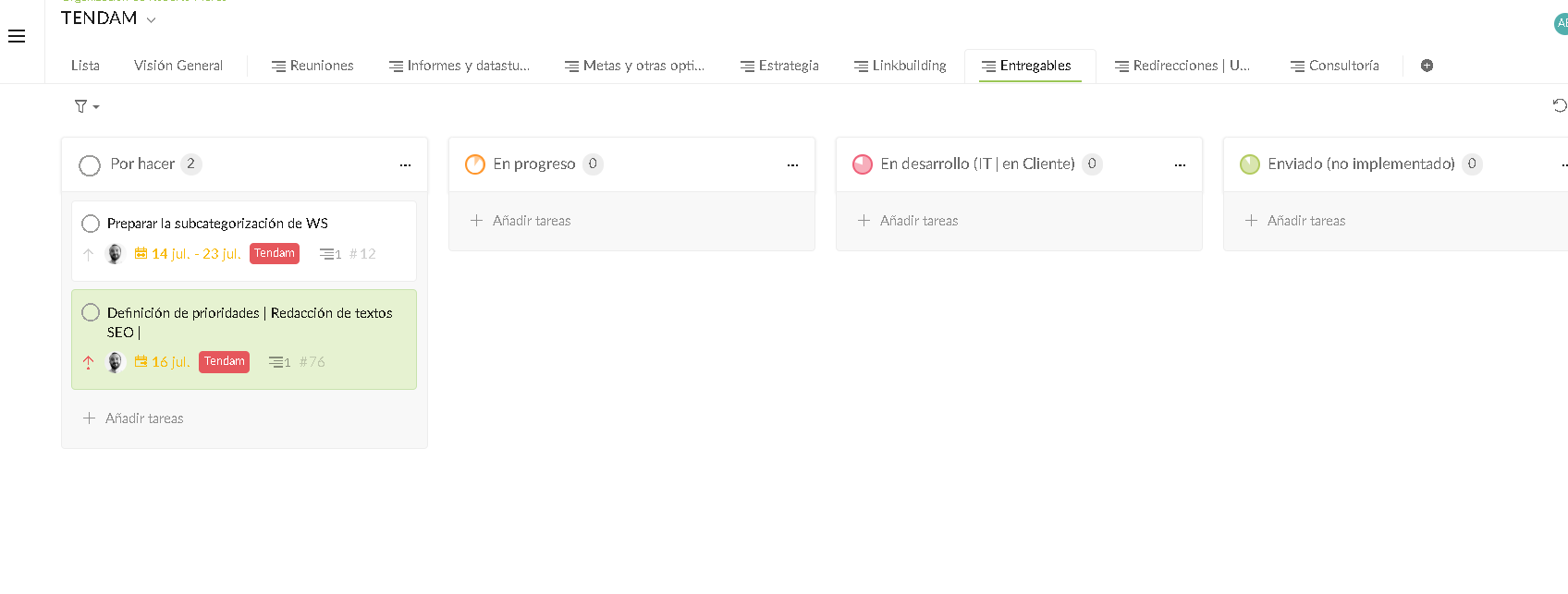
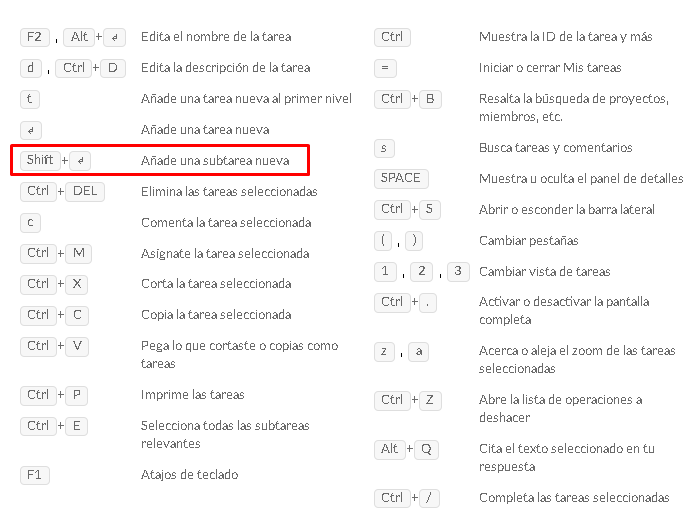
How can I change this example task to not be a subtask of "definición de prioridades...", I see you can use this short cut as is specify in the guidelines. But when I use the shortcut "enter" to create a normal task, also is include in the same mother task "definición de prioridades..."
Roberto Marco, Jul 19, 2021
There is any short cut to clear the maintask from the subtask?
Roberto Marco, Jul 19, 2021
Hi Roberto - At the moment, there is a way to move the task out from its parent task in the Board view. You can only switch back to the List view (press 1 to change quickly) and drag and drop the task to reorder the tree structure. I hope this will help.
Peggy, Jul 21, 2021
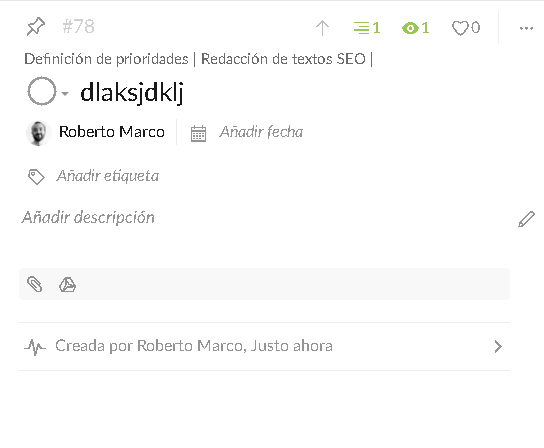
Roberto Marco, Jul 19, 2021
Hi Roberto - Sorry I don't speak Spanish and I used Google Translate to help me understand your feedback. Please kindly let me know if I have mistaken anything.
Could you please explain more in details on where you were creating the tasks? In the Tree view? Board view? And did you have any filters set when creating the tasks? The different views and filters might affect the position your new tasks is created. It would be helpful for us if you can also provide screenshots. Thanks for your help!
Peggy, Jul 16, 2021
Thank you Peggy it looks it was easier than I thought
Roberto Marco, Jul 22, 2021
Thankfully Roberto
Roberto Marco, Jul 19, 2021