
#5049: Quire Feedback
Status: To-do
Have you set up your Quire projects to fit a specific workflow? For example, CRM pipelines, GTD methods, Sprint planning, etc.
I am curious about how you are using Quire to manage your work or personal projects!
Share them with our community! Let's be productive together.
Here's how you can share:
- Describe how you use Quire and achieve your workflow.
- Set your project to a public project and share your Project URL in the comment area below.
- Share screenshots of your Quire project workspace in the comment area below.
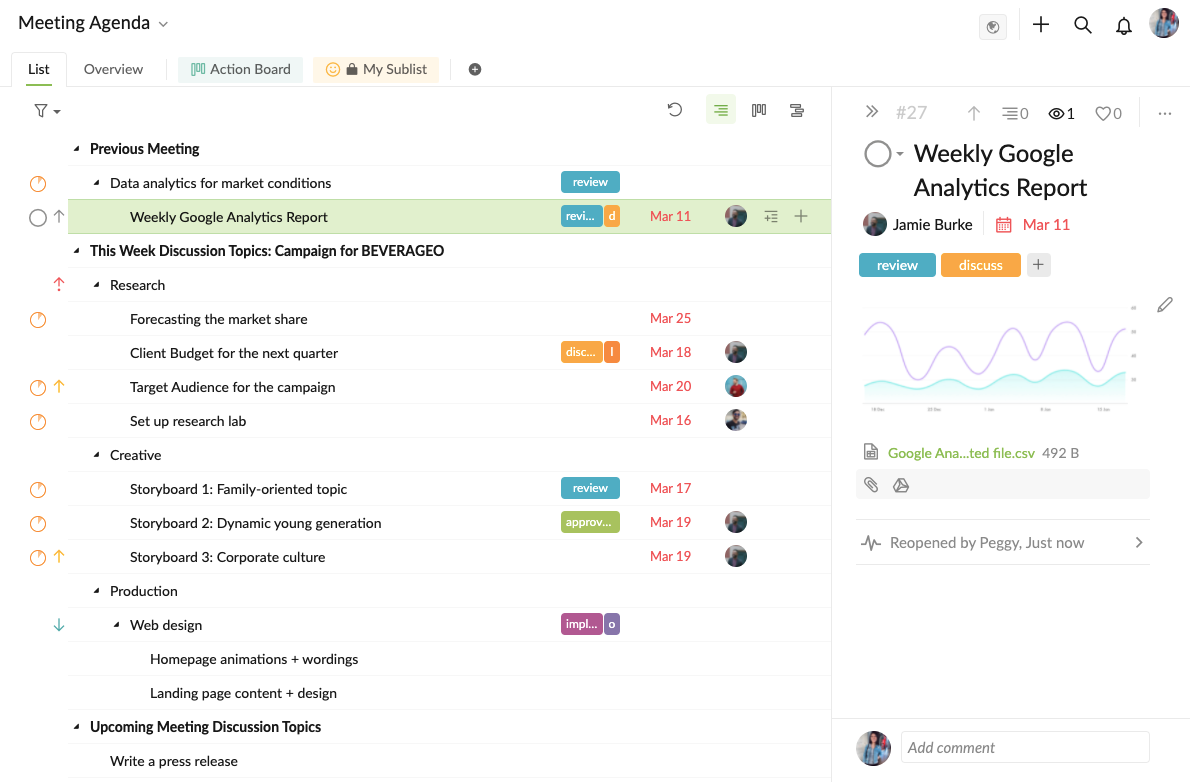
Here's my example: Team Meeting Agenda
Note:
- Make sure to remove any private information before sharing.
- No spamming.
- No NSFW, political, sensitive, offensive topics.
- The Quire team holds the right to modify or remove any of the comments at any time.
Created by Peggy Nov 2, 2021, Edited Nov 4, 2021
I currently use Quire to organize everything. 💯 I keep track of the books I read, organize them and add reminders for upcoming releases. I even have a book club in mind 😳 I link the series and movies I watch and organize a calendar along with their releases. Additionally it is especially useful for structuring my studies and making a "knowledge line". Literally since using Quire I no longer worry about memorizing/studying content, but simply remembering how I organized it in Quire and thus somehow "conditioning" the way my brain stores and accesses information. 🌠 I save birthdays and important dates. Ideas, pending and designs of my work. It has immense potential 👌
I just miss having a "counter" in the notifications at the moment I mark a task as "in progress" and that way I can quantify the time I have spent and at what time of the day I have done it (and see it in detail in the overview). That would be amazing 🔥
(deleted-Cob*s), Nov 13, 2021