
#5053: Quire Feedback
Status: Completed
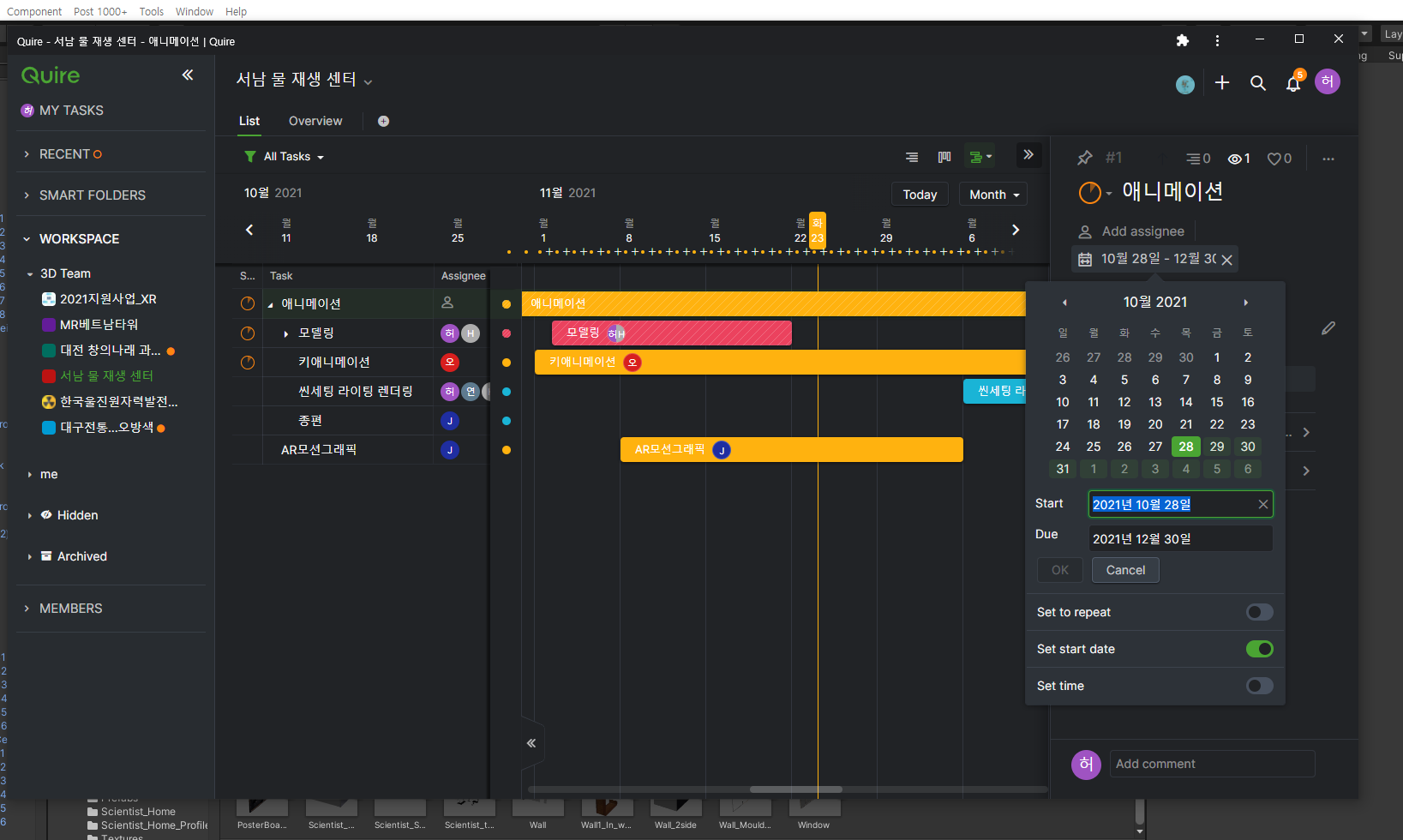
On my computer the date display looks like this Jan. Feb. Mar. Apr...Nov,Dec...
However. On another team member's computer, month is displayed as a number as follows. 1, 2, 3, 4~9,10,11,12
I'm Korean, so it's more intuitive to display numbers. But I can't find an option to show it as a number. The team members also said that they did not know how they made it appear as a number.
Where can I change the settings?
Created by 김사중 Nov 4, 2021, Edited Nov 23, 2021
김사중, Nov 23, 2021
I found a way. I solved it by changing Korean to default setting in Chrome browser settings.
김사중, Nov 23, 2021
Yes that's right! To change the date picker to Korean, you will need to change it through the browser settings. Glad you have found the way. I will close this thread!
Peggy, Nov 23, 2021
Hi 김사중 -
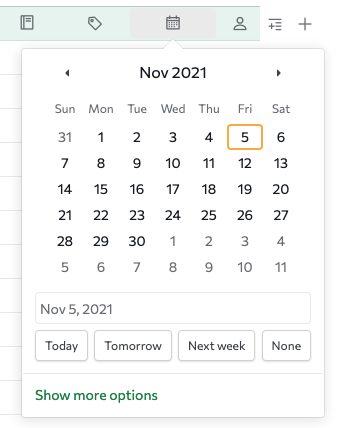
FYI. Here's what my date picker looks like.
Peggy, Nov 5, 2021