
#5139: Quire Feedback
Status: To-do
It's not new, it's been here for a long time. Now I found a moment to pinpoint it and describe in this task. See corresponding numbers on the screenshot
- Parent task title cut off from the top.
- Bottom border of the last task in the column cut off from the bottom
- Task ID jumping on hover/select when you have the detailed view enabled. My proposal: put it on the right bottom corner of the card or on the left relatively to controls
- Scrollbar has no padding at the left side
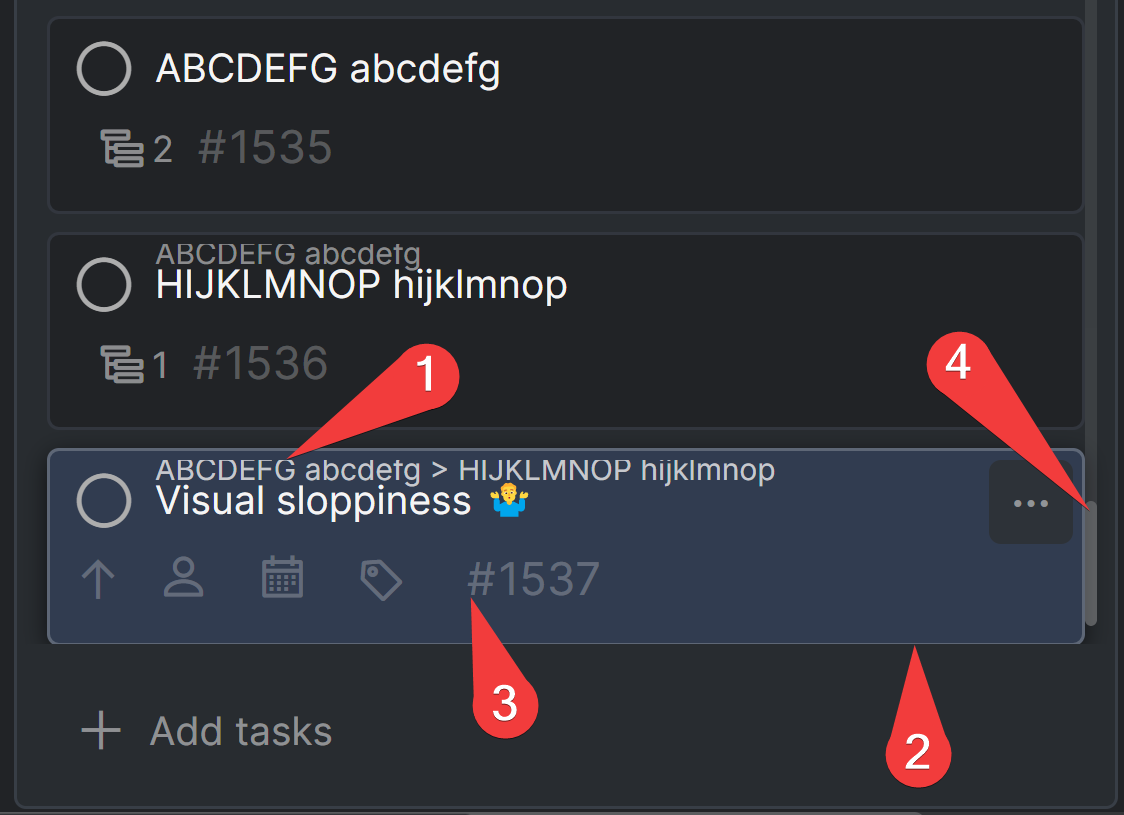
Windows 11, Chrome 97, Quire installed as PWA
Created by G Jan 9, 2022, Edited Jan 9, 2022
Hi Gleb, thanks for your screenshot and explanation. I have escalated this to our Developer and Design team. Once I received an update from them, I will let you know as soon as possible. Sorry for the trouble caused by this. 😱
Peggy, Jan 10, 2022
Hi Gleb, thanks for the recording. Will keep you posted if we have more updates. 👍
Peggy, Jan 21, 2022
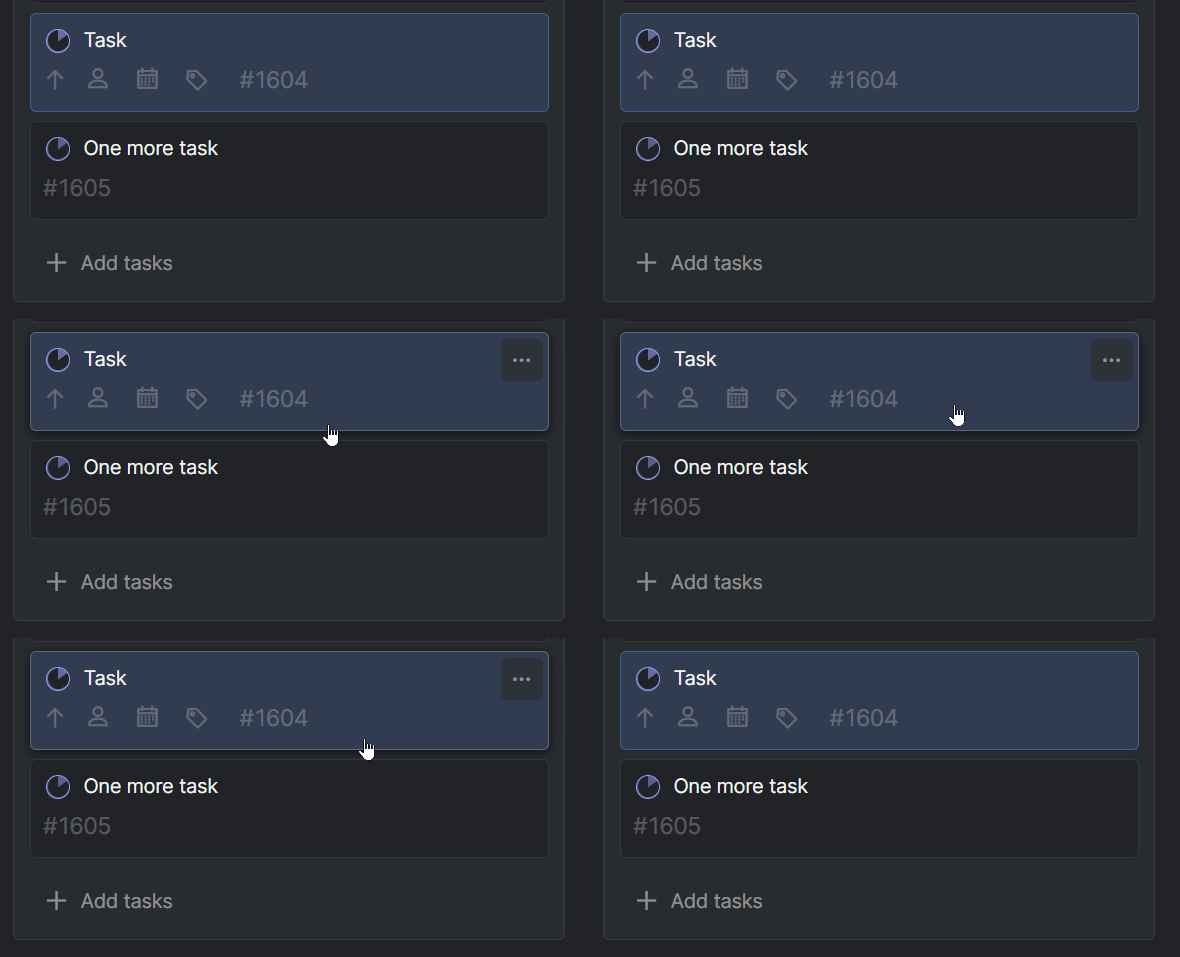
Hi Gleb, we have fixed the first issue that you have listed. Please refresh your Quire page to get the newest update version.
For the third issue, would you mind sharing a screen recording video of the issue happening on your end? Do you mean when there are no dates or assignees set, the task ID will jump to the right if you click on the task?
Thank you for your help!
Peggy, Jan 20, 2022