
There's no app for the M1 mac and the one for iPad does not work.
Also a widget for the iPhone / iPad with today's to do list would be really helpful
It seems to work now thanks, it didn’t work before.
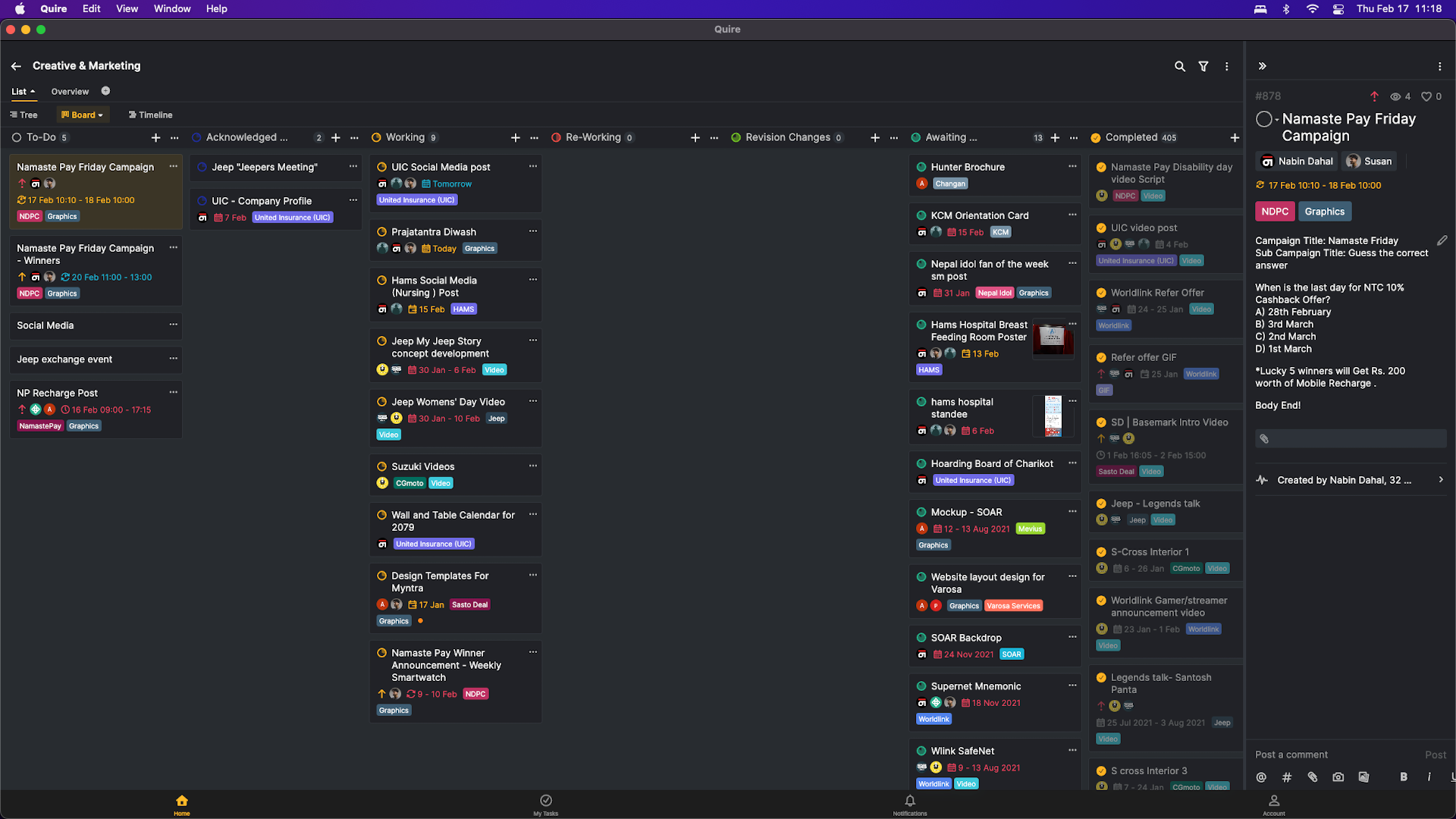
However, on a monitor texts are very small is there a way to fix it ?
I am using a Mac Mini M1 on a Dell U2419H. I have attached a image
Ayush Bista, Feb 17, 2022
Hi Ayush, please navigate to the Account Settings and try changing the font size there. Hope this helps! 😃
Peggy, Feb 17, 2022
Great, Thank you.
Ayush Bista, Feb 27, 2022
Hi Ayush, my bad, sorry for confusing you, adjustable font sizes are only available on our web browser version only. You may find the settings under Appearance in the upper right corner.
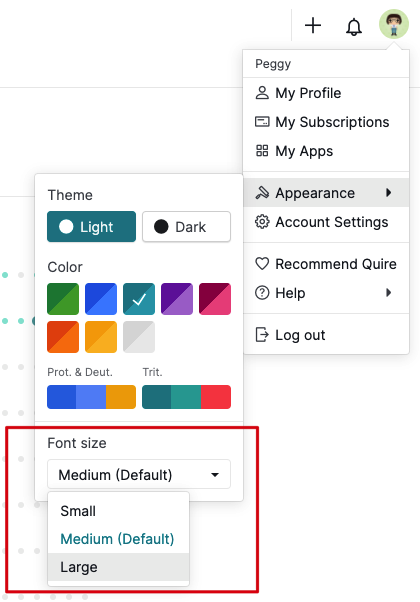
On the other hand, the font size on the Quire app follows the system settings. You won't be able to adjust it in the Quire app.
Peggy, Feb 17, 2022
Great, Thank you.
Ayush Bista, Feb 17, 2022
Hi Peggy, I am sorry but there are no option for font sizes in Account Settings.
Ayush Bista, Feb 17, 2022
Hi Ayush, thank you for reaching out to us. You will find the Quire app in the App Store on M1 in the iPhone/iPad apps tab.
Could you please let us know specifically the issue you are encountering? Can you install the Quire app? Does it open correctly?
Thank you for your help! 😃
Peggy, Feb 17, 2022