
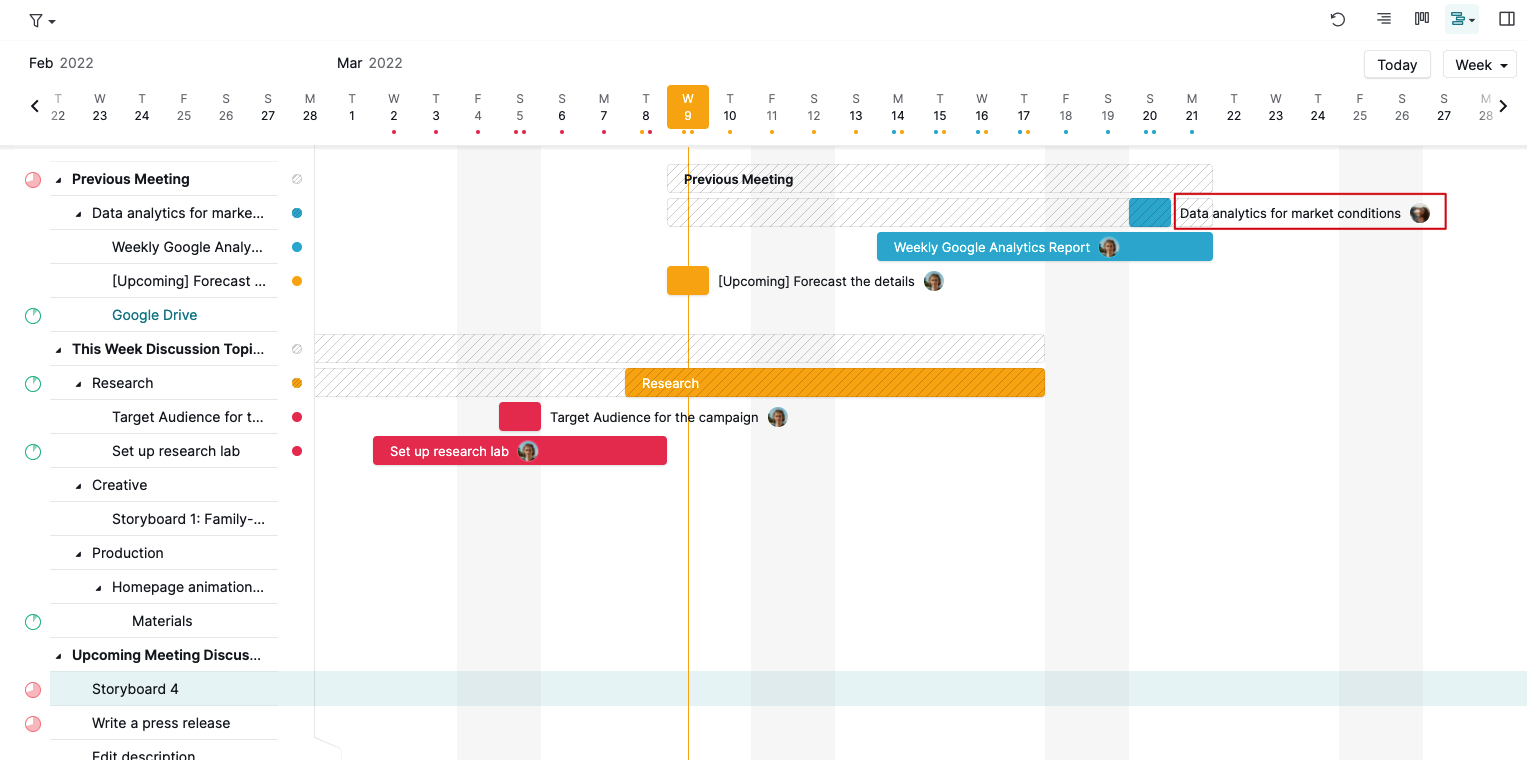
- In the Timeline view, the task description is shown twice : (a) in the first column (b) next to the taskbar
This is a duplication and clutters the screen. Is it possible to disable the 2nd task description (next to the taskbar)?
- Are other customizations possible for the Timeline view?
- Can other views be customized as well?
Hi SM, thank you for sharing your feedback.
Do you mean you would like to hide the task name in the red box shown in the below screenshot? If so, unfortunately, this couldn't be done. I will pass your feedback to our team for more discussion and keep you posted if we have any updates.
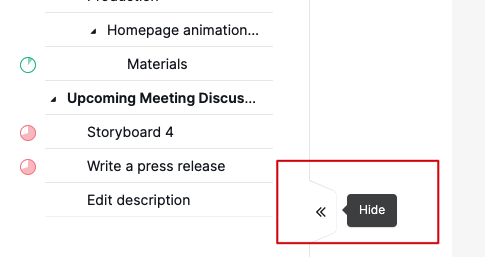
At the moment, you can hide the task tree list on the left-hand side to show more screen space by clicking on the arrow tab at the bottom right corner. Hope this helps.
By 'customizations', do you mean you would like to hide some of the information that you don't want to see, for example, hide the assignee icons, date icons, or tag icons in each view?
Awaiting your reply.
Peggy, Mar 9, 2022
Hi Peggy
Thanks for your clarifications.
'Customization' means any thing to modify a standard view. This could include features to omit (such as what I mentioned), features to include and features to modify (such as colors).
All Views should be customizable.
Thanks.
Steve
SM, Mar 9, 2022