
If I reorder a task in the Timeline view, an unfortunate side-effect is that it becomes a sub-task of a wrong task grouping.
For example, consider the following task hierarchy of tasks to be done by me today:
A A-1 A-2 B B-1
On the Timeline view, the following tasks will be listed in the following sequence: A-1 A-2 B-1
Now let's say I drag B-1 above A-2. Sure it will go there, but it then becomes a sub-task of group A!
Please suggest workarounds.
If no workaround is there presently, I suggest the following: Reorder facility should not change the hierarchy, only the sequence. That means, a serial number (which could be seen/transparent) could be there for every task, independent of task hierarchy.
Hi SM, thank you for your feedback!
When you drag B-1 above A-2, you have dragged the task into the A node, that's why B-1 has become one of the subtasks of group A. See the following recording.
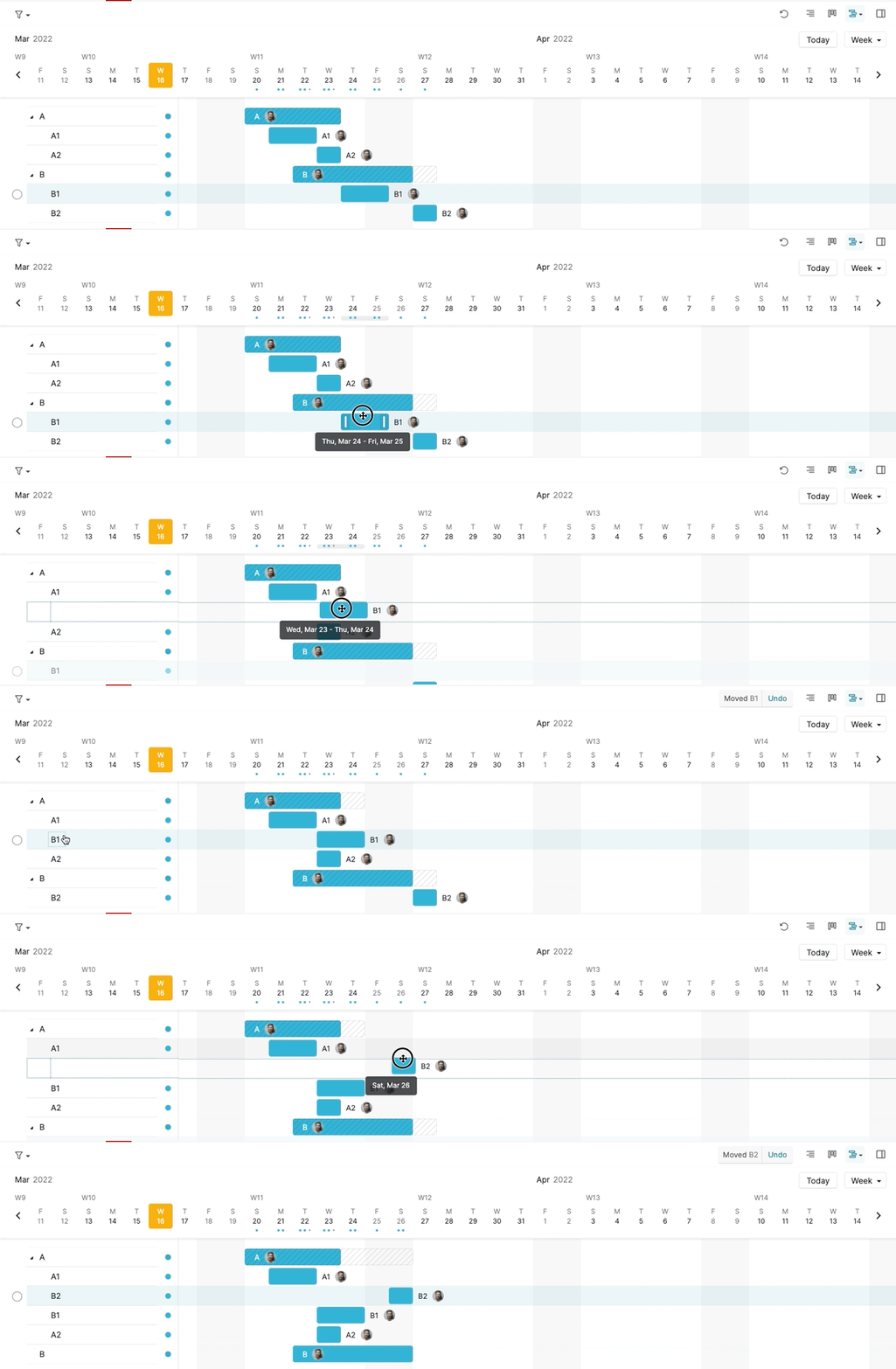
If this is not what you meant, could you please kindly share a screen recording of what you encounter on our end so we can have a visual understanding to further assist you and discuss. Thank you for your help in advance! 🙌
Peggy, Mar 16, 2022
Hi Peggy
Thanks for your reply.
The point is that if I drag a task in the Timeline view, it gets subordinated to an unintended task. This is an unintended side-effect, which should not be allowed.
Therefore, I suggest that dragging tasks should not be allowed in the Timeline view.
SM
SM, Mar 30, 2022
Hi SM, we will pass your feedback to our team for more discussion and if there are any updates, we will keep you posted. Thank you!
Peggy, Apr 8, 2022