
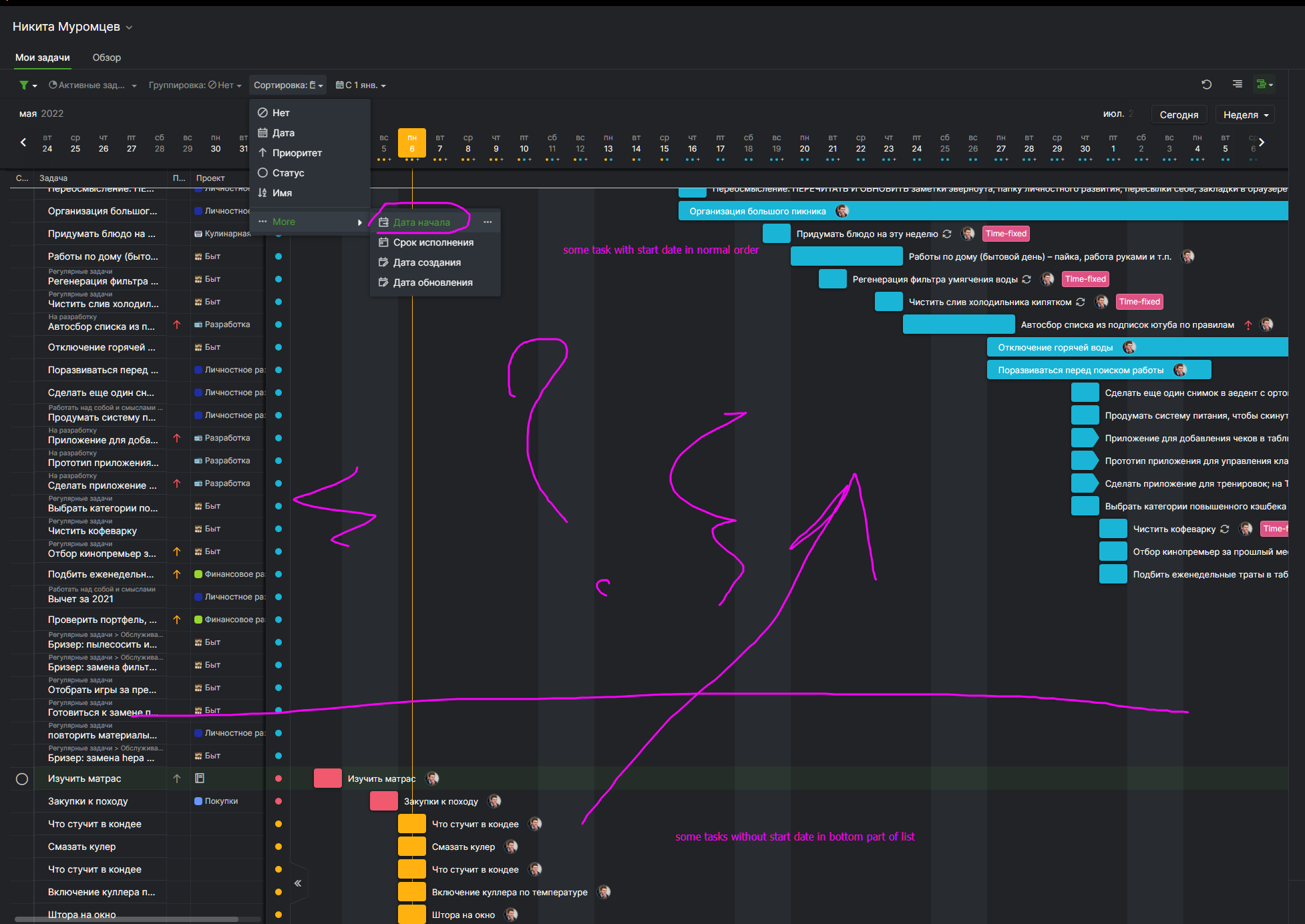
If I choose to sort by start date, then the tasks without it shows at the bottom of the list. Then I should set the start date by the end date for each task.
This is problematic, because the interface buttons easily set only the end date for today/tomorrow.
In some lists, I don't care about the start date at all, but in the aggregated list, I need to display tasks from such lists with sorting by start date.
OK. Another problem.
If you sort only by date, then it really turns out what I want. It seems it wasn't like that before.
Another problem.
If I only sort by date, then in the "my tasks" section all tasks are shown, including without dates, which overloads this page. I would like to show tasks with dates only, but there is no such filter. If I set a task filter associated with dates, then when creating a new task, it automatically sets the date according to the selected filter.
Eg. Filter from January 1, 2022. In the new task, the start date will not be the date of the neighboring task from above, but January 1.
Никита Муромцев, Jun 8, 2022
Hi Никита,
Please try sorting your tasks by Date. 👍
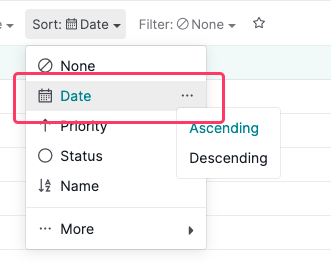
When sorting your tasks by Date,
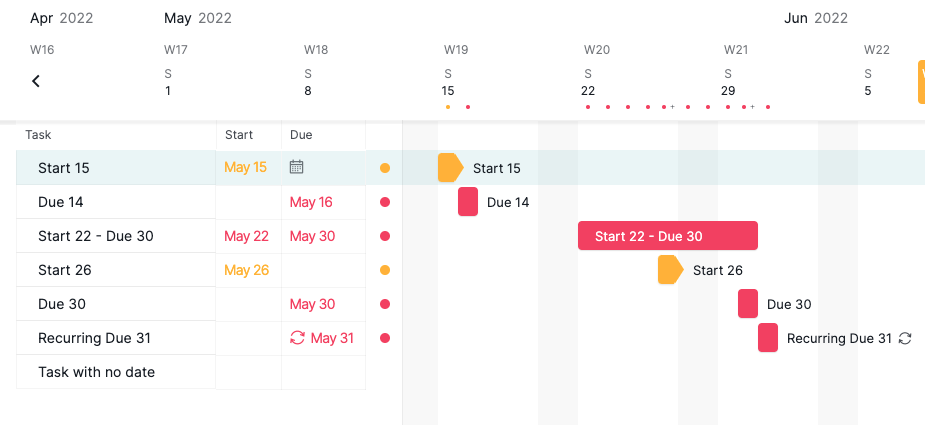
- if the task only has a start date, it will sort by its start date.
- if the task only has a due date, it will sort by its due date.
- if the task has both the start and due dates, it will sort by its start date.
- if the task doesn't have any dates, it will appear at the bottom.
Peggy, Jun 8, 2022
Hi Никита,
Thank you for your explanation! We have passed it to our team for more discussion and keep you posted once we have more updates.
Peggy, Jun 7, 2022
What did I mean:
If the start date is not specified at all, but there is only an end date, then when sorting by start date, should use the end date like the start date.
Some tasks may completed in a day, and manualy specifying the start date is a problem for them.
If I sort by the end date, then long-term tasks fall to the bottom of the list. It's problem for me. If task has a start date, it should be started earlier. I want to sort by start date. But now tasks with start date shows firstly, without start date at the bottom. I want mix from all tasks now two list in top and bottom.
It is reasonable that tasks without the specified start dates should be perceived as "one-day" tasks and participate in the general sorting, as in other todo-lists.
Никита Муромцев, Jun 6, 2022
Hi Никита,
For My Tasks, the tasks without any dates but assigned to you will appear. You won't be able to filter them out and not see them.
Currently, in our Filter options, you cannot choose to see the tasks with dates unless you specify a date or date range.
I'm afraid that we don't have what you are looking for right now. Could you please clarify once more with an example of what you are looking for? Do you mean when you sort by Date, you would only want to see the tasks with dates and exclude the tasks that don't have any dates?
Thank you in advance for your reply.
Peggy, Jun 10, 2022
Hi Никита, I am terribly sorry, I am not sure about what you are requesting, could you please give us an example how you mean by 'set the start date by the end date'?
How the tasks will display when you sort by Start Date: Depending on the sorting order (asc. or desc. order), the tasks including Start Dates will appear first, then the tasks with only the Due date will appear next, then the tasks without the any dates will show at the very bottom of the list.
If this not you have in mind, please kindly share an example with us or how you would wish the tasks to be sorted in certain Sort mode.
Thank you for your help!
Peggy, Jun 6, 2022