
Hi Quire. I have a problem: When attaching files of not so common extension (in my case .ppl) to a task and trying to access it later it downloads without problems but the dialog box to open that file shows options without much sense or usefulness.
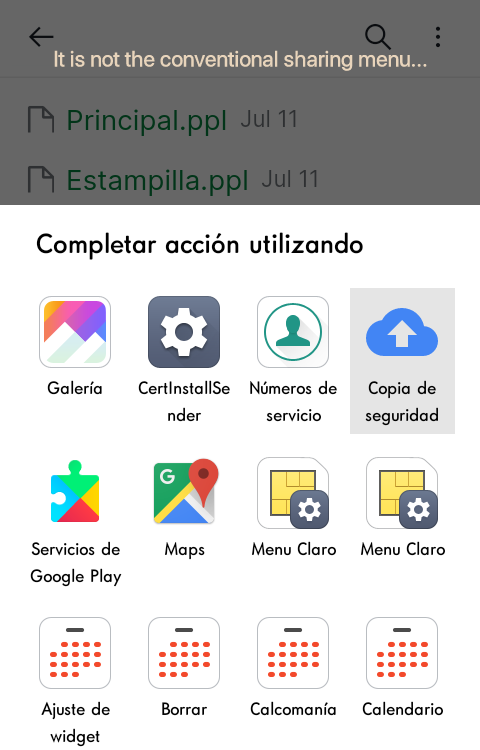
On the other hand, the downloaded file is not found in any folder (In /Downloads for example) which does not allow to access it in any way (I have tried looking for the file in Android/Data/Quire as if it was some kind of temporary location without any success). Am I doing something wrong ? Maybe next time I could pre-compress the file in question, but right now the files I already have attached in some tasks I can't use to re-upload them (inside a Zip). Would like to suggest that the attached files are saved in some specific folder (something similar to what happens if I attach images, which go to the /Pictures folder). Thank you !
Thanks for your answer. I understand that it is the system itself that chooses the correct app to open the file, but for example font files (ttf) are opened directly with the font viewer (if I have one installed) I can view the file but not work with the file itself (email it, rename it or copy it to a folder) And in each case I would have to configure Android and its default apps and thus show me the usual "open with" option. I think it would be nice to have the option to "download" as the images have it but in any attachment.
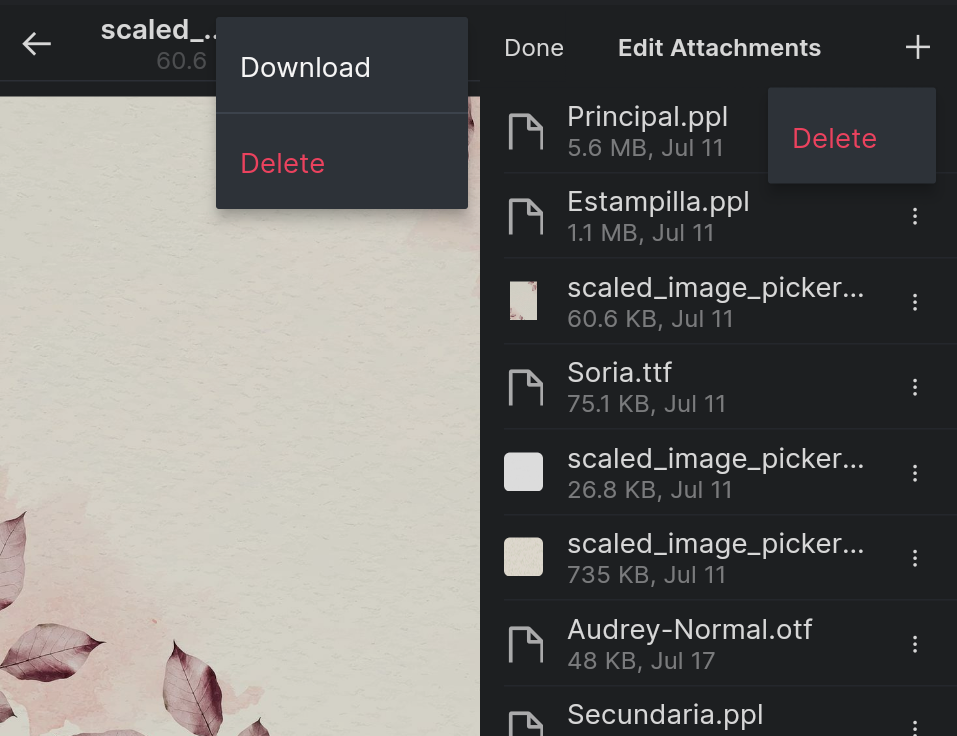
Thank you very much for your help. From now on I will compress the files before attaching them (:
(deleted-Cob*s), Aug 10, 2022
Hi @Leslyecream, When you attach a file, we will provide a link, which your operating system will use to find an app that can support the file. In addition, you may ZIP your file before being uploaded to Quire for easier locating your file after downloading it. I'm sorry if this is not the best solution for you.
Golda, Aug 9, 2022