
Hi,
I wish that projects remembered my last view of My Tasks (filters, groupings) between sessions on mobile.
Currently whenever I get to see My Tasks, it shows some default view with all tasks I don't want to see.
Via Quire Android
it just happened now again.
app was running in the background. not sure if it has to do with notifications?
when I open the app, it shows me a random task I didn't look at recently.
when I press Back, I see My Tasks with a random filter as in
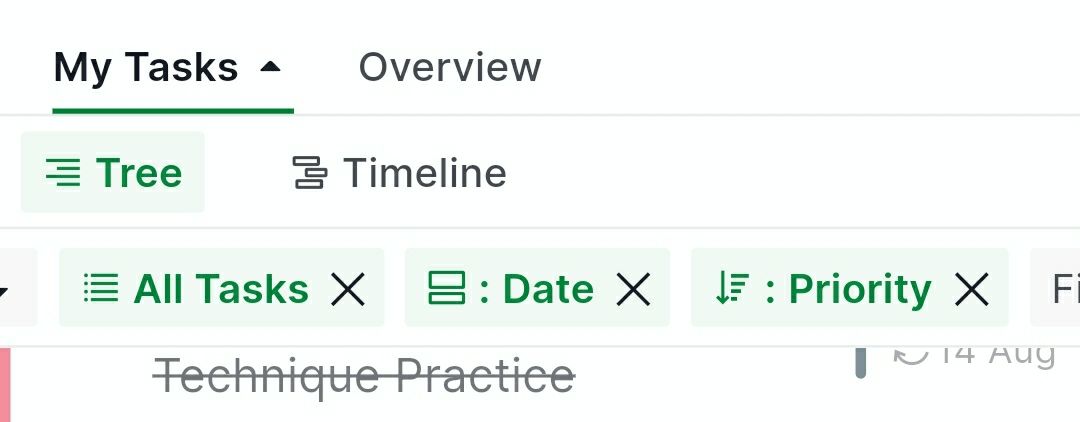
tilusnet, Aug 17, 2022
Hi @tilusnet, I'm writing to let you know that our Mobile Team has fixed this issue. Please update your Quire mobile app to the latest version (version 9.00) and try again. You can let me know if the issue persists. Thank you.
Golda, Aug 29, 2022
Hi @tilusnet, Thank you for sharing the screenshot and reproduction steps with us.
I have passed this issue to our Mobile Team and currently our team is looking into it. I will keep you posted when I have any updates!
Golda, Aug 18, 2022
Hi @tilusnet, Thank you for the update. I have let our Mobile Team know about this, and our team will investigate further. I will keep you updated as soon as this issue is fixed. I'm sorry for the inconvenience.
Golda, Aug 24, 2022
Thank you Golda. Strangely it didn't happen today yet. Will keep an eye on it and come back with screenshots / steps when it happens next.
tilusnet, Aug 17, 2022
Hi @tilusnet, I tried to reproduce this, but unfortunately, I could not. When you set Group mode or filters in My Tasks, it shall remember your last setting. Could you kindly share a screen recording or screenshots along with the reproduction steps? This way, our team can understand it better. I'm sorry for the inconvenience and look forward to your reply. Thank you.
Golda, Aug 17, 2022
if it helps further: there's definitely something related to Notifications.
today I had 4-5 Notifications from previous days. In the app I switched from the My Tasks tab to Notifications and back: surprise, the My Tasks filter got reset to something unfamiliar - certainly not my previous filter settings.
Please make sure the My Tasks filter settings don't change unless changed by the user.
tilusnet, Aug 23, 2022