
#5519: Quire Feedback
Status: To-do
The quick add button doesn't work while using some saved filters in My Tasks on mobile
Via Quire Android
Created by Vikramjit Bora Sep 2, 2022, Edited Sep 2, 2022
Hi @Raisag , I group by date, then Projects and filter by projects. Hope that helps.
Vikramjit Bora, Sep 5, 2022
Thanks for your response.
Here's a screen recording for your reference.
- Using version 9.00.
- The quick add button is not getting dragged as well.
- In some of my other saved filters it's working fine.
Vikramjit Bora, Sep 2, 2022
Hi @VBora, Thank you for the screen recording. It would be more helpful if you can let us know your saved filter settings. What Group or Sort did you select for your project? For example, you Group by Date and Sort by Priority.
With this information, we can help to further troubleshoot. Thank you.
Golda, Sep 2, 2022

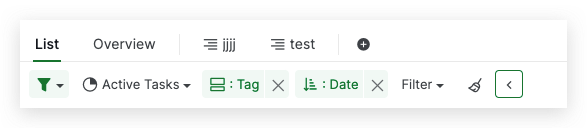
Hi @VBora, I'm sorry for the inconvenience. I was not able to reproduce it. To help you further, please let me know the below information:
The saved filter setting you used in your project by expanding the filter.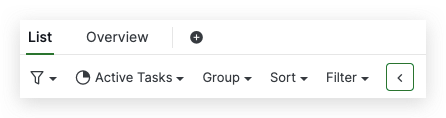
The reproduction steps or you can also share a screen recording to help us understand better.
The app version you are currently using. The current app version is version 9.00. Please update the current version and try again if you have not updated it.
Thank you, and I'm looking forward to your reply.
Golda, Sep 2, 2022