
Sometimes I am having tasks that are parent-child and with different tags so with my tags grouping they are in different groups.

And while trying to add new task to some tag it automatically copies parent while it is not supposed to do so:
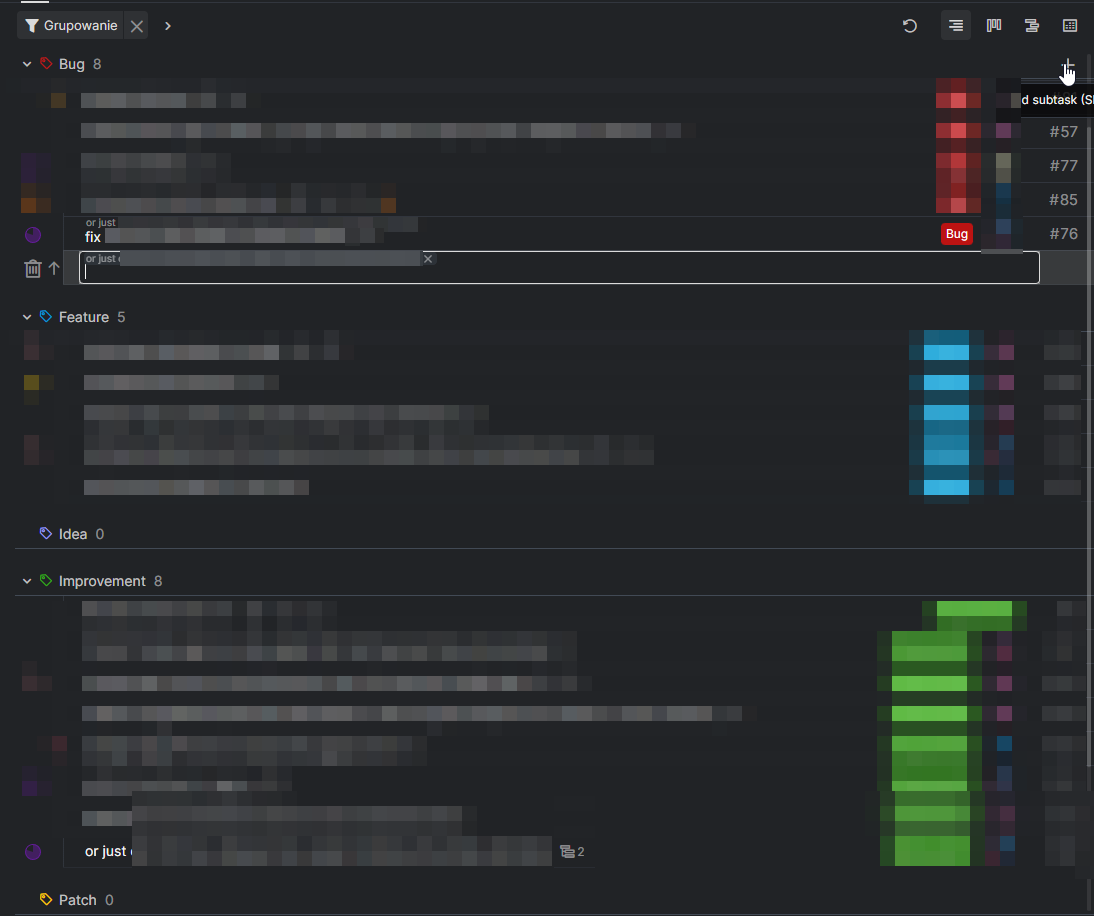
Hi @Raisag I am aware I can delete parent this way, but I had such thing at least 10 times in my history, just earlier wasn't sure what it is exactly, and spending time to deleting it is an extra time that could be reduced. Like mentioned, I could somehow even understand when making enter for new task, but this is unlogical for me when using add button from group top.
Grox, Nov 2, 2022
Hi @Grox, When you add a new task, our system will determine whether the previous task is a subtask.
If the previous task is a subtask, the newly added task will be a sibling task of the same parent task. This is why when you add a task from "fix", it has the same parent task by default.
I hope this helps!
Golda, Nov 1, 2022
Hi @Grox,
I understand your concern that repeatedly clicking the x button throughout the day may not be efficient. I will bring your concern to our internal team for more discussion, and I will notify you as soon as our team has any updates. Thank you.
Golda, Nov 3, 2022
Hi @Grox,
I just wanted to let you know that when in Group by tag, pressing t and the + icon of the tag group will add a new task without following the parent task of the previous task✨
Golda, Nov 9, 2022
Hi @Raisag
Let's say it makes sense while using enter from last task (while I can barely imagine anyone who really would like to use it like), but while I am using + button at top of tag group it is totally not intuitive to me that parent is copied, I am expecting to add single task with this tag when using group button.
Grox, Nov 1, 2022
Hi @Grox, If the last task in the tag group is a subtask and you add a new task using the + button, the new task will become the sibling task.
You can remove it from the parent task by pressing
xon the parent task name, and the task will not become a sibling task.Golda, Nov 2, 2022