
Hi,
I am evaluating Quire, for productivity. Thus, I would like to create tasks from form submission or Emails.
I have tried creating task from Emails, after upgrading to the Professional Trial. But still not able create task! Please enable this feature for me. Since I am evaluating all these features, if this works - I would like to upgrade to Annual Plan.
I am sending the email from my gmail i.e. peeyushsrj@gmail.com Getting following error -
Hi,

We're sorry we cannot create the task for you. Reason: Cannot add this task to Inbox due to organization task limitation. Please upgrade your subscription plan.


---------- Original Message ----------
From: "Peeyush Singh" <peeyushsrj@gmail.com>
Sent: 1/14/2023 10:48 AM
To: +634390@quire.io
Cc:
Subject: flask alternative <> !Medium #Bibhu
answers are important
Please look into this... It's really important for me since i am using this for managing people.
Hi Manager, Thank you for reaching out to us. I have passed this issue to our developer team to troubleshoot further. If we have any updates, we will let you know. You can also use the Email to Quire feature to directly create tasks for your organization's projects. Please navigate to your Project Settings > enable the Email to Quire option. For more details, please visit our guide here.
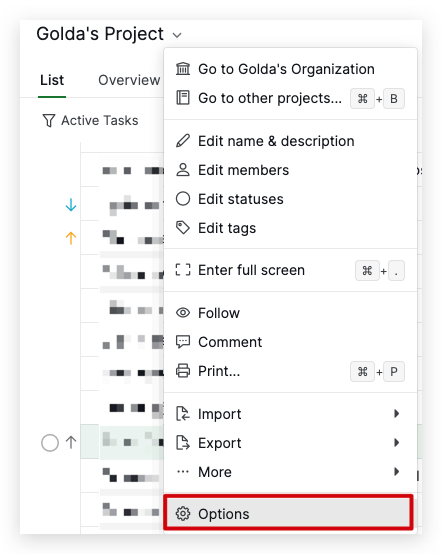
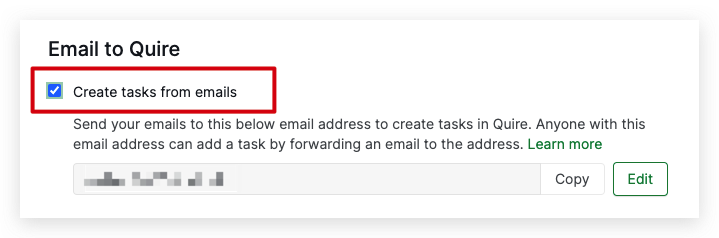
Golda, Jan 16, 2023
thanks for the revert. I have tried this and it's working. I saw one documenation, it was only there for the account settings.
Thanks a lot. Also can these new tasks go to specific subtask... if not that is also fine
Manager, Jan 17, 2023
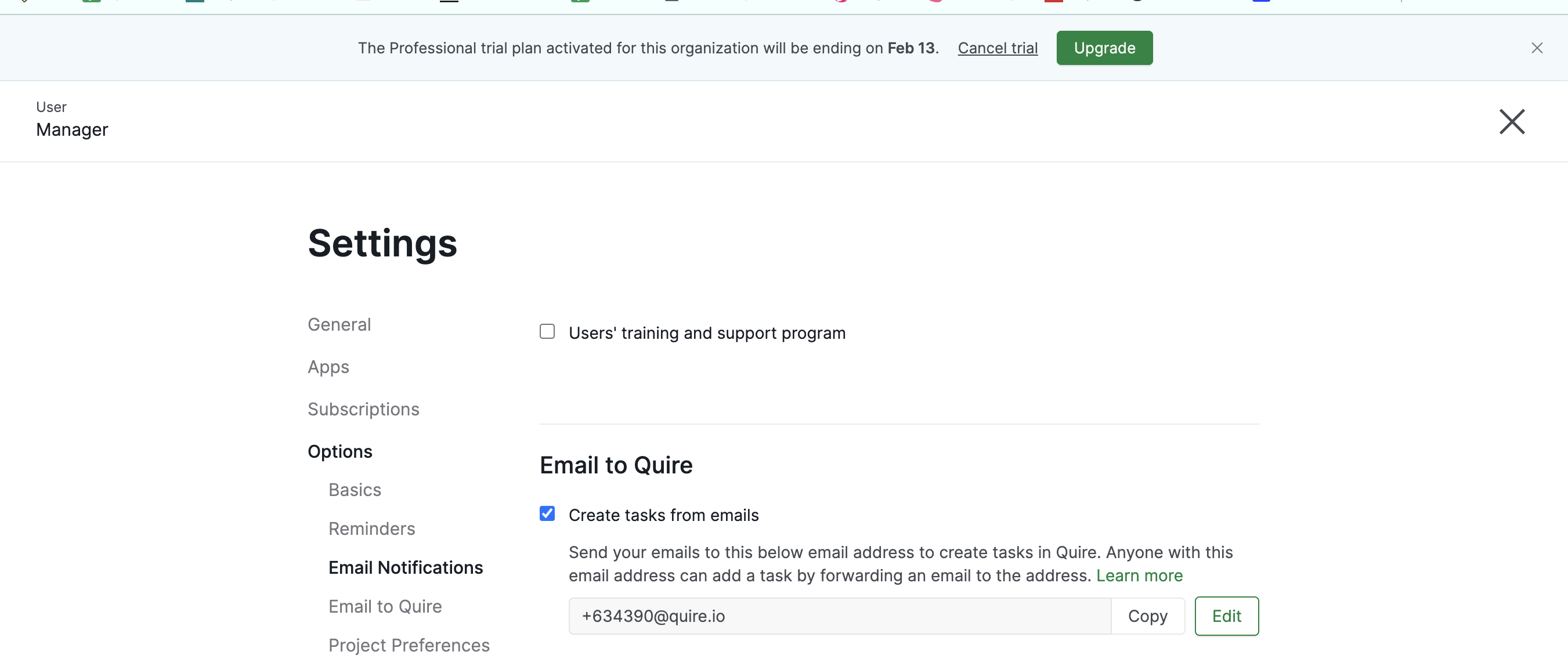
As shared. I have uploaded the screenshot for my email address along with email received from quire that task cannot be created.
Please let me know. Can continue premium, based on it
Manager, Jan 17, 2023
Hi Manager, From the screenshot you provided, you are enabling the Email to Quire feature in your Account Settings. Regarding this issue, I have passed it to our Dev Team to check further. We will let you know when we have any updates.
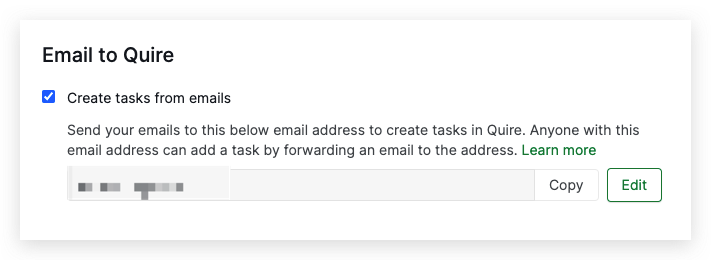
In the meantime, you can also enable the Email to Quire feature in your project. Go to your project > click the dropdown menu next to your project name > Options > scroll down to Email to Quire > enable Email to Quire. With the specified email address for your project, your email will turn into a task directly to your project.
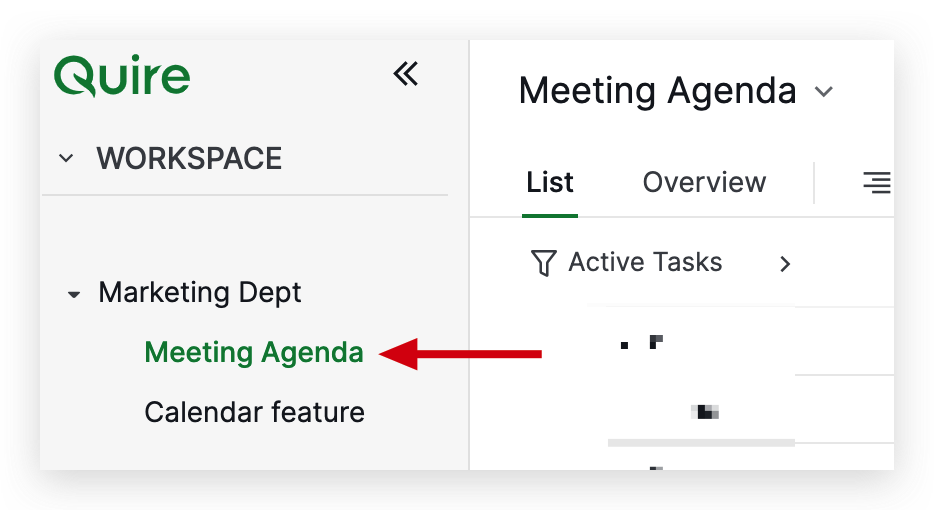
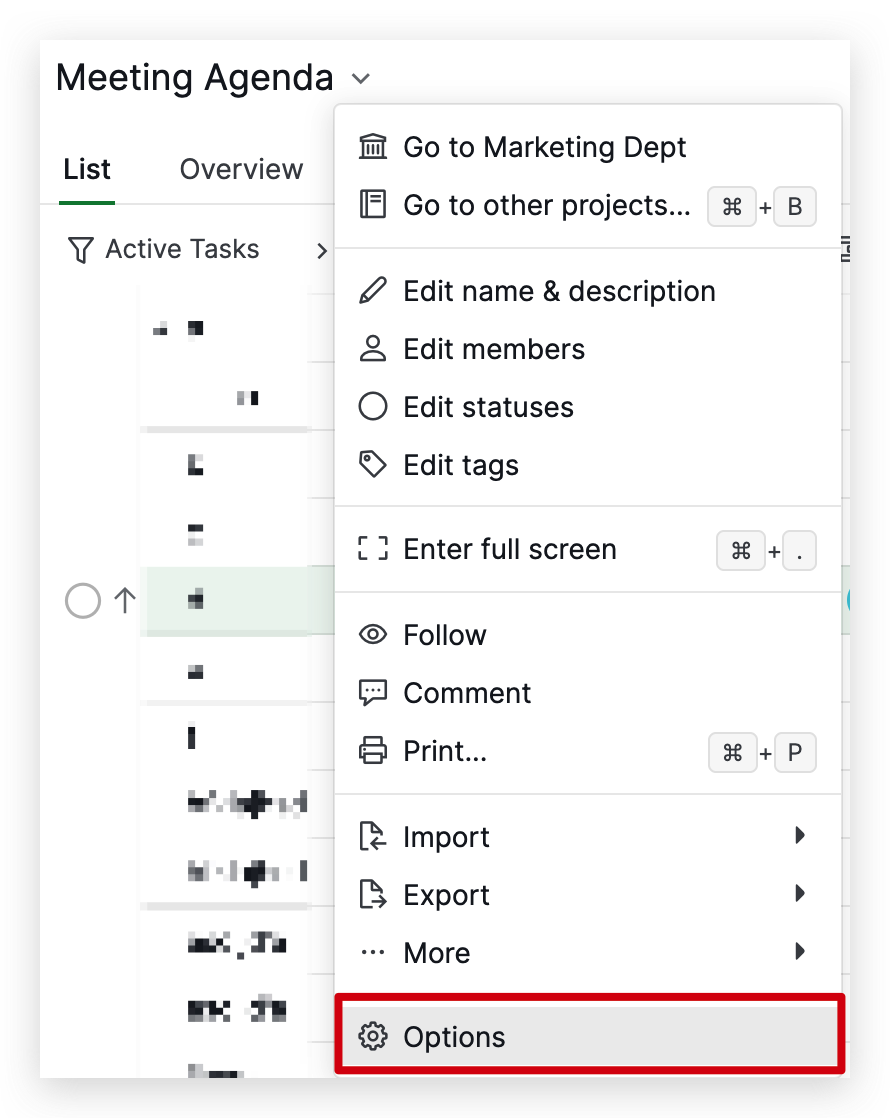
Golda, Jan 17, 2023
This I have tried. it's not working today as well.
I am connecting some backend api-es .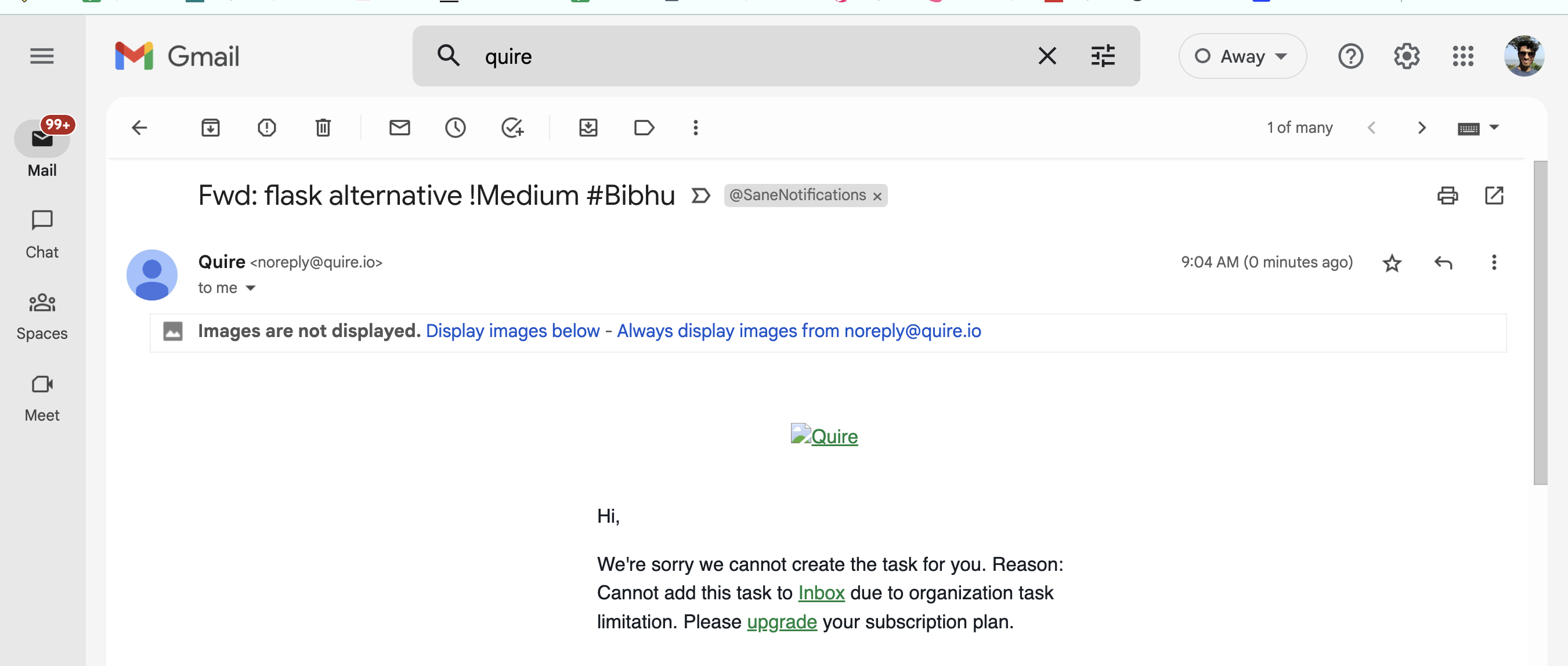
Manager, Jan 17, 2023
ok thanks
Manager, Jan 19, 2023
we can close now, but like to get feedback on that
Manager, Jan 17, 2023
Manager, Jan 17, 2023
Use case - I am looking to create task from our google forms to project board post this .
Manager, Jan 14, 2023
Hi Manager,
Unfortunately, Email to Quire doesn't support creating a task for a specific subtask. However, you can email tasks to become task comments. Check out our guide here for more details.
Golda, Jan 19, 2023