
When editing a large description, I can only see 5 rows and there's no way to expand it. Makes it very hard to edit large text. It should either auto-expand when there's more than 5 rows or have an expand icon.
Also, mouse-wheel scrolling doesn't work inside the description box, making it even more difficult to edit.
Thank you
Hi Serge, I'm afraid I cannot reproduce this. Could you please share a screen recording with us so our team can better understand the issue?
Additionally, you can enlarge the comment section by dragging the line on the top of the comment. I attached a screenshot for you.
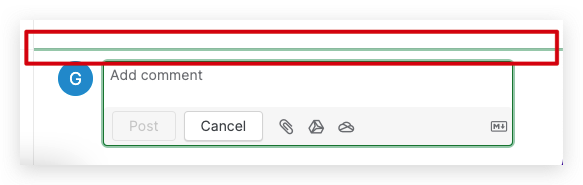
Golda, Feb 8, 2023
Hi, you're right, sorry about that. Was a CSS bug in our userscript. both Description & Comments auto-expands just fine now. So you can mark this as resolved. Thanks
Serge, Feb 14, 2023
Hi Golda, the comment enlarging is buggy, I cannot get it to stick. And it should really be automatic while I type, having to do that each time is not convenient or productive. For example, comments box in Asana auto-expands as I type 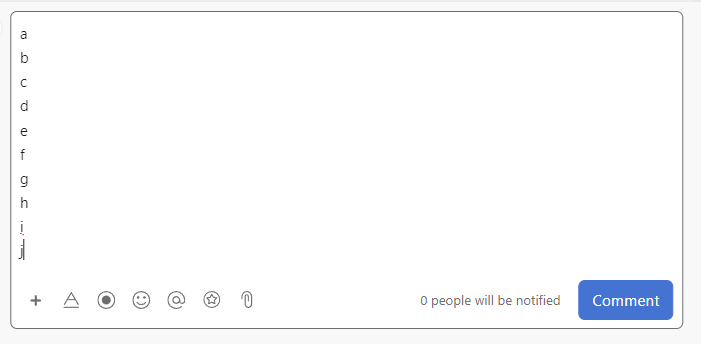
Serge, Feb 10, 2023
Hi @globaldev , the description should grow on its own when you type in long texts. Please see the below screen recording.
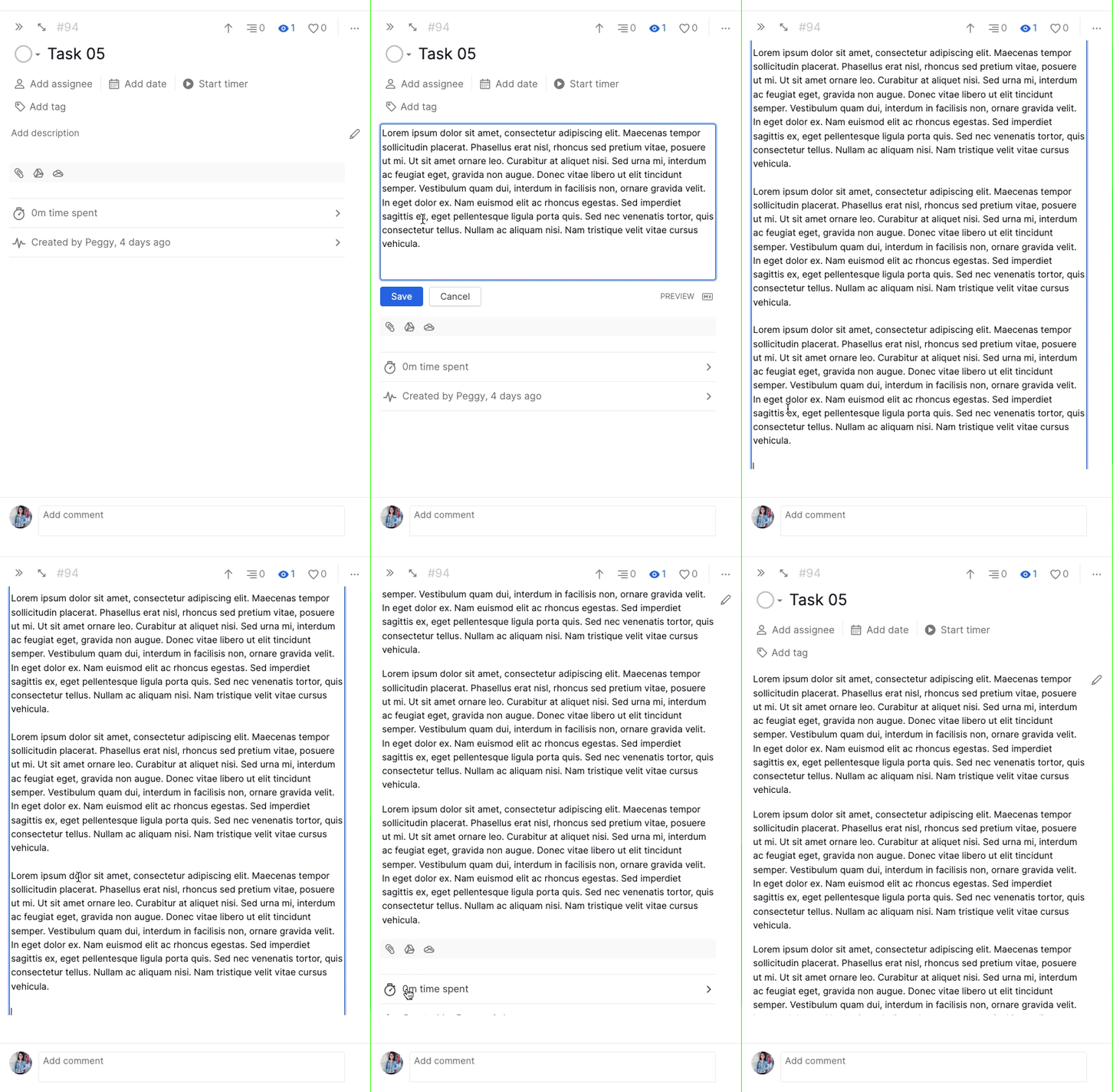
Could you please let us know the browser and browser version that you are using?
Peggy, Feb 13, 2023
And it's also the same issue when editing comments. Only 2 rows visible, and no way to increase this.
Serge, Feb 7, 2023
the biggest issue is the Description box though, comments are not usually as long
Serge, Feb 10, 2023