
Hi, in the web version of Quire, there used to be shortcuts (i.e. "Today", "Tomorrow", "Next Week", etc.) for setting dates on a Task. At some point, these were removed, but I found that they were very helpful and would love if they made a return. As I recall, they previously existed for only the Web app, but it would be great to not only be added back in that app, but also added as a new feature in the mobile version. Keep up the good work!
Hi @peggy, in Timeline view with Grid turned on, I have a Due Date column. When I click the icon, the dialog that comes up does not have those shortcuts. I do see them specifically when the dialog comes up when I am using shortcuts from within the Task name. i.e. when I type < to begin entering a date, the dialog that comes up does look like the one you posted. So, the request here specifically refers to when the dialog comes up from within Timeline grid view. Thanks!
(deleted-PFDH), Mar 4, 2023
Hi @peggy , wanted to let you know that as of this morning, I started seeing the date shortcuts again. Thanks!
(deleted-PFDH), Mar 10, 2023
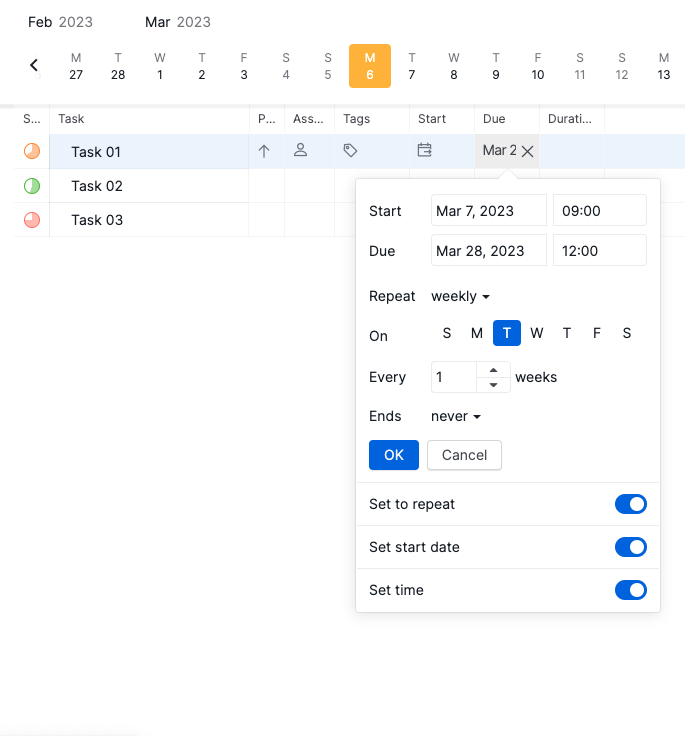
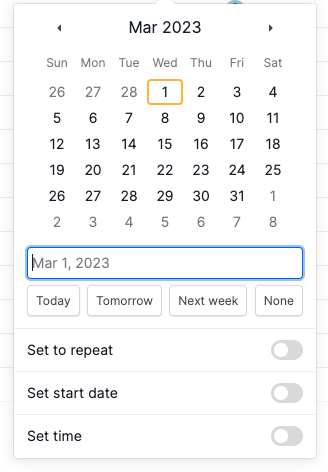
Hi Chris, thank you for getting back to me. I just want to make sure that you haven't toggled on the repeat, start date, time option. If those are toggled on, the buttons won't appear.
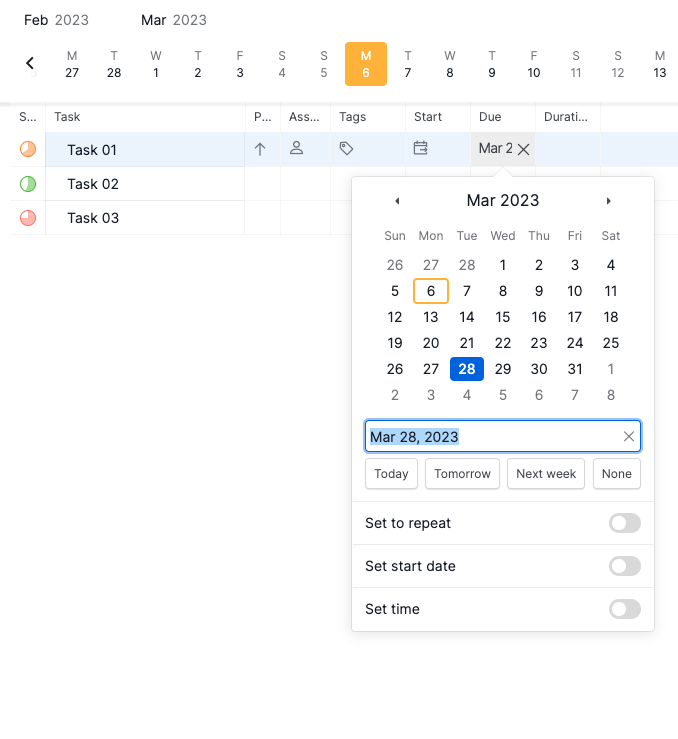
Repeat, start date, time option turned off, then the buttons will show:
Repeat, start date, time option turned on, then the buttons will not show:
Would you mind share a screenshot of your screen for both situations (when clicking on the icon and when typing <? I will show it to our team to help further troubleshoot. Sorry for the inconvenience caused! 😭
Peggy, Mar 6, 2023
Hi Chris, I have brought this issue to our team and if I get any updates from them, I will keep you posted. Thank you for your screenshots.
Peggy, Mar 7, 2023
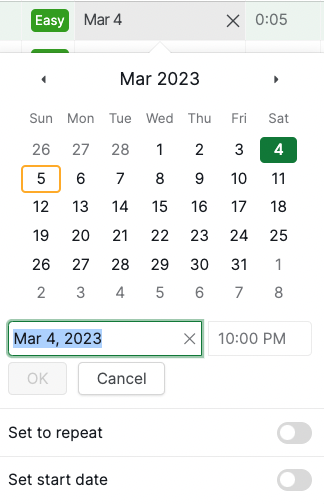
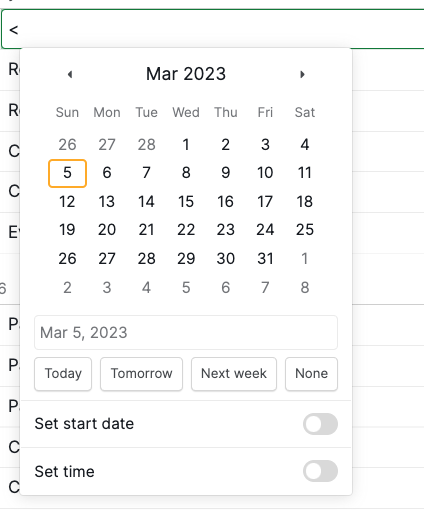
So I think actually the issue I'm seeing is that there is no option to turn off "Set time" and it defaults to setting a time.
(deleted-PFDH), Mar 6, 2023
Hi Chris, are you referring to the buttons shown in the below screenshot? We didn't remove the feature, you can still find them in the dialog when setting a date to a task. However, if the option for setting a start date, time or repeat is turned on, these buttons will not show.
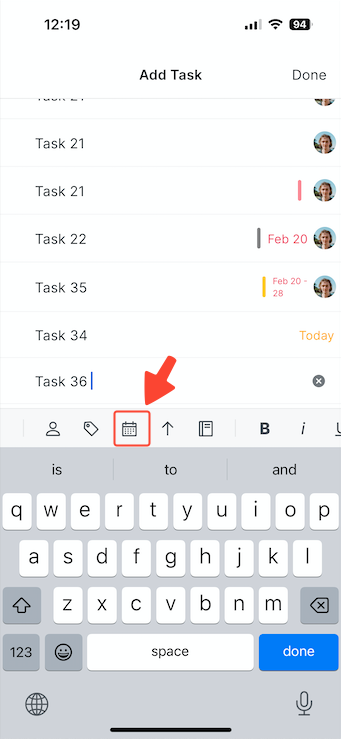
In the mobile app version, when you are typing a task name, you can find these shortcuts in the date icon at the menu bar above the keyboard.
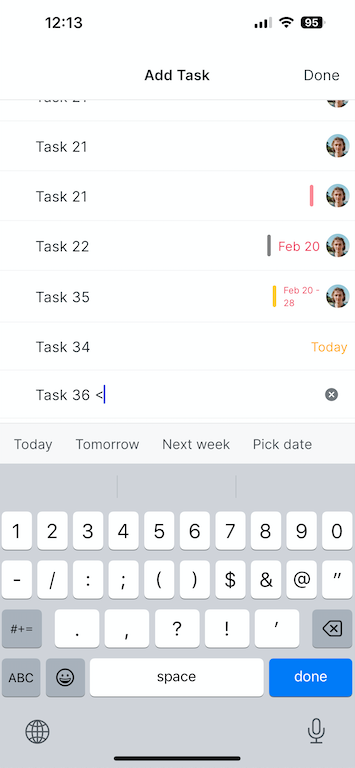
Please let us know if these are what you are looking for. Thank you!
Peggy, Mar 1, 2023
Hi @GTD , yes, we have fixed this issue! 👍
Peggy, Mar 10, 2023